Alerting
Reach your team the way they actually want to hear about it
Slack, Microsoft Teams, email, PagerDuty, Opsgenie, or a generic webhook for your own tooling, configured per project, per trigger.
Channels and triggers, configured independently
Each notification rule pairs exactly one trigger with one channel, so a project can have as many rules as it needs: new issues to Slack, regressions to email, spikes paging PagerDuty or Opsgenie, a missed heartbeat hitting a generic webhook that feeds your own on-call tooling.
PagerDuty and Opsgenie each take that service's own integration key as the target, so an alert pages into whatever on-call rotation and escalation policy you already have set up there, rather than ForgeOps trying to replace it.
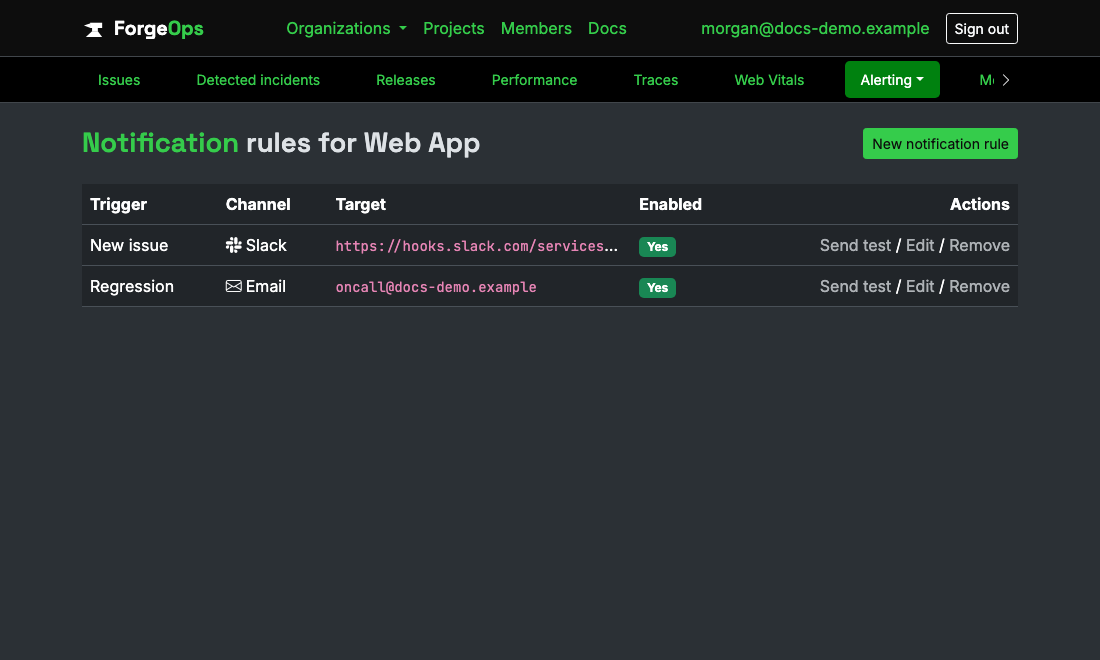
One rule per trigger/channel pair, as many as a project needs.
Every alert says where to look
An alert reads like a small incident page. On every channel it says whether something needs attention now, what broke and on which endpoint, how many customers it's affecting, when it started, and the deploy that went out just before it with its pull request. For an incident, it adds the likely cause with its match confidence and its two strongest pieces of evidence, marked potentially relevant rather than confirmed, and the next step.
Investigate in ForgeOps opens the incident page (or the issue page when there's no incident), with links to the pull request, the deploy comparison, and the trace where the channel supports them. Webhooks keep every field they already had and add the same content as a verdict object.
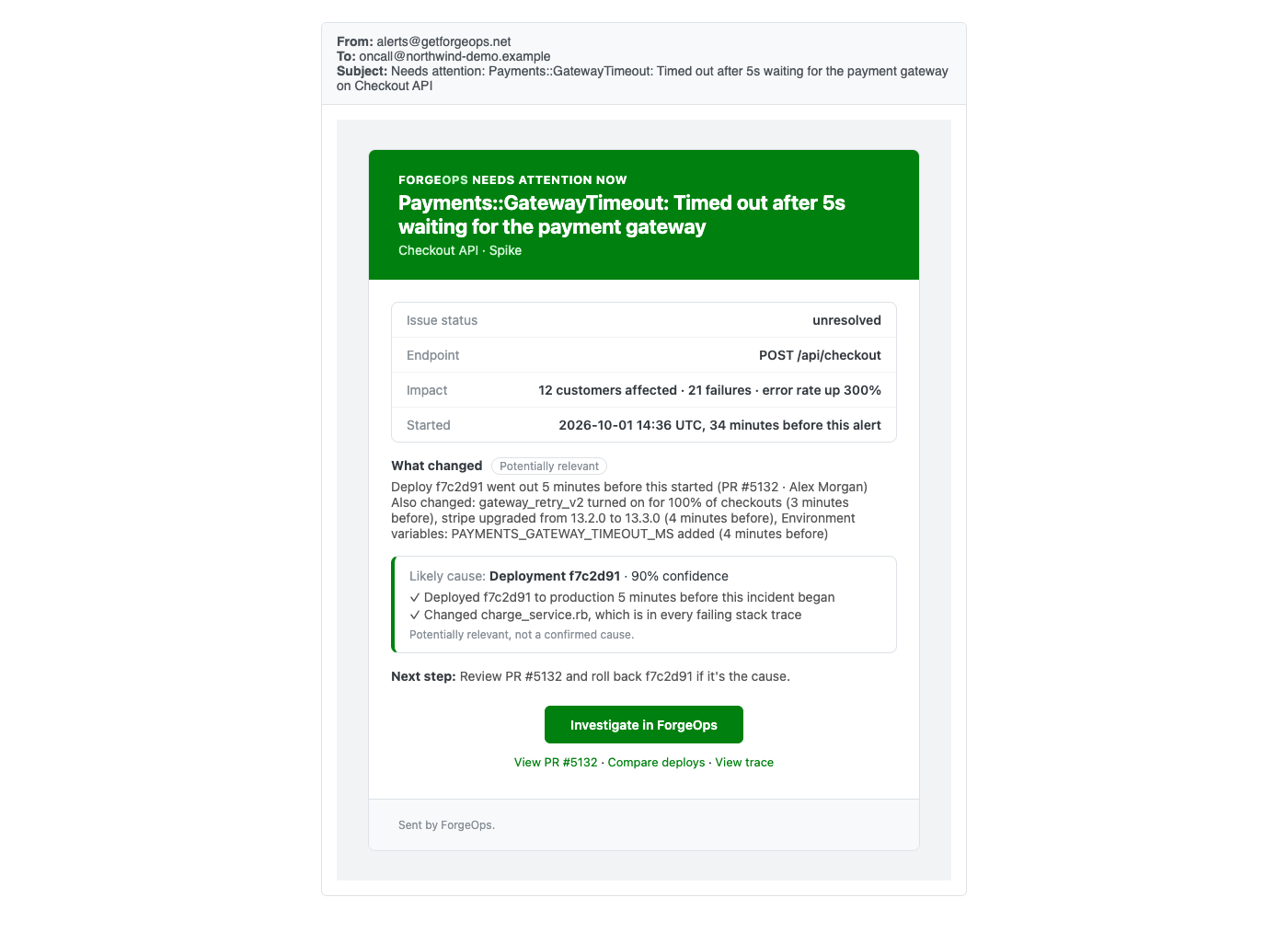
What actually lands in an inbox when a rule fires.
Spikes don't flood the channel
A spike rule watches a rolling time window you set (event count over the last N minutes) rather than firing on every single occurrence once a threshold's crossed. Once it fires for a given issue, it won't fire again for that same issue for 30 minutes, a fixed cooldown, regardless of how many more events land in the meantime.
That means a genuinely sustained spike still gets exactly one alert every half hour it stays active, not one alert per event, which is what would turn a real incident into a flood of near-identical pings in the same channel.
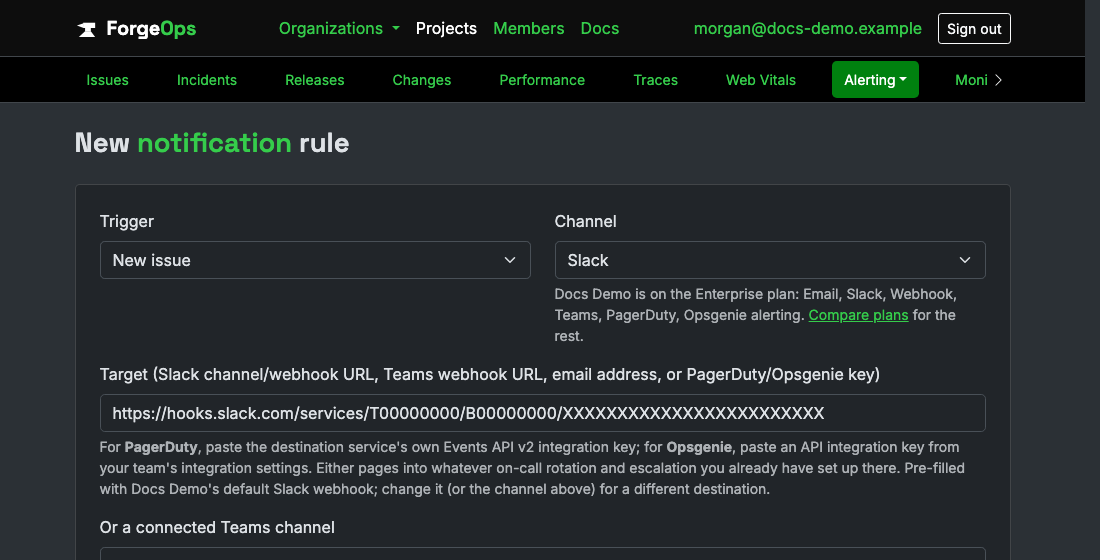
Every trigger/channel combination is available from the same form.
Delivery happens off the hot path
Notification evaluation and delivery run in a background job, kicked off after an event's already been grouped and stored, never inline in the ingestion request. A slow or unreachable Slack webhook, a bounced email, a stalled call, none of that ever adds latency to the request your app made to report the error in the first place.
A webhook endpoint can prove where a delivery came from
Every project gets its own signing secret, generated automatically. A generic webhook delivery carries an X-ForgeOps-Signature-256 header, an HMAC-SHA256 of the exact request body against that secret, so your endpoint can reject anything that doesn't check out instead of trusting whatever hits the URL. The secret can be rotated from the project's own settings at any time, without touching the URL itself.
See it on your own data
Free plan included, no credit card required. New organizations start with 14 days of Business.
Get started freeGet