Documentation
Get ForgeOps running in 5 minutes
Connect your application, trigger a test exception, and see it appear in ForgeOps.
Choose your language
- Ruby on Rails
- Python
- Node.js
- PHP
- Java
- .NET
- C++
- Objective-C
- Perl
- TypeScript
- Go
- Rust
- Swift
- Kotlin
- Dart / Flutter
- C
- Android
- React Native
- Unity (C#)
- Elixir
New to ForgeOps?
Create a project →CreateHow ForgeOps works
ForgeOps receives production events from your application, groups related errors into issues, detects regressions, and alerts your team when something needs attention.
Everything else
What each section of ForgeOps does, and how to read the data it shows you.
Organizations
An organization is the top-level container for a team: its projects, issues, members, and settings all belong to exactly one organization, and never leak into another one. One account can belong to several organizations at once (an agency working across clients, for example); the dropdown at the top left of the navbar switches which one you're currently looking at.
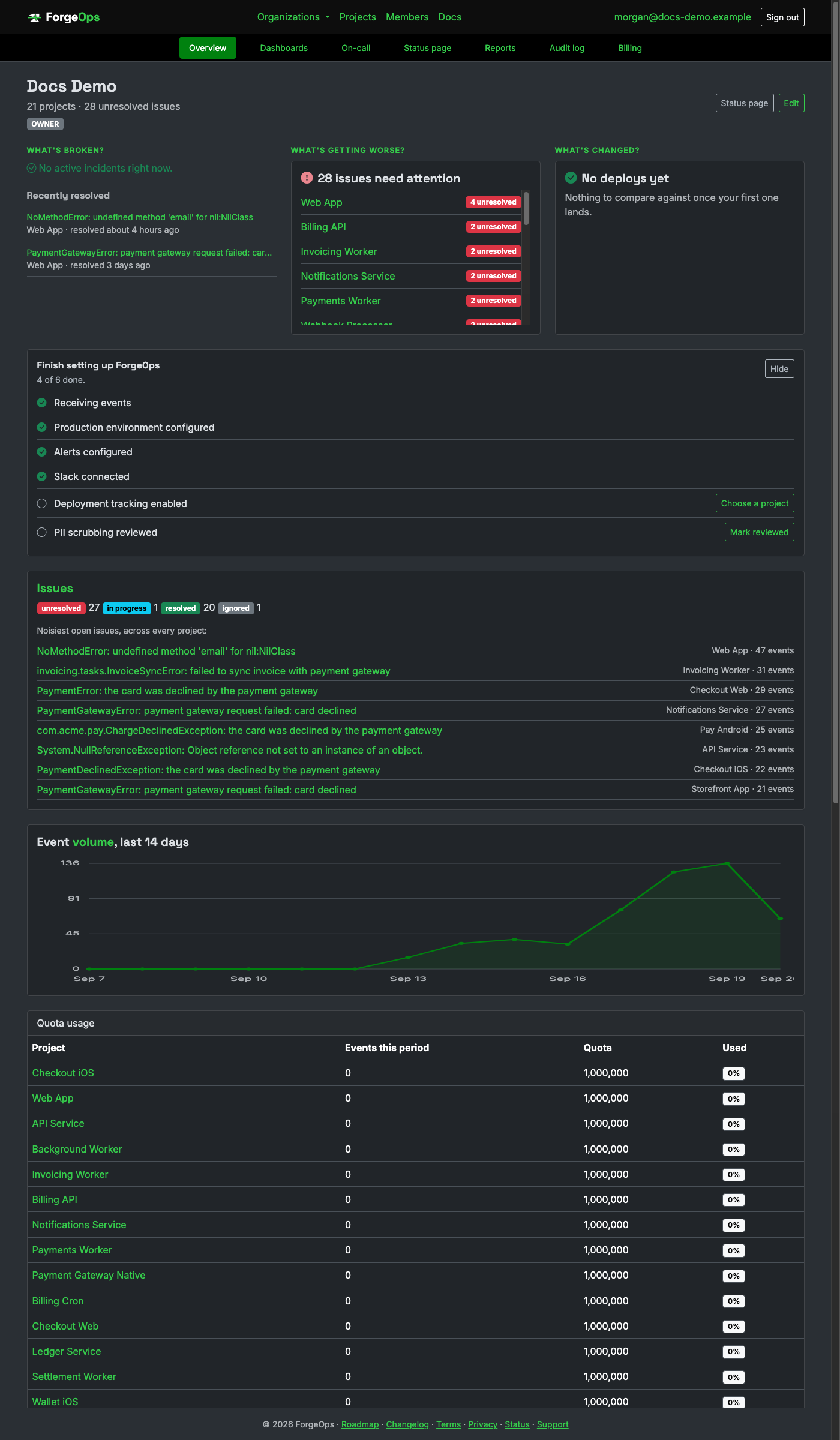
The overview page opens with three questions, answered across every project in the organization at once: What's broken? lists any incident that is open right now and needs attention, with an Acknowledge button, and below it the five most recently resolved incidents from the past month, each linking to its own incident page with the signals and probable cause, so a fix you just shipped is one click away. What's getting worse? lists the projects with unresolved issues that need attention (a long list scrolls inside its own card). What's changed? shows the latest deploy and what it brought with it. Below those sit an issue-status breakdown, the noisiest currently-open issues regardless of which project they're in, a 14-day event volume chart, quota usage for any project with one configured, the organization's projects (a project that hasn't reported yet links to its install step), its members, and a preview of recent audit log activity. The search box in the header searches issues across every project at once.
Until the first event arrives from any project, the overview says so instead of showing an "all clear": the setup checklist moves to the top, and each card says what it's waiting for.
New organizations also see a Finish setting up ForgeOps checklist, from installing the SDK and inviting a teammate through alerts, Slack, deployment tracking and PII scrubbing. An admin or owner can hide it with Hide; it also hides itself once every item is done. To bring it back, use the Show setup checklist button beside Status page and Settings while it is hidden and unfinished, or the setup checklist card on the organization's Settings page, which also works once every item is done.
Organization settings
Everything about the organization itself lives under Settings, the last item in the organization's navigation bar, with a list of sections down the left (above the page on a phone): General (name, URL slug, AI report summaries), Status page, Single sign-on, SCIM, Slack, Microsoft Teams, API tokens, Management tokens, Triage tokens, Connected apps, Audit log streaming, Billing, and the Danger zone.
Settings is there for admins and owners. An admin sees General and Status page; the sections that touch sign-in, credentials, integrations, billing or deletion are owner-only and appear only for an owner. See Members & roles below for exactly what each role can do.
Changing the slug under General changes the organization's URL everywhere in the app immediately, so anything already pointing at the old one (a bookmark, a link someone saved) stops working.
Members & roles
Every person in an organization holds exactly one role, which determines what they can do:
| Role | Can do |
|---|---|
| Owner | Everything an admin can, plus configure SSO and permanently delete the organization or any of its projects. Every organization always has at least one; the app refuses to let the last one be removed. |
| Admin | Create and configure projects, manage notification rules, invite and manage members (other than assigning the owner role). |
| Member | View everything, and triage issues: resolve, ignore, and reopen them. |
| Viewer | Read-only access to everything: issues, projects, the audit log. Can't change anything. |
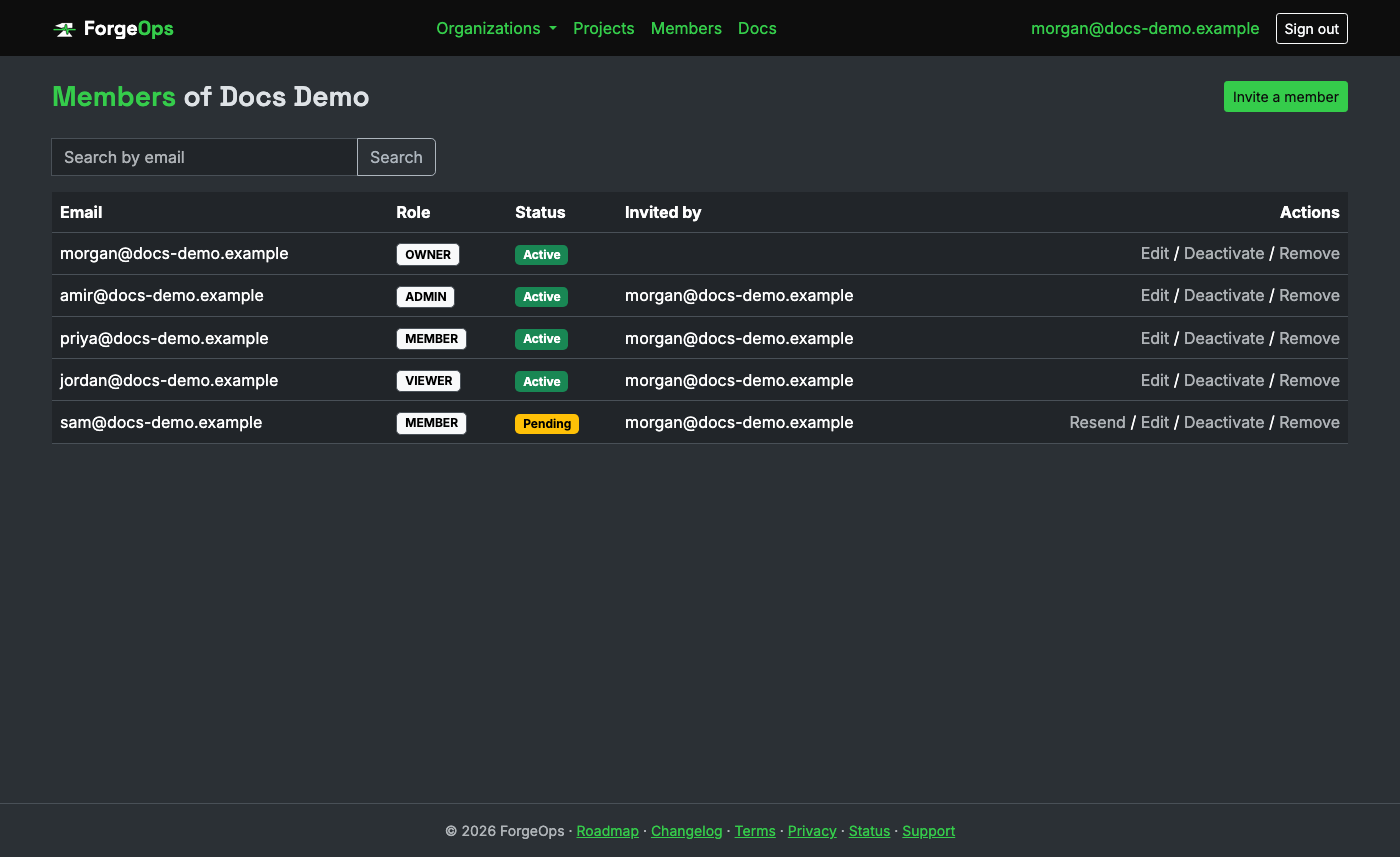
Inviting someone creates their membership right away with a yellow Pending badge; it turns to Active once they accept the emailed invitation (or sign in via SSO, which accepts it automatically).
Projects
A project corresponds to one application reporting exceptions in: typically one Rails app, or one process within it (a web app and its background worker are commonly two separate projects, so their issue lists don't mix). Each project has its own API key, which is how it authenticates when sending events, and its own retention and event-quota settings.
Creating a project takes you straight to its Install the SDK step: the project's own DSN, the quickstart for its language with that DSN filled in, and a live check that turns green the moment this project's first event arrives. A project's Issues page links back to that step until then.
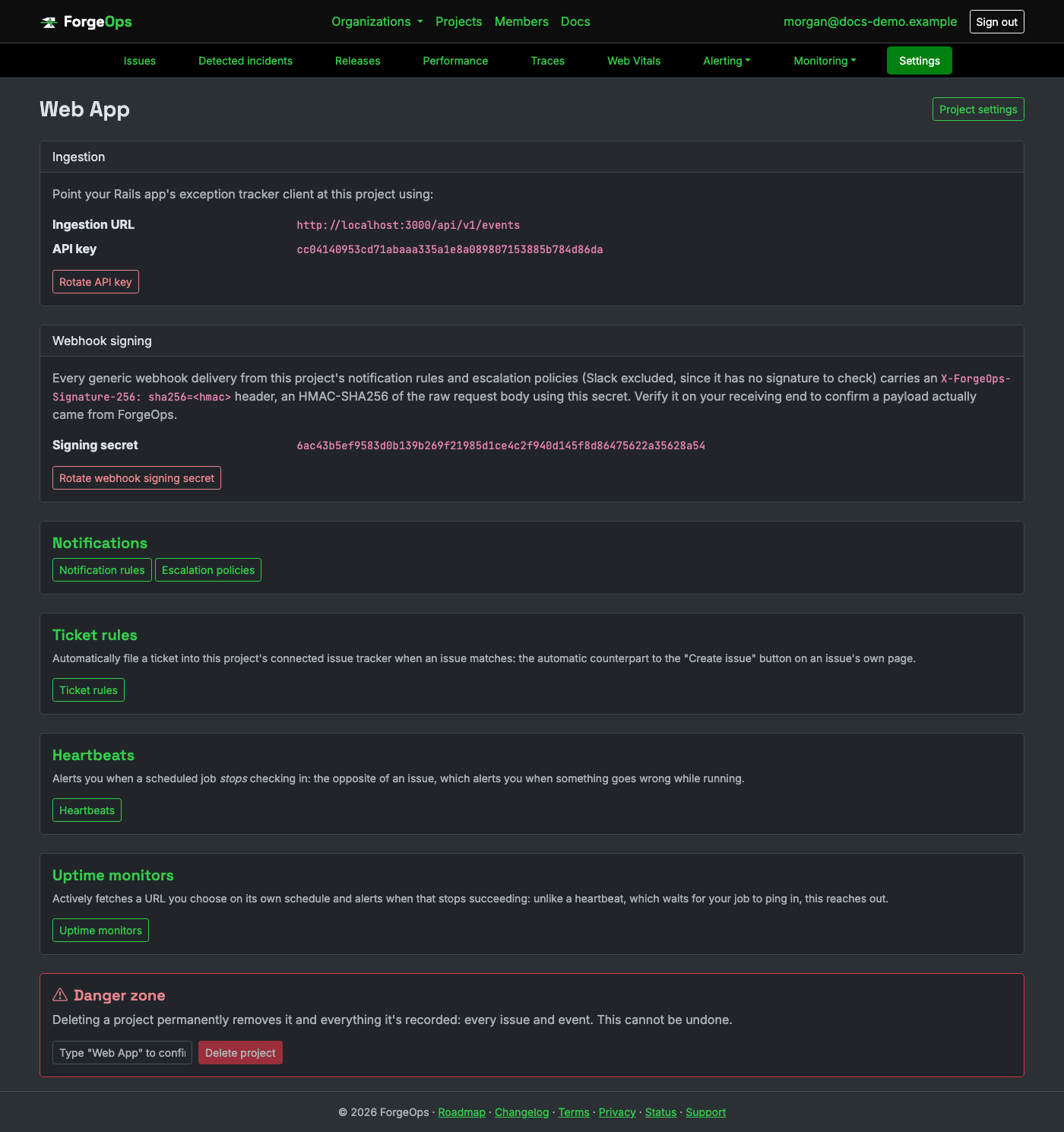
Everything about a project is on its one Settings page, the last item in the project's navigation bar: the DSN, ingestion URL and API key your SDK is configured with, the upload token, webhook signing, general settings (name, language, retention, quota, data scrubbing), the issue tracker, source control, AI features, linked projects, and the danger zone. Every role can open it, so anyone installing the SDK can copy the DSN; members and viewers see the rest read-only. Rotating the API key immediately invalidates the old one; update your app's config before or right after rotating, not after a delay.
Every incoming event is automatically scrubbed for likely-sensitive content: emails, formatted
SSNs/credit cards, known API key formats, and anything under a suspiciously-named field like
password, before it's stored. A project's settings page lets you add your
own field names on top of that (e.g. patient_mrn for a healthcare app); anything submitted
under a matching key is redacted the same way.
Event quota and repeated errors
Each project has a monthly event quota set by the organization's plan (Free is 10,000 events a month per project), which resets at the start of each month. Two things keep it from being used up by accident:
-
Quota emails. The organization's owners get an email when a project has used 80% of its
quota, and another when it reaches 100%. Both list the issues that used the most of it, since a small project
usually runs out because of one looping error. Once the quota is reached, new events are rejected
(
429) until it resets or the plan is upgraded. - Loop protection. When one issue repeats faster than its plan's hourly limit (Free is 50 an hour, Pro 200, Business 500, Enterprise 1,000), further repeats that hour are counted but not stored. They still add to the issue's occurrence count and to spike alerts, but they do not use quota, so a single runaway error cannot consume the month. The issue page says how many were counted without being stored. A new issue, and an issue coming back after being resolved, is always stored in full.
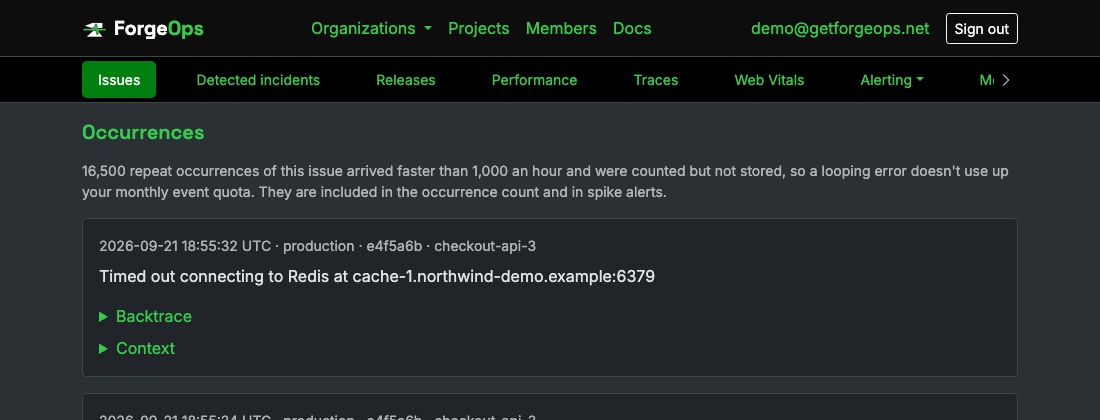
A looping issue: the plan's hourly allowance is stored as real occurrences, and the note above them says how many further repeats were only counted.
Linked projects
When one project calls another (a mobile app and the API behind it, or two services), link them from either project's Settings page under Linked projects. Admins and owners can link and unlink; a link works both ways, and projects are only ever connected once you link them.
Once linked, an issue in either project shows what it's connected to on the other side:
- Same request: errors the other project raised in the very same request, matched by trace id (see following a request across services). Each occurrence names the matching error, and View trace opens the request end to end.
- Possibly related: errors with no shared trace id that happened within five seconds of this issue's own occurrences more than once. Timing alone can be coincidence, so these are labeled as such and never merged into the issue.
Your account
Your own account page, reached from your email address in the top navbar: your name and email, two-factor authentication, active sessions, and account deactivation, plus two settings that change how the app behaves specifically for you rather than for your whole organization.
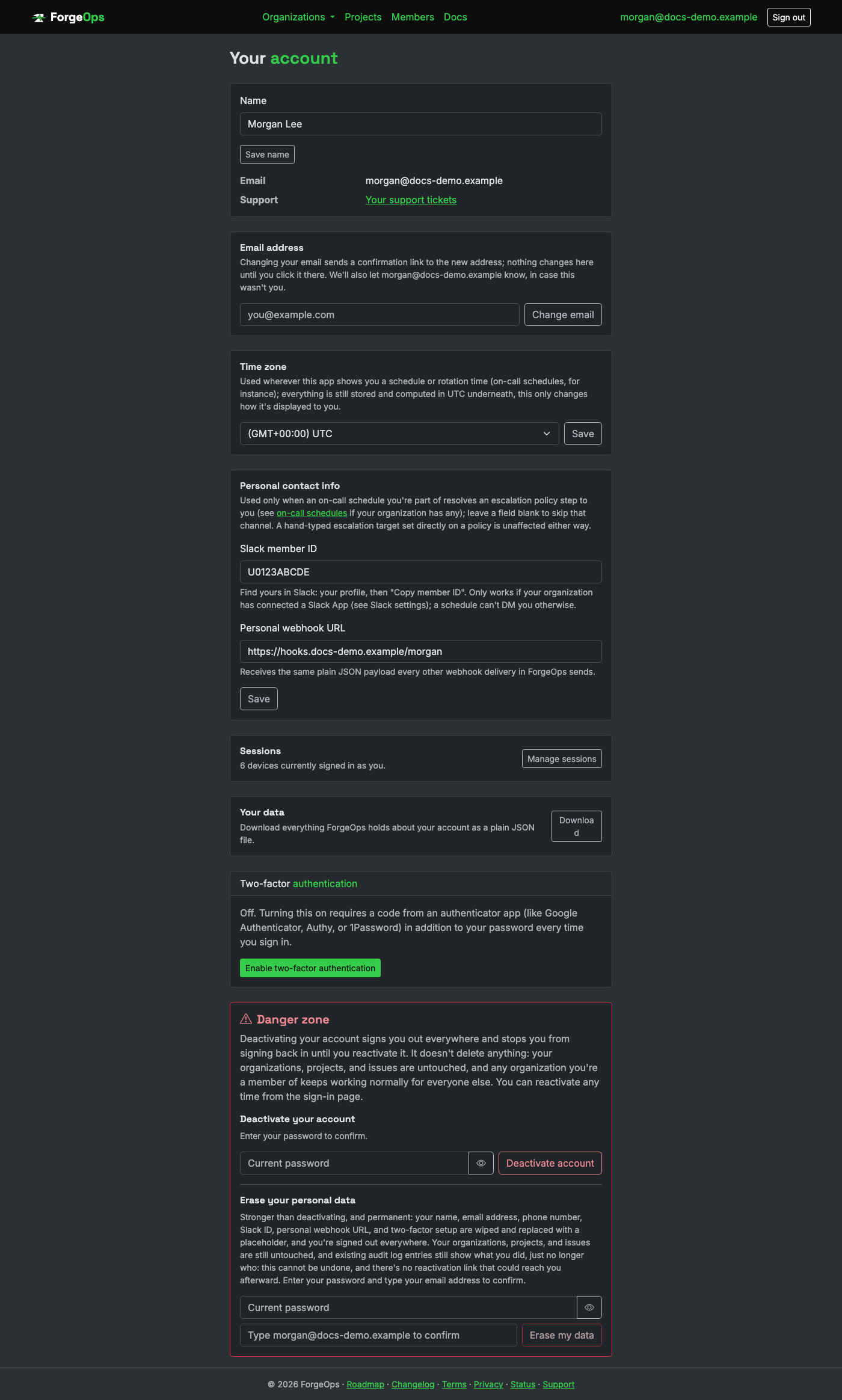
Time zone controls how every time and date is displayed to you while you're signed in: issue and event times, traces, the audit log, on-call schedules, and charts bucketed by day. Everything is still stored in UTC, and account rules (billing periods, quotas, retention, report schedules, SLA windows) are always counted in UTC; this only changes what you personally see. Public pages and emails show UTC. Personal contact info (Slack member ID, personal webhook URL) is read only when an on-call schedule you're part of resolves an escalation policy step to you (see On-call & escalation); leave any field blank to skip that channel.
Sessions lists every device signed in as you, and lets you sign any of them out. A device is signed out automatically after 30 days without use, and after 90 days in any case. Changing your password or email address, or turning two-factor authentication on or off, signs out every other device. Changing your email address or generating new backup codes asks for your current password.
Support tickets
Questions, bug reports, or anything else, filed from the Contact support page linked in the footer of every page. You don't need an account to write in, but signing in first means the ticket is tied to your account, not just an email address, so you can come back and see how it's going.
A ticket you filed while signed in gets a real status (open, in progress, or resolved) and its own page with the full back-and-forth: replies from us show up there, and you can reply back the same way, without it ever turning into a separate email thread. Every ticket you've filed is listed under Your support tickets, linked from your own account page.
Reporting a bug. When something in ForgeOps itself isn't behaving, use Report a bug at the bottom of any page of the app. It asks what happened, what you expected, and how to reproduce it if you know, and files it as a support ticket you can follow like any other. With Include diagnostic information ticked, it also sends the page you were on, your browser, and your organization and project; from an incident's or an issue's page it includes which one and the likely cause it was showing, so we see what you saw. Untick it to send only what you wrote. For an idea rather than a bug, Request a feature sits next to it.
Replying to a ticket that's already marked resolved reopens it automatically; there's nothing to toggle back yourself, just reply and it picks back up. A signed-out submission still reaches us the same way, just without a status page to check afterward; replies come back by email instead.
Reporting into ForgeOps
Every reporting app is just POST /api/v1/events with the project's API key as a
bearer token; the ingestion API itself doesn't care what language sent it. Pick the client
that matches your app, or talk to the API directly if yours isn't listed yet:
Already using another error tracker? You can connect a project to it instead of,
or before, installing an SDK: under the project's Settings → Connections,
connect Sentry with an auth token that has only the project:read
scope, Honeybadger with a project ID and a personal auth token, or
Datadog with a service name, an API key, and an application key scoped to
logs_read_data, or Splunk with its API address (the management port,
usually 8089), an index, and an authentication token for a user whose role can only search
(on Splunk Cloud, with the REST API enabled for your stack
and ForgeOps' address, 204.48.16.98, on its search API IP allow list).
ForgeOps then
reads that project's new errors (Sentry and Datadog every couple of minutes; Honeybadger every five, with
up to 25 new occurrences of each error per check, which is what its request limit allows; from Datadog,
the service's error logs that carry an error type and stack trace, not errors that only exist as APM
traces) and treats them like
any others: issues, incidents, alerts, the likely cause, and where to
look. It only ever reads; it can't resolve, comment on, or change anything in the tool, and the page
shows what your token can do and warns if it can do more than read. Honeybadger's tokens can't be
limited to reading, so there the page says so instead: use the token of a user who can only see that
project. Splunk is read every five minutes, up to 500 events a check: the index's events that mention
an error, of which the ones that are errors are kept, with their stack traces. Splunk only accepts a
search as a POST, so that's how ForgeOps asks; it sends one fixed search and nothing else. Before
connecting, Splunk Cloud needs its REST API enabled for your stack (a request to Splunk support) and
ForgeOps allowed to reach it, and a Splunk of your own has to be reachable from the internet on that
port with a certificate browsers trust. Before anything is imported, a
review page shows how many errors that project received in the last 30 days against your plan's
quota. Each imported error counts as one event, the same as one from an SDK; checking for new errors
uses none. Only errors from after you connect are imported, never history; importing pauses when the
month's quota is reached; and if the same app also reports through an SDK to the same project, each
error is counted twice, so use a separate project for one of them. Disconnecting stops importing and
keeps everything already imported. Business plan and up, and included in the trial.
Which environments send. Every SDK sends from production and
staging only. It reads the environment from FORGE_OPS_ENVIRONMENT, then
your framework's own setting (RAILS_ENV, NODE_ENV, APP_ENV,
MIX_ENV, ASPNETCORE_ENVIRONMENT, and so on), and assumes production when
nothing is set, so a DSN on its own is enough on a server. A development machine your framework
marks as development stays quiet on purpose; set FORGE_OPS_ENVIRONMENT=production to
send from it anyway. When a DSN is set but the environment doesn't send, the SDK prints one line
at startup, starting [ForgeOps] Not sending, saying which environment it saw and how
to change it, so a quiet setup is never a silent one.
Add the client gem and configure its DSN:
# Gemfile
gem "forge_ops_tracker"

# config/initializers/forge_ops_tracker.rb
ForgeOpsTracker.configure do |config|
  config.dsn = ENV["FORGE_OPS_DSN"] # "https://<api_key>@getforgeops.net/api/v1/events"
end
No further wiring needed: it hooks Rails.error automatically and delivers in the
background, never raising back into the host app even if ForgeOps is unreachable.
Background jobs report the same way, with one catch depending on your
queue backend. Sidekiq (7.1+) forwards job exceptions through Rails.error
automatically, the exact mechanism above, so a failing Sidekiq job becomes a ForgeOps issue with
no extra code (from forge_ops_tracker 0.10.1 on, carrying the real error rather than
Sidekiq's internal retry wrapper). A queue backend without that built in (Solid Queue, for one) needs it added
explicitly, typically a rescue_from in ApplicationJob that reports via
Rails.error.report before re-raising, so the job still fails/retries exactly as it
would otherwise.
A renamed or removed job class gets its own explanation. Sidekiq stores a job's class name as a string, so renaming a class breaks every job still queued (or waiting on a retry) under the old name, and no test can see it because those jobs live in Redis. ForgeOps recognizes that failure, names the class that no longer exists, and shows how soon after which release it first appeared, on the issue and in your new-issue alerts. Keep the old name as an alias until the queue, retry set and scheduled set have drained:
# app/jobs/send_invoice_job.rb
SendInvoiceJob = DeliverInvoiceJob
That covers anything that would otherwise crash a request or job.
Code that catches its own exception to keep running is different: ForgeOps never sees a plain
rescue, no matter what:
begin
  charge_card(order)
rescue Stripe::CardError => e
  logger.warn("card declined: #{e.message}")
  # ForgeOps never sees this; nothing here goes through Rails.error at all.
end
Swap it for Rails' own Rails.error.handle instead: not a ForgeOps API,
just Rails' built-in error-reporting convention (Rails 7+), which this gem is already subscribed to:
Rails.error.handle(fallback: -> { nil }) do
  charge_card(order)
end
# Reported to ForgeOps, then swallowed; execution continues past the block either way.
Reference the client project and register it in Program.cs:
<!-- your .csproj -->
<ProjectReference Include="../sdks/dotnet/ForgeOpsTracker.Client/ForgeOpsTracker.Client.csproj" />
// Program.cs
builder.Services.AddForgeOpsTracker(config =>
{
    config.Dsn = builder.Configuration["ForgeOps:Dsn"] ?? config.Dsn; // falls back to FORGE_OPS_DSN
});

var app = builder.Build();
app.UseForgeOpsTracker(); // early in the pipeline
Reports every unhandled request exception automatically, then re-throws it unchanged; your app's own exception handling behaves exactly as if the middleware weren't there.
That covers anything that would otherwise crash the request. Code that catches its own exception is different: the middleware never sees it, even inside a normal web request, because it never reaches the middleware in the first place:
try
{
    ChargeCard(order);
}
catch (CardException ex)
{
    logger.LogWarning("card declined: {Message}", ex.Message);
    // ForgeOps never sees this; caught locally, never propagates to the middleware.
    return Results.BadRequest("payment failed");
}
There's no framework-wide hook for this in ASP.NET Core; report it explicitly instead, right at the catch site (the same applies to a console app or background worker, where there's no middleware at all):
catch (CardException ex)
{
    ForgeOpsTrackerSdk.Capture(ex, new Dictionary<string, object?> { ["order_id"] = order.Id });
    logger.LogWarning("card declined: {Message}", ex.Message);
    return Results.BadRequest("payment failed");
}
A real .NET exception, grouped and displayed the same way as any other language:
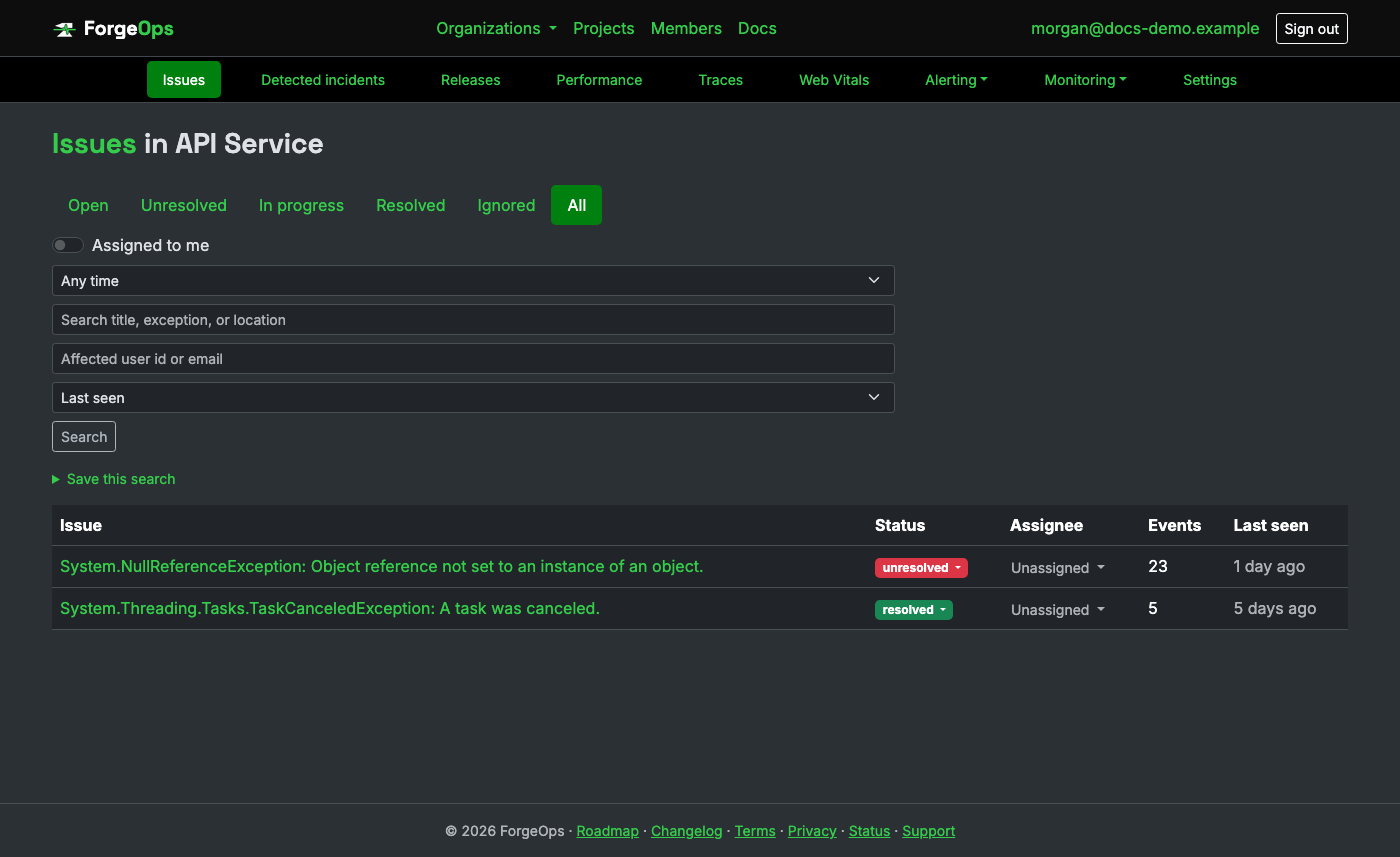
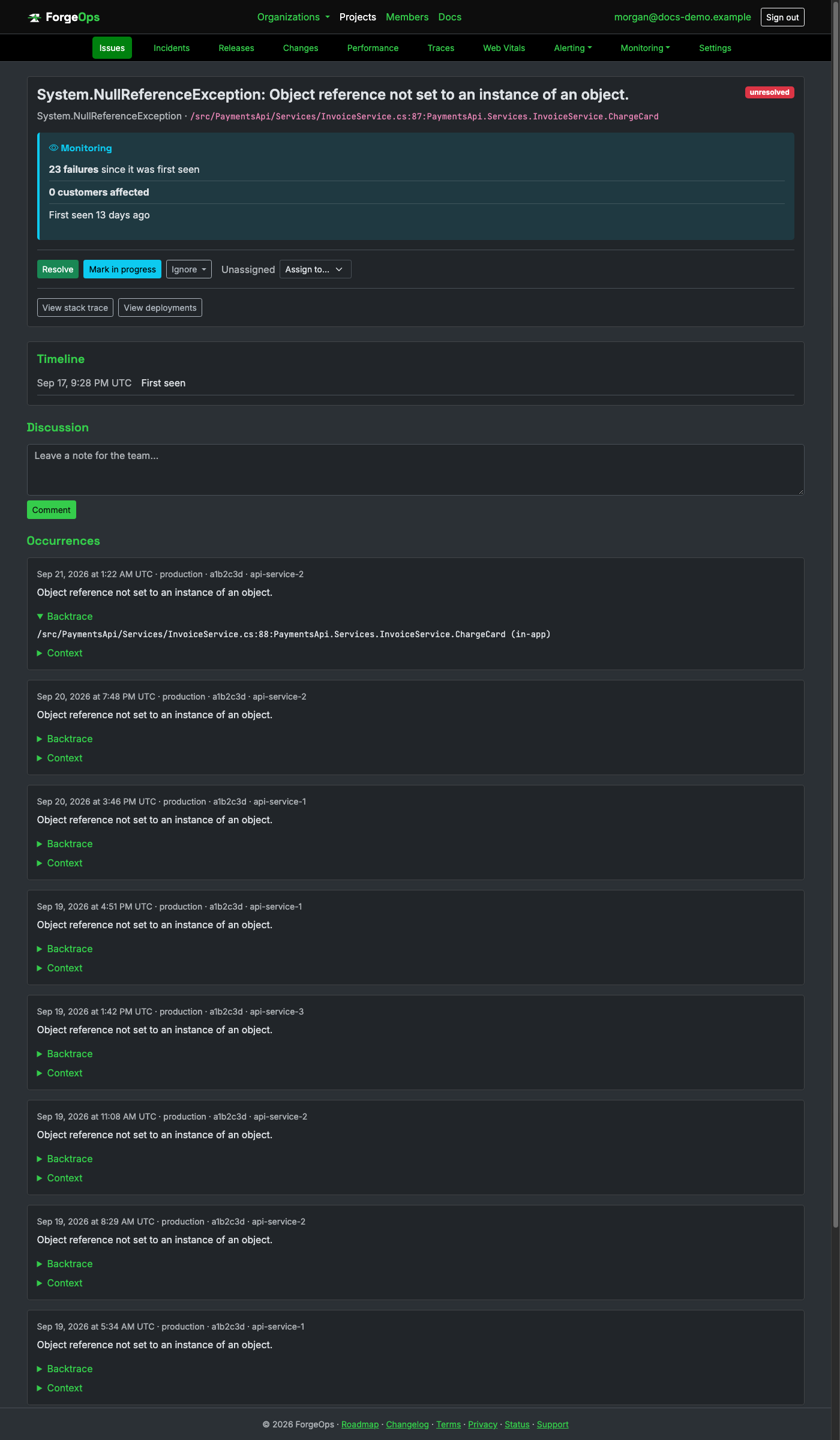
Same grouping, retention, PII scrubbing, and alerting as every other project.
Install the client and configure its DSN once at startup:
pip install -e path/to/forge_ops/sdks/python
# or the [django]/[flask] extra, if you're using either integration below
import forge_ops_tracker

forge_ops_tracker.init(
    dsn="https://<api_key>@getforgeops.net/api/v1/events",  # or leave unset to read FORGE_OPS_DSN
)
For Django, add "forge_ops_tracker.integrations.django.ForgeOpsTrackerMiddleware"
to MIDDLEWARE; for Flask, call init_flask(app). Both report every
unhandled request exception automatically and deliver in the background, never raising back
into the host app even if ForgeOps is unreachable.
That covers anything that would otherwise crash a request. Code that catches its own exception is different: neither integration ever sees it, since it never propagates far enough to reach either one:
try:
    charge_card(order)
except CardError as e:
    logger.warning(f"card declined: {e}")
    # ForgeOps never sees this; caught locally, never reaches the middleware at all.
Report it explicitly instead, right at the except site:
except CardError as e:
    forge_ops_tracker.capture_exception(e, context={"order_id": order.id})
    logger.warning(f"card declined: {e}")
Outside a request entirely, a script or worker's own crash needs no
wiring either, with one exception. init() also installs a
sys.excepthook that reports anything that crashes the interpreter outright (a
plain script, a management command, a worker's own top-level loop). Celery and RQ never let a
failing task reach it though: both catch the task's exception themselves, to mark it failed
and keep the worker alive, so it never becomes an uncaught interpreter-level crash. Celery's
own task_failure signal (RQ has an equivalent exception handler) needs wiring
instead:
from celery.signals import task_failure

@task_failure.connect
def report_task_failure(sender=None, exception=None, **kwargs):
    forge_ops_tracker.capture_exception(exception, context={"task": sender.name})
A real Python exception, grouped and displayed the same way as any other language:
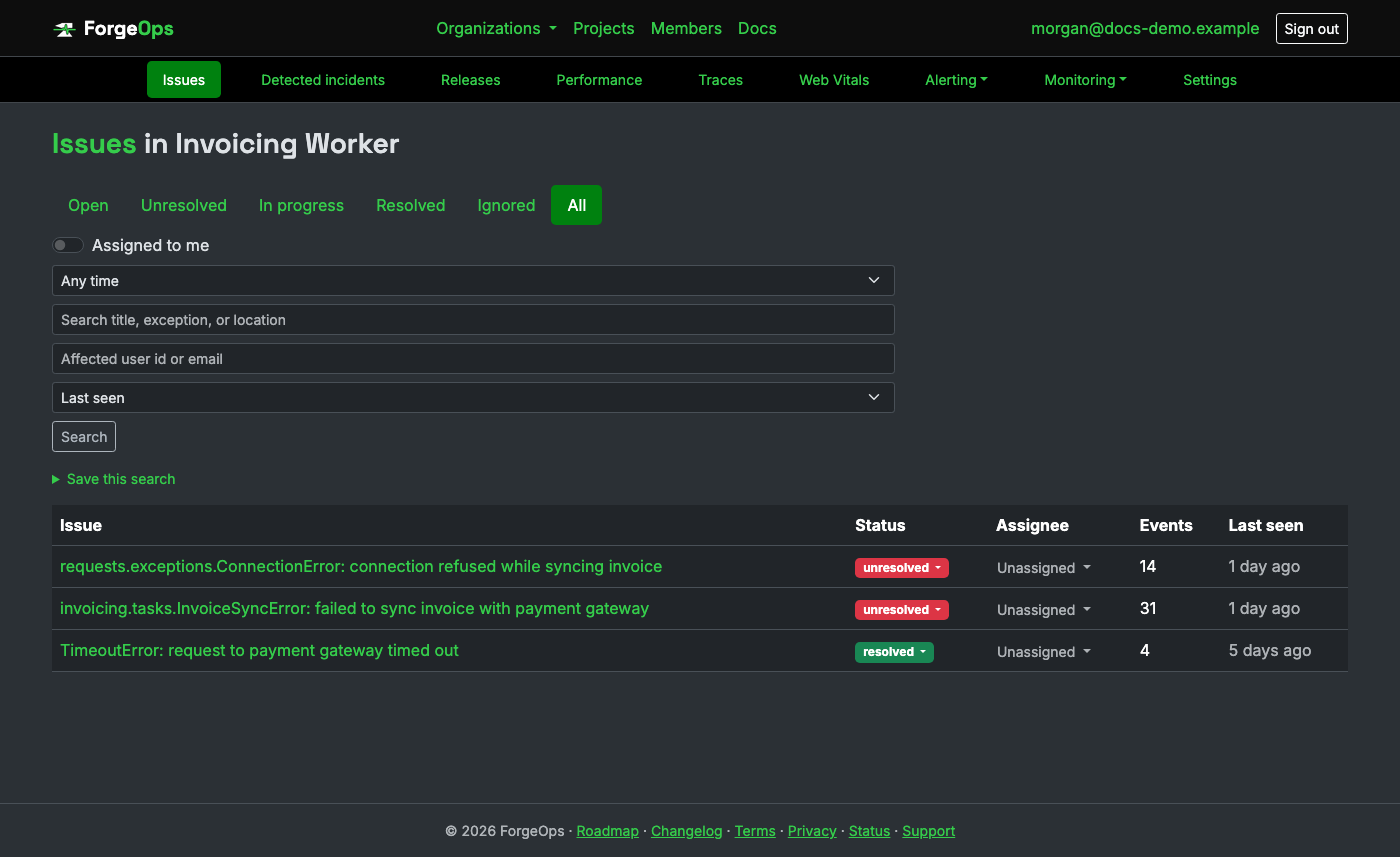
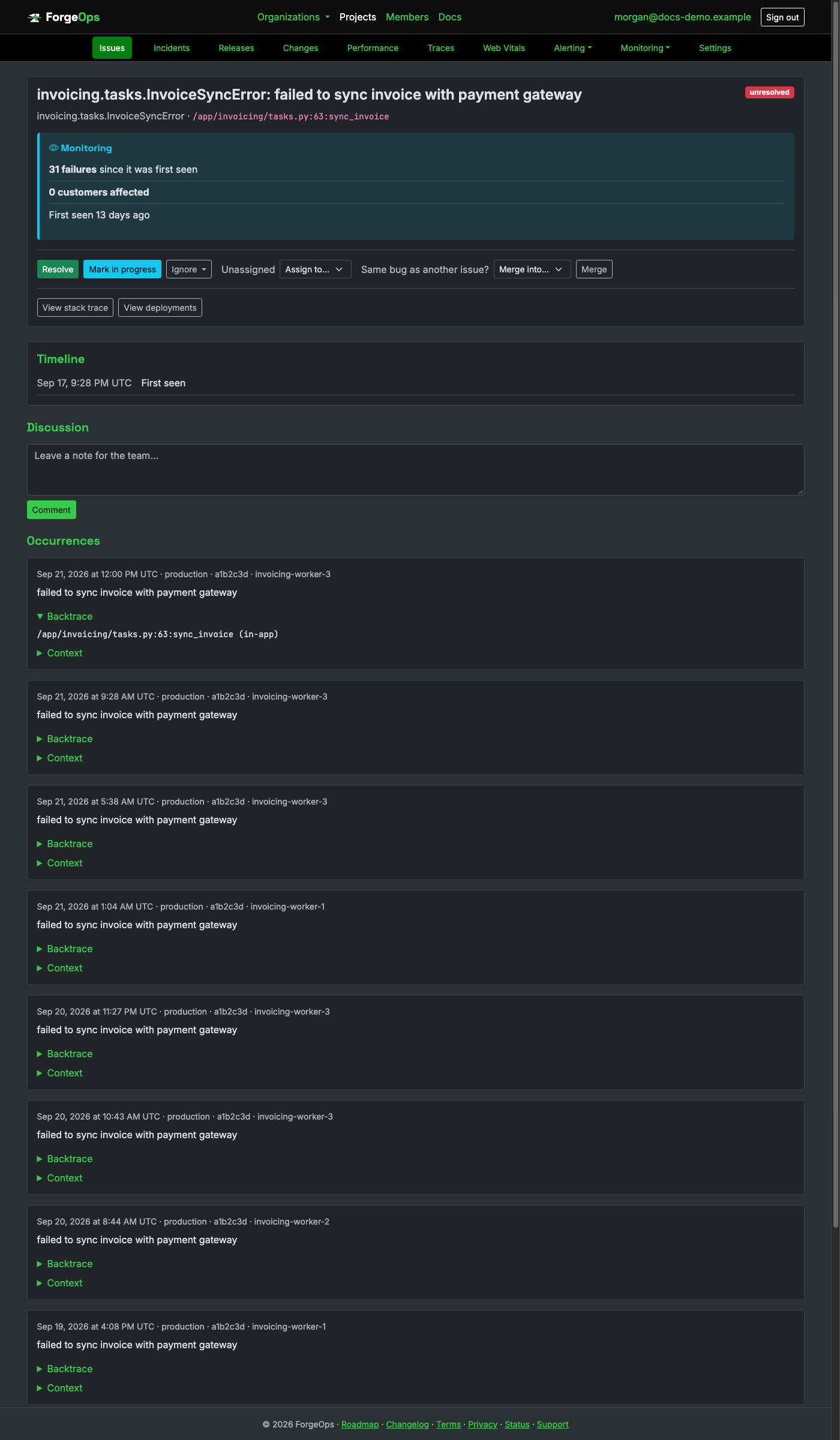
Same grouping, retention, PII scrubbing, and alerting as every other project. The
exception_class above is module-qualified (invoicing.tasks.InvoiceSyncError,
not just InvoiceSyncError): that's Python's own traceback module,
not a ForgeOps convention.
Install the client and configure its DSN once at startup:
composer config repositories.forge-ops-tracker path path/to/forge_ops/sdks/php
composer require forge-ops/tracker:@dev
use ForgeOps\Tracker\ForgeOpsTracker;

ForgeOpsTracker::init(
    dsn: 'https://<api_key>@getforgeops.net/api/v1/events', // or leave unset to read FORGE_OPS_DSN
);
For Laravel, register ForgeOps\Tracker\Integrations\Laravel\ForgeOpsTrackerServiceProvider;
for Symfony, register ForgeOps\Tracker\Integrations\Symfony\ForgeOpsTrackerExceptionListener
as a service. Both report every unhandled request exception automatically, then let the
framework handle it exactly as if the client weren't installed.
That covers anything that would otherwise crash a request. Code that catches its own exception is different: neither integration ever sees it:
try {
    $this->chargeCard($order);
} catch (CardDeclinedException $e) {
    $logger->warning("card declined: {$e->getMessage()}");
    // ForgeOps never sees this; caught locally, never reaches the listener at all.
}
Report it explicitly instead, right at the catch site:
} catch (CardDeclinedException $e) {
    ForgeOpsTracker::captureException($e, ['order_id' => $order->id]);
    $logger->warning("card declined: {$e->getMessage()}");
}
Outside a request entirely, a script that crashes outright needs no
wiring either, with one exception. init() also installs a
set_exception_handler() wrapper that reports anything crashing the script, an
Artisan command included. Laravel's own queue:work and Symfony Messenger's
worker never let a failing job reach it though: both catch the job's exception themselves, to
record it and keep processing the queue, so it never becomes an uncaught script-level crash.
Laravel's Queue::failing() (Symfony has WorkerMessageFailedEvent)
needs wiring instead:
use Illuminate\Support\Facades\Queue;

Queue::failing(function ($event) {
    ForgeOpsTracker::captureException($event->exception, ['job' => $event->job->resolveName()]);
});
A real PHP exception, grouped and displayed the same way as any other language:
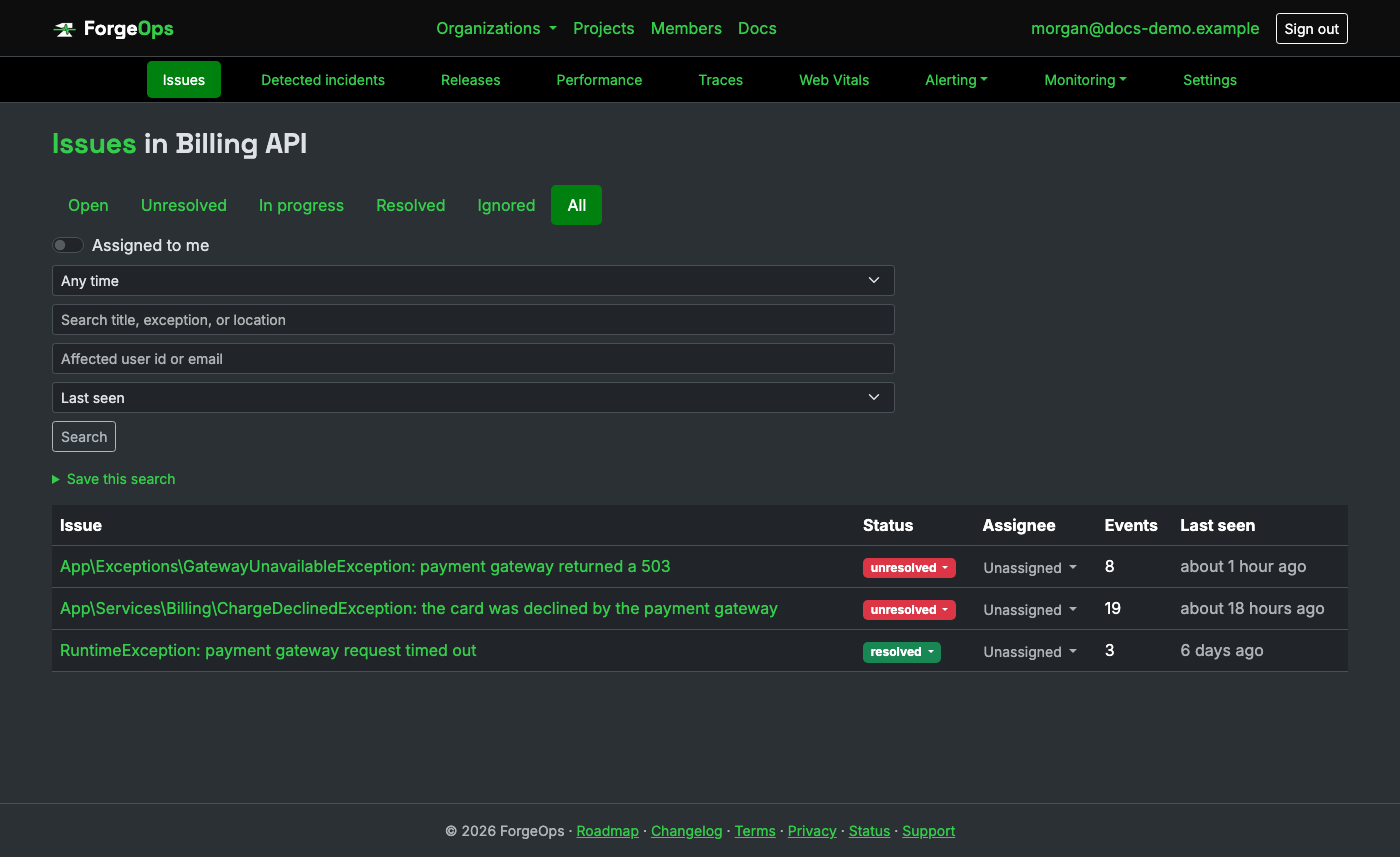
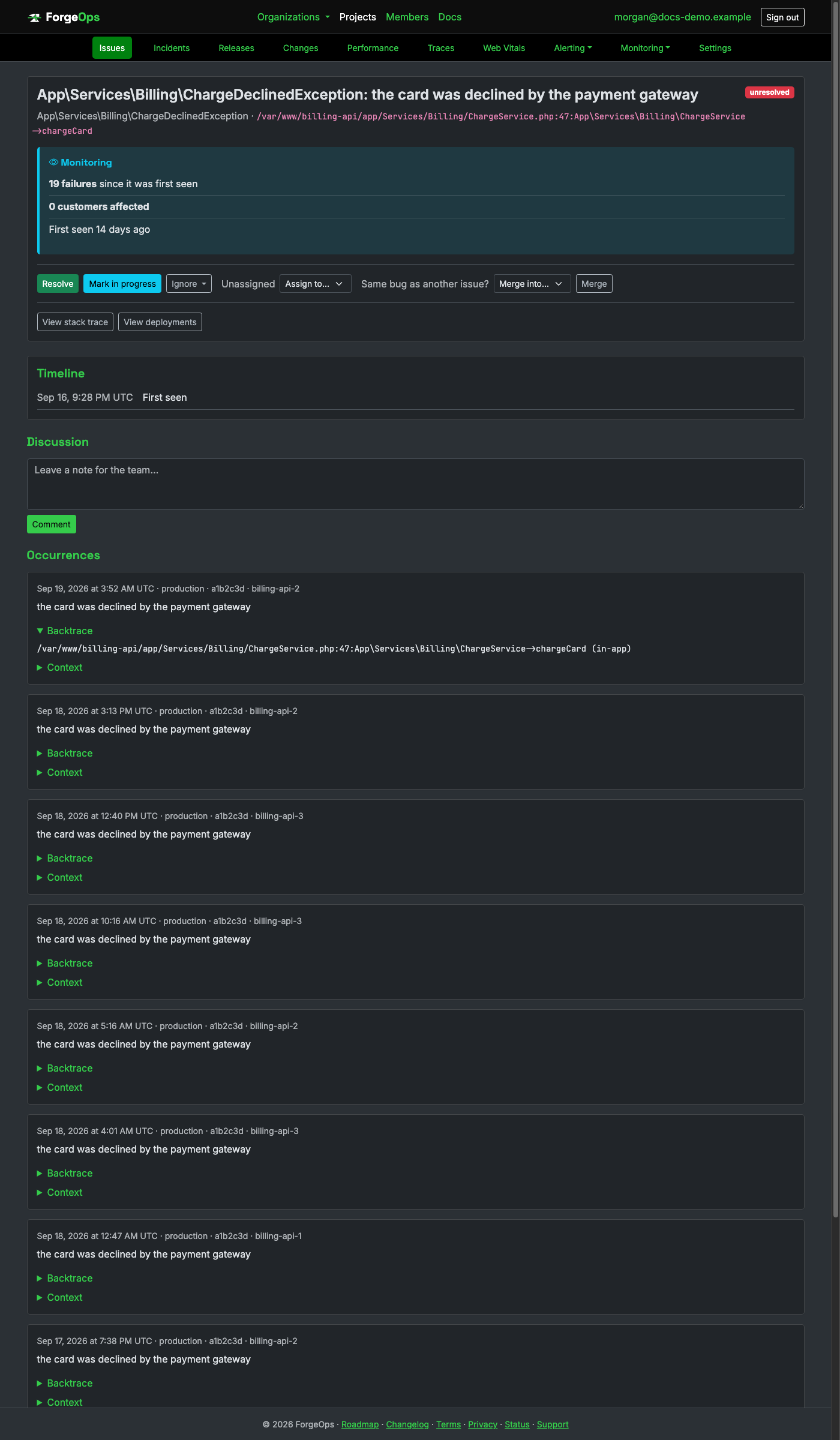
Same grouping, retention, PII scrubbing, and alerting as every other project; the fully
namespaced exception_class above comes straight from PHP's own
get_class(), not a ForgeOps convention.
Install the client and configure its DSN once at startup:
npm install path/to/forge_ops/sdks/node
import * as forgeOpsTracker from "@forge-ops/tracker";

forgeOpsTracker.init({ dsn: "https://<api_key>@getforgeops.net/api/v1/events" }); // or leave unset to read FORGE_OPS_DSN
For Express (5+), add forgeOpsTrackerExpressMiddleware as the last middleware; for
Fastify, call registerForgeOpsTracker(app) directly. Both report every unhandled
request exception automatically (synchronous throws and rejected promises from
async handlers alike), then let the framework handle it exactly as if the client
weren't installed.
That covers anything that would otherwise crash a request. Code that catches its own exception is different: neither integration ever sees it:
try {
  await chargeCard(order);
} catch (err) {
  logger.warn(`card declined: ${err.message}`);
  // ForgeOps never sees this; caught locally, never reaches the middleware/hook at all.
}
Report it explicitly instead, right at the catch site (the same applies outside a web request entirely (a script, a queue worker):
} catch (err) {
  forgeOpsTracker.captureException(err, { orderId: order.id });
  logger.warn(`card declined: ${err.message}`);
}
init() also installs process-level handlers by default, covering an unhandled
promise rejection or an uncaught exception that would otherwise crash the process outright,
with no wiring needed. BullMQ (and Bull, and Agenda) never let a failing job reach either
handler though: each catches the job's exception itself, to mark it failed and keep the
worker alive, so it never becomes an uncaught process-level crash. BullMQ's own
worker.on("failed", ...) event needs wiring instead:
worker.on("failed", (job, err) => {
  forgeOpsTracker.captureException(err, { jobId: job.id, jobName: job.name });
});
A real Node.js exception, grouped and displayed the same way as any other language:
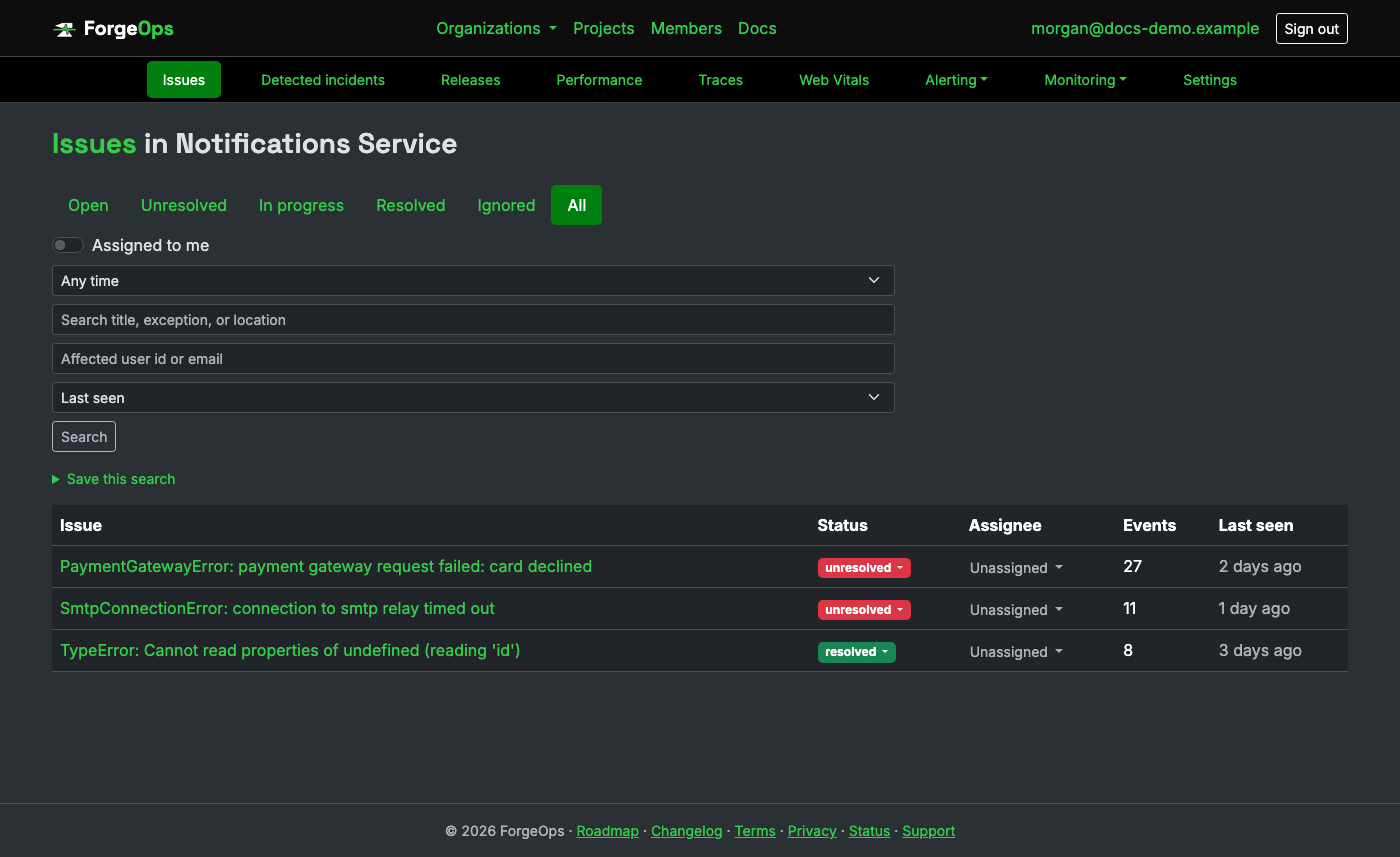
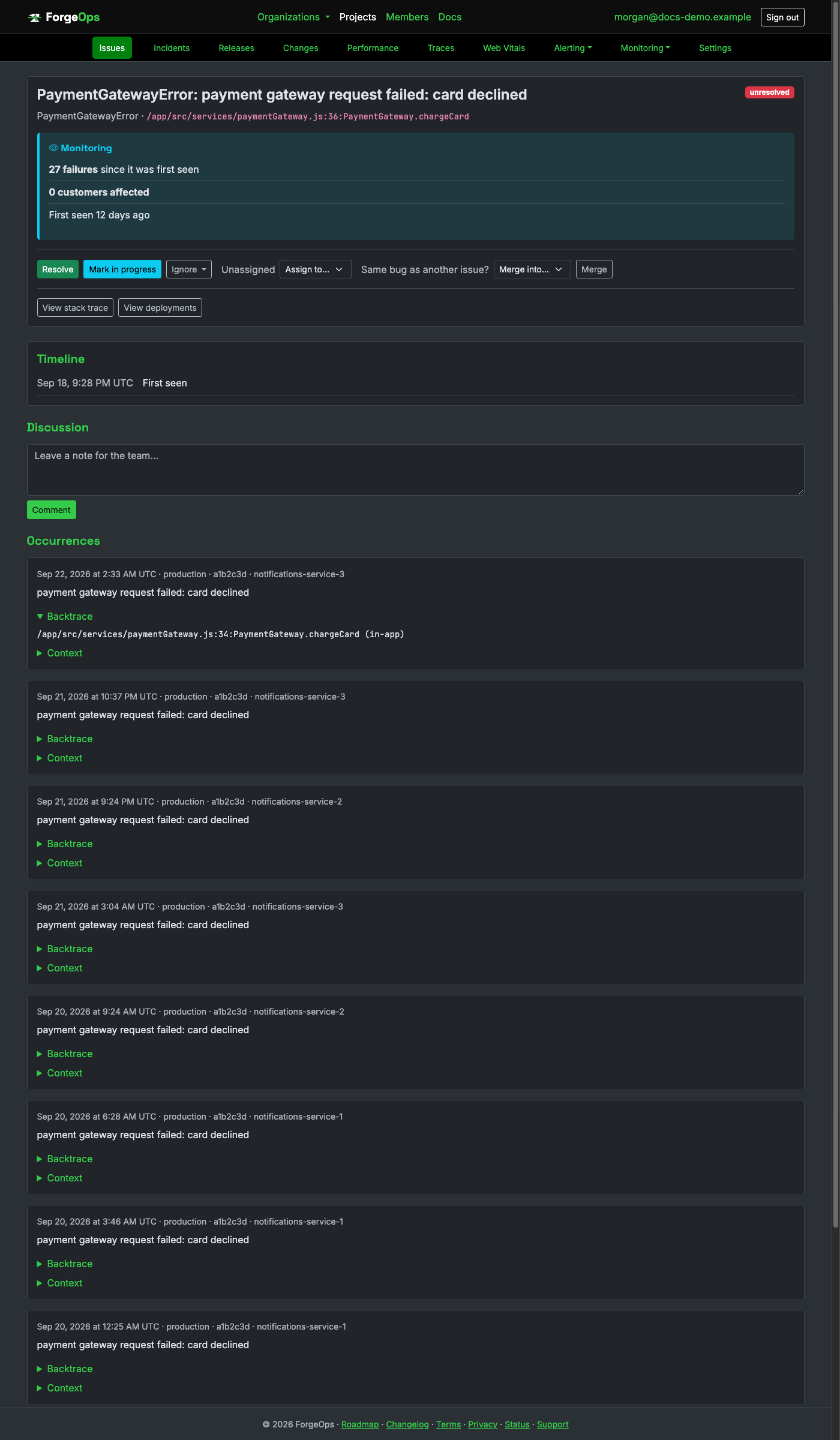
Same grouping, retention, PII scrubbing, and alerting as every other project.
Add the dependency and configure its DSN once at startup:
<!-- pom.xml -->
<dependency>
  <groupId>io.github.luke-popwell</groupId>
  <artifactId>tracker</artifactId>
  <version>0.14.0</version>
</dependency>
import io.github.lukepopwell.tracker.ForgeOpsTracker;

ForgeOpsTracker.init(config -> {
  config.setDsn("https://<api_key>@getforgeops.net/api/v1/events"); // or leave unset to read FORGE_OPS_DSN
});
For any Jakarta Servlet 5+ container, register ForgeOpsTrackerFilter as the last
filter; for Spring MVC/Spring Boot, register ForgeOpsTrackerHandlerExceptionResolver
as a @Bean. Both report every unhandled request exception automatically, then let
the container/framework handle it exactly as if the client weren't installed.
That covers anything that would otherwise crash a request. Code that catches its own exception is different: neither integration ever sees it:
try {
    chargeCard(order);
} catch (CardDeclinedException e) {
    logger.warn("card declined: " + e.getMessage());
    // ForgeOps never sees this; caught locally, never reaches the filter/resolver at all.
}
Report it explicitly instead, right at the catch site (the same
applies outside a web request entirely (a CLI tool, a batch job):
} catch (CardDeclinedException e) {
    ForgeOpsTracker.captureException(e, Map.of("orderId", order.getId()));
    logger.warn("card declined: " + e.getMessage());
}
init() also installs a JVM-wide uncaught-exception handler by default, covering
any thread that dies from an exception nobody caught, with no wiring needed. Spring's own
@Async/@Scheduled methods never let that happen though: Spring
routes their exceptions through its own handler/logging instead of ever letting the thread
actually die that way, so the JVM-wide handler never sees them either. An
AsyncUncaughtExceptionHandler needs wiring instead:
@Configuration
@EnableAsync
public class AsyncConfig implements AsyncConfigurer {
    @Override
    public AsyncUncaughtExceptionHandler getAsyncUncaughtExceptionHandler() {
        return (ex, method, params) ->
            ForgeOpsTracker.captureException(ex, Map.of("method", method.getName()));
    }
}
A real Java exception, grouped and displayed the same way as any other language:
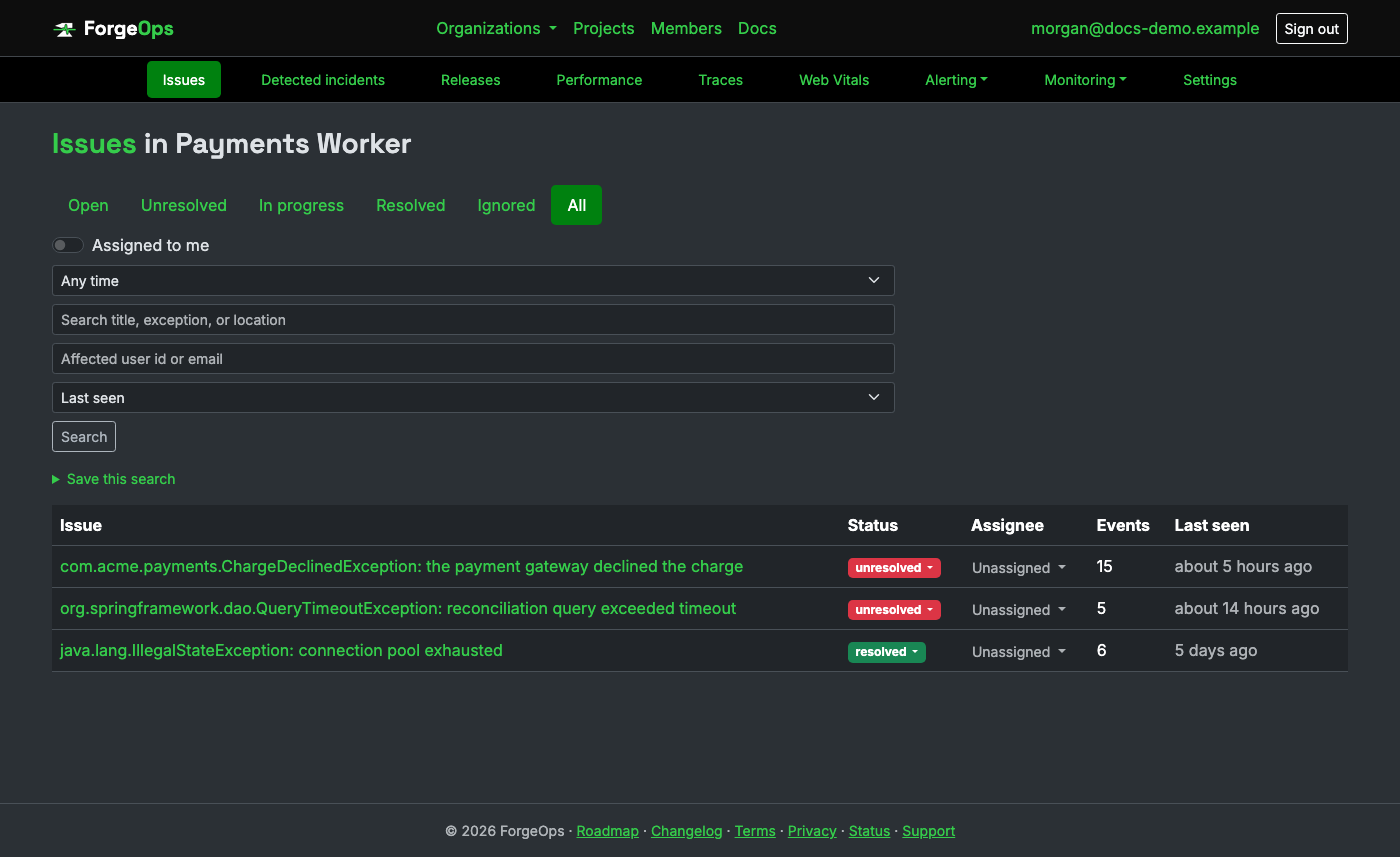
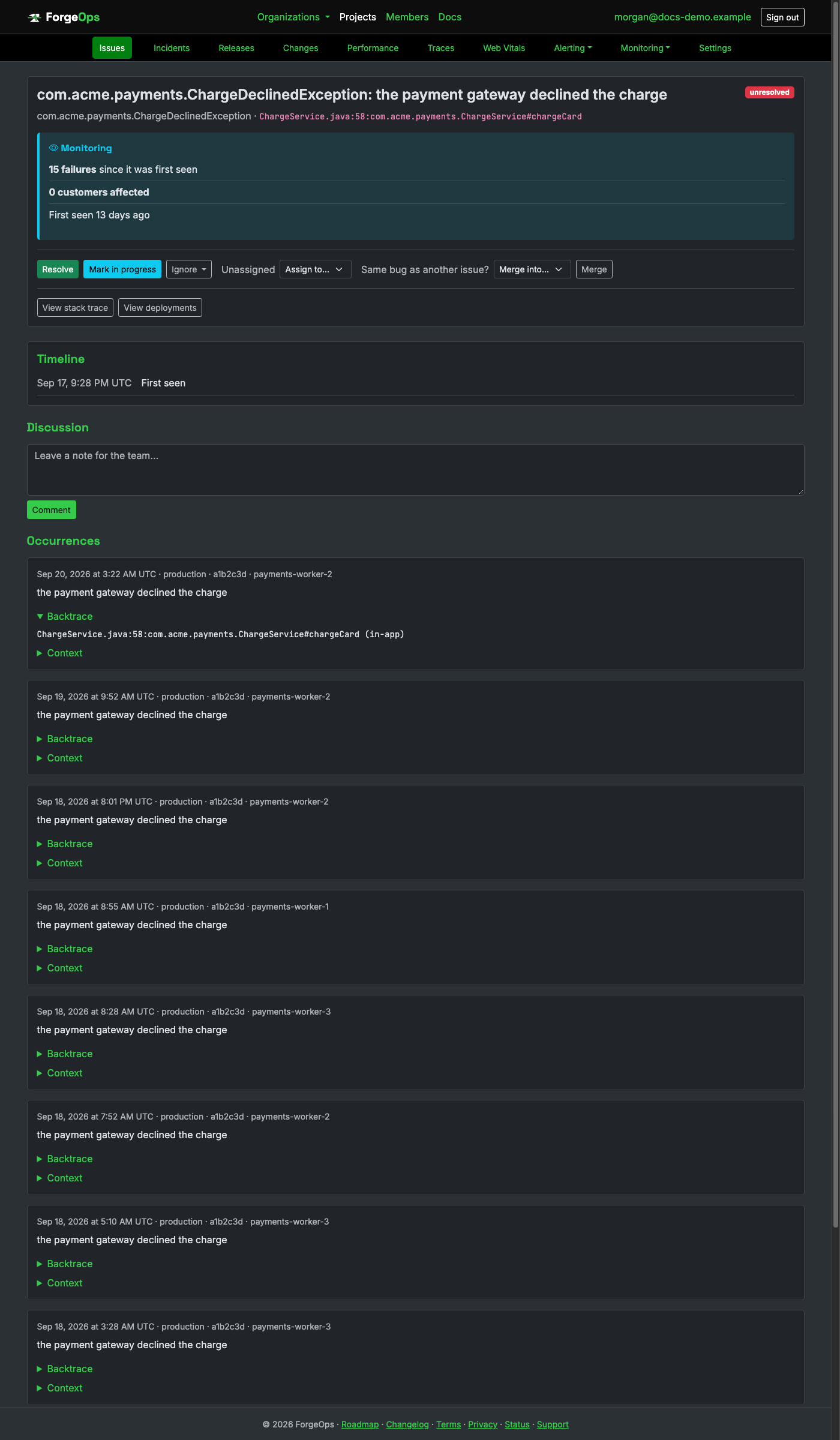
Same grouping, retention, PII scrubbing, and alerting as every other project. Note the
culprit line above shows a bare filename (ChargeService.java), not a full path;
unlike the other languages here, a JVM StackTraceElement never carries one.
Clone forge-ops-tracker-cpp (tag v0.6.0) and add its include/ and src/ to your own build (link nlohmann/json and libcurl), then configure once at startup:
#include <forge_ops_tracker/forge_ops_tracker.hpp>

forge_ops_tracker::init([](auto& config) {
    config.dsn = "https://<api_key>@getforgeops.net/api/v1/events";
});
forge_ops_tracker::install_terminate_handler();
install_terminate_handler reports whatever exception is in flight when
std::terminate is reached, then chains to whatever handler was previously
installed, the closest C++ equivalent to a language-wide uncaught-exception hook.
That covers anything that would otherwise reach std::terminate. Code that catches its own exception is different: the terminate handler never sees it:
try {
    charge_card(order);
} catch (const CardDeclinedException& e) {
    logger.warn("card declined: " + std::string(e.what()));
    // ForgeOps never sees this; caught locally, never reaches std::terminate at all.
}
Report it explicitly instead, right at the catch site:
} catch (const CardDeclinedException& e) {
    forge_ops_tracker::capture_exception(e, {{"order_id", order.id}});
    logger.warn("card declined: " + std::string(e.what()));
}
A real C++ exception, grouped and displayed the same way as any other language:
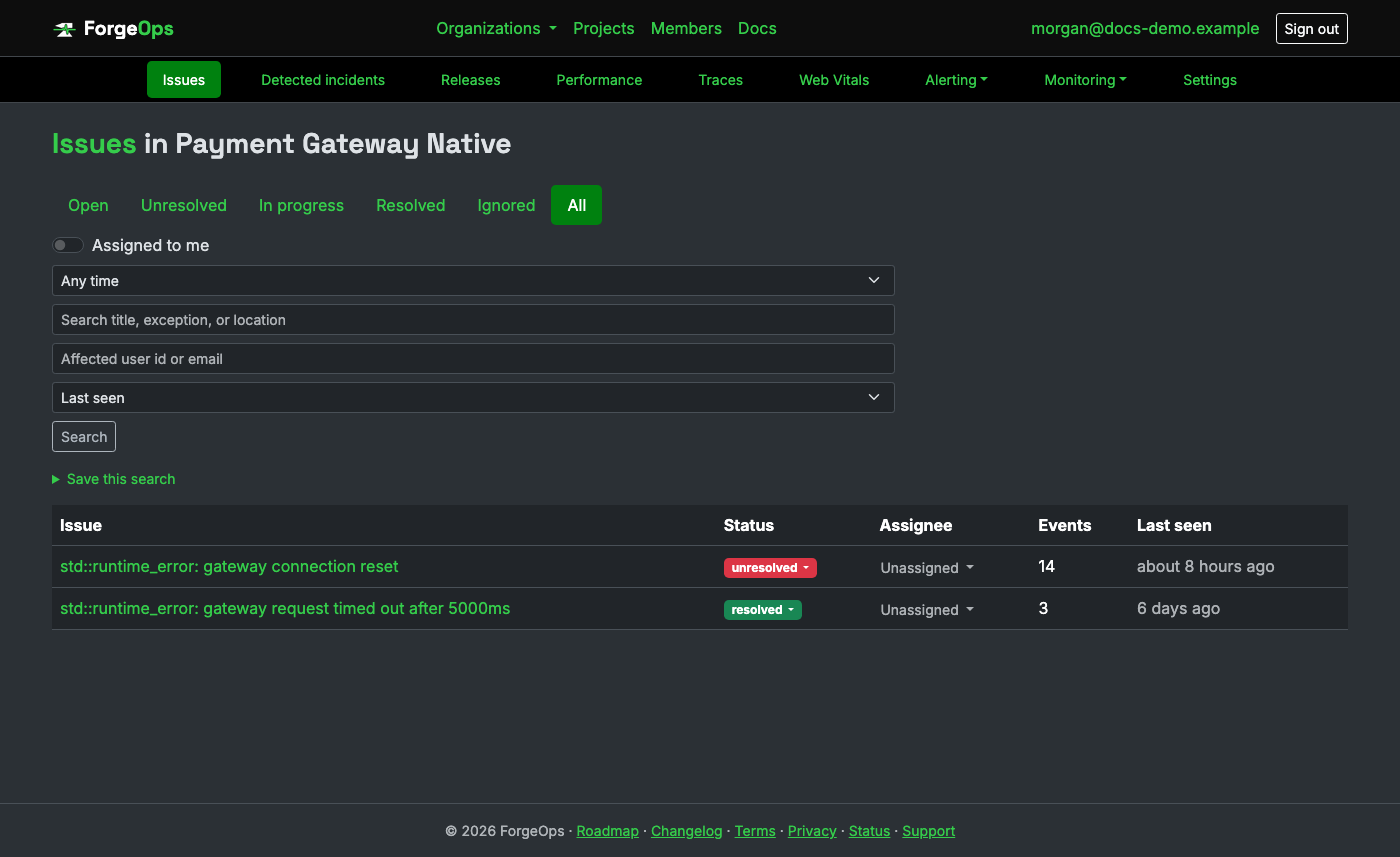
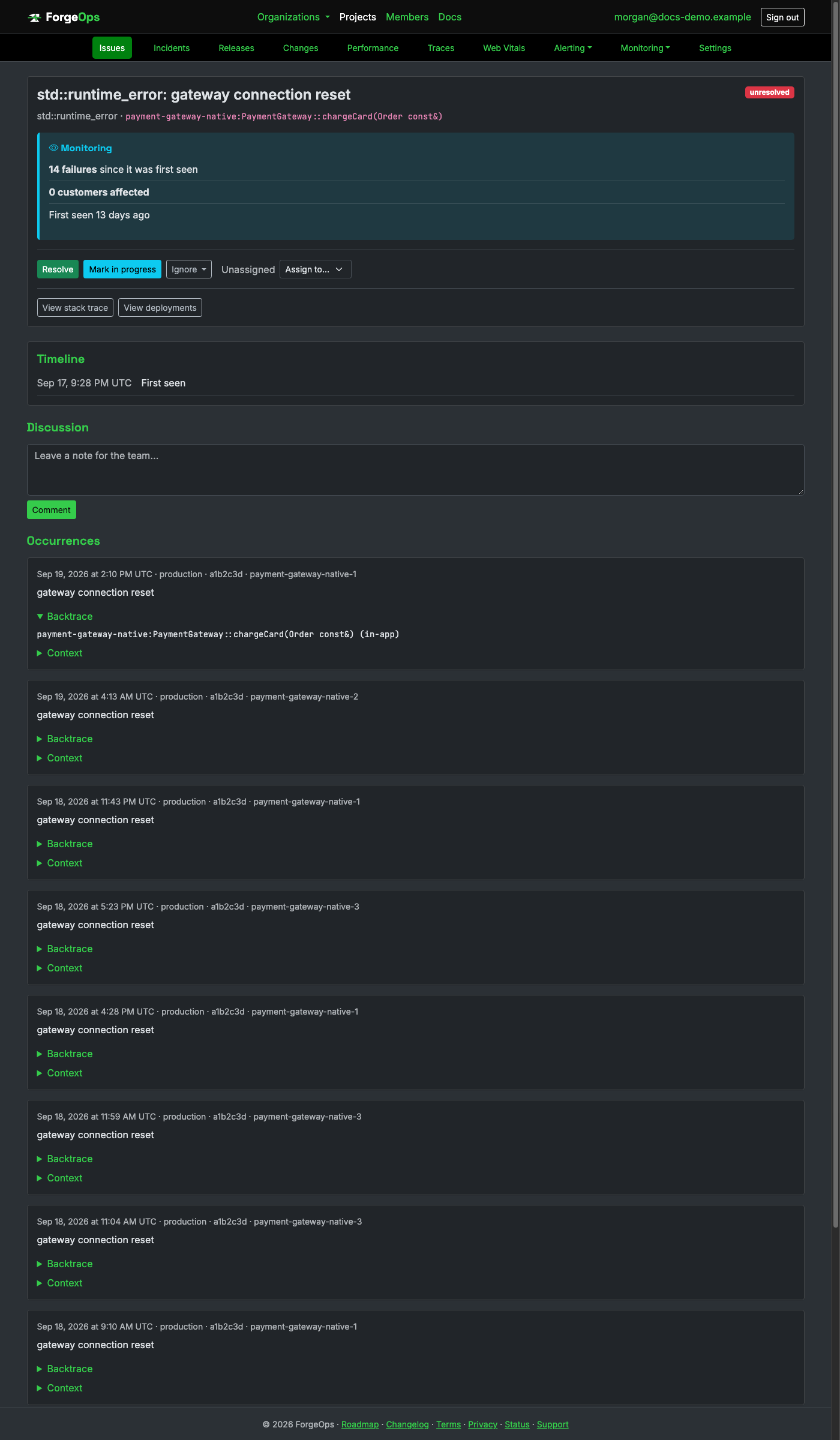
Same grouping, retention, PII scrubbing, and alerting as every other project. There's no
line number above: backtrace_symbols only ever returns a binary image name and
a demangled symbol, never a source location.
Clone forge-ops-tracker-objc (tag v0.6.0) and add its Sources/ForgeOpsTracker/ to your Xcode project (not packaged for CocoaPods/SPM), then configure as early as possible in app startup:
#import <ForgeOpsTracker/ForgeOpsTracker.h>

[ForgeOpsTracker configureWithBlock:^(FOTConfiguration *config) {
    config.dsn = @"https://<api_key>@getforgeops.net/api/v1/events";
}];
[ForgeOpsTracker installHandlers];
installHandlers covers an uncaught NSException and a fatal signal
(SIGSEGV and the rest), writing a crash report to disk and uploading it on the
next app launch, not live during the crash itself.
That covers anything that would otherwise crash the app. Code that catches its own exception is different: neither handler ever sees it:
@try {
    [self chargeCard:order];
} @catch (NSException *exception) {
    NSLog(@"card declined: %@", exception.reason);
    // ForgeOps never sees this; caught locally, never reaches the installed handlers at all.
}
Report it explicitly instead, right at the @catch site; this uploads immediately rather than waiting for the next launch:
} @catch (NSException *exception) {
    [ForgeOpsTracker captureException:exception context:@{ @"orderId": order.identifier }];
    NSLog(@"card declined: %@", exception.reason);
}
A real Objective-C exception, grouped and displayed the same way as any other language:
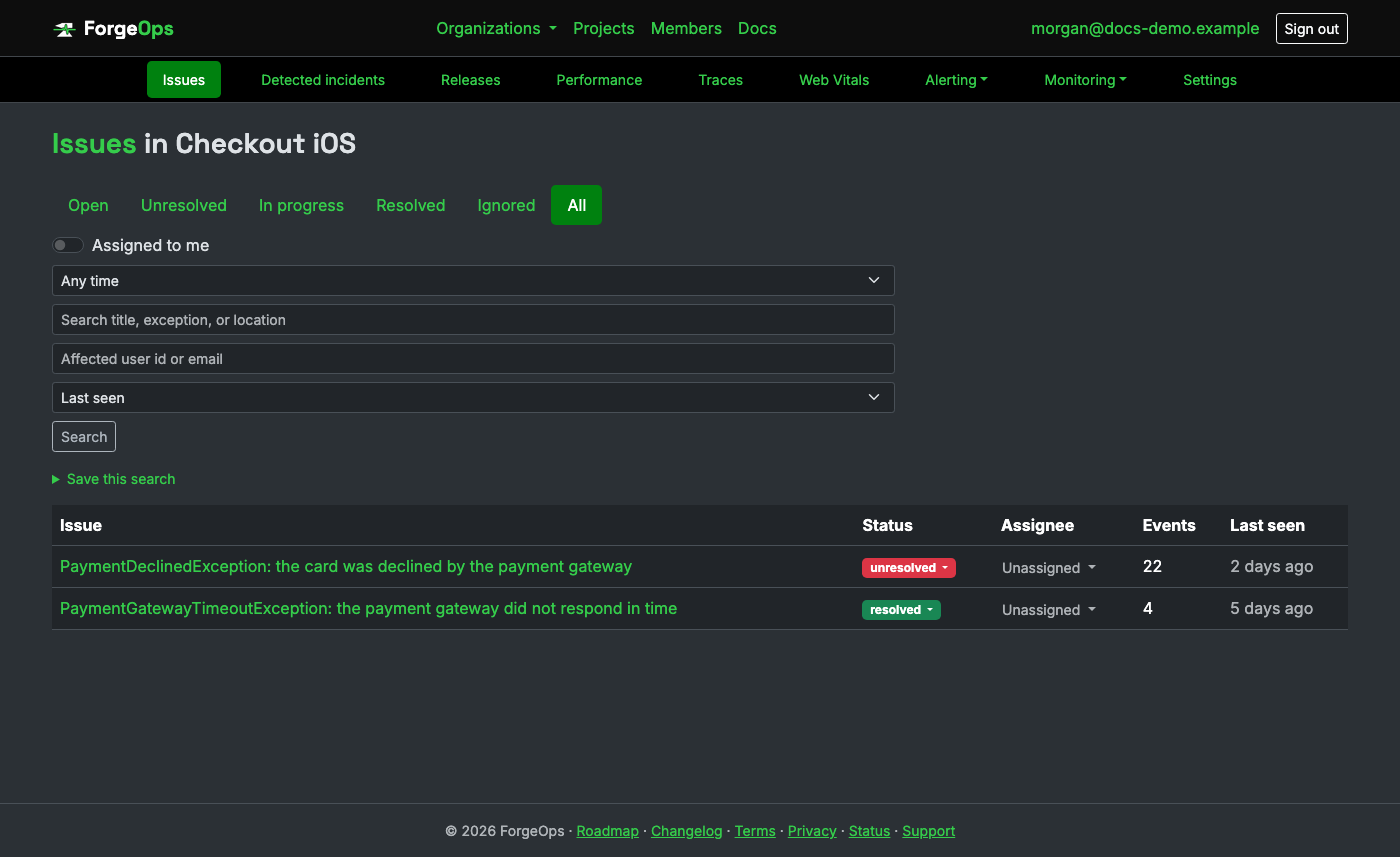
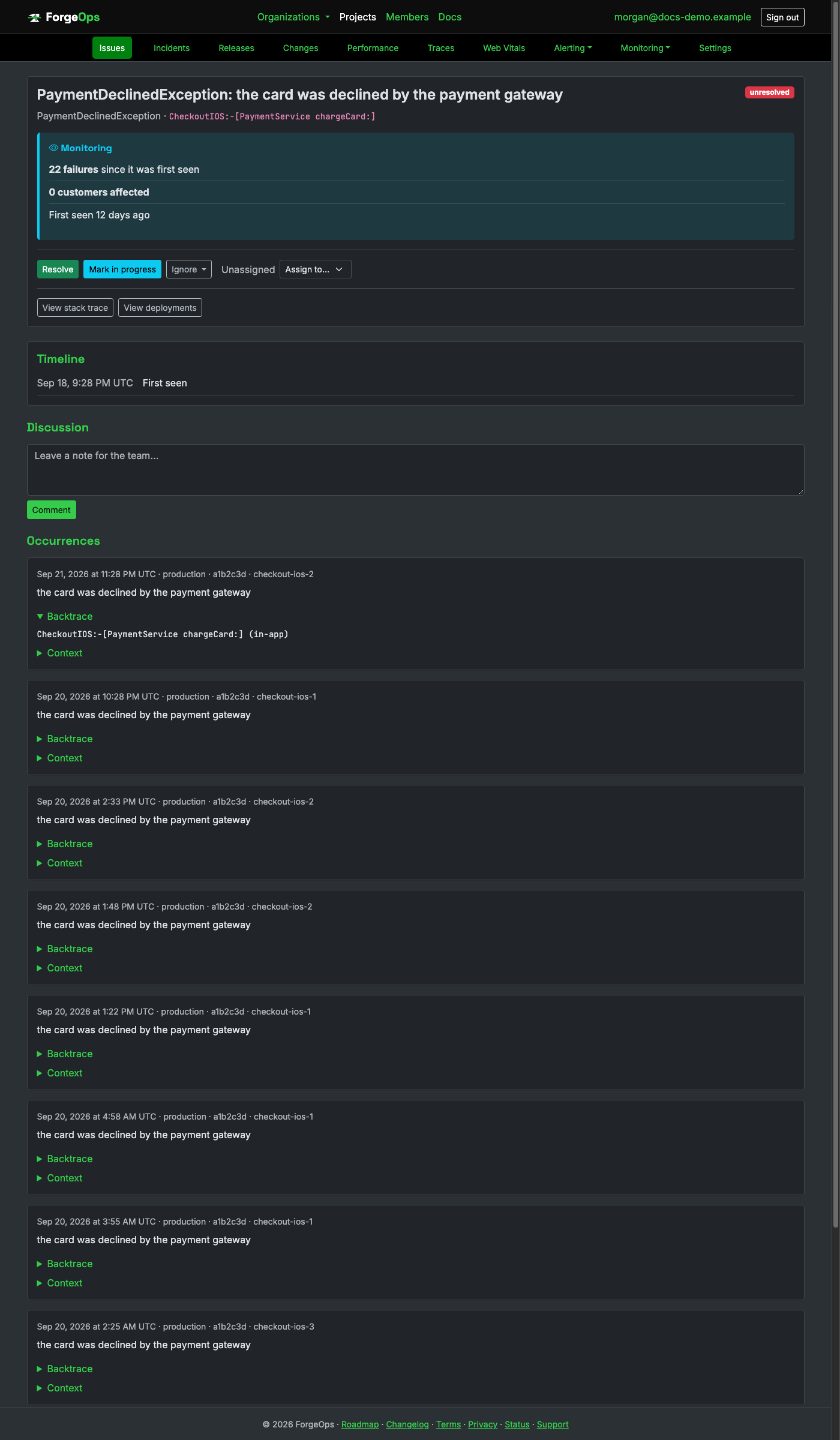
Same grouping, retention, PII scrubbing, and alerting as every other project. There's no
line number above: -callStackSymbols is a binary symbol table dump, not source
locations that a compiled, stripped release binary no longer carries at runtime.
Install the client and configure its DSN once at startup:
cpanm ForgeOps::Tracker
use ForgeOps::Tracker;

ForgeOps::Tracker::init(
    dsn => 'https://<api_key>@getforgeops.net/api/v1/events', # or leave unset to read FORGE_OPS_DSN
);
For PSGI/Plack, enable '+ForgeOps::Tracker::Integrations::PSGI'; for Dancer2,
use ForgeOps::Tracker::Integrations::Dancer2. Both report anything that escapes
a route automatically, then let the framework render its own error page unchanged.
That covers anything that would otherwise escape a route. Code that catches its own exception is different: neither integration ever sees it:
eval { charge_card($order) };
if ($@) {
    warn "card declined: $@";
    # ForgeOps never sees this unless reported explicitly below.
}
Report it explicitly instead, right at the eval site (the same applies to a plain script with no framework at all):
if ($@) {
    ForgeOps::Tracker::report($@, { order_id => $order->id });
    warn "card declined: $@";
}
A real Perl exception, grouped and displayed the same way as any other language:
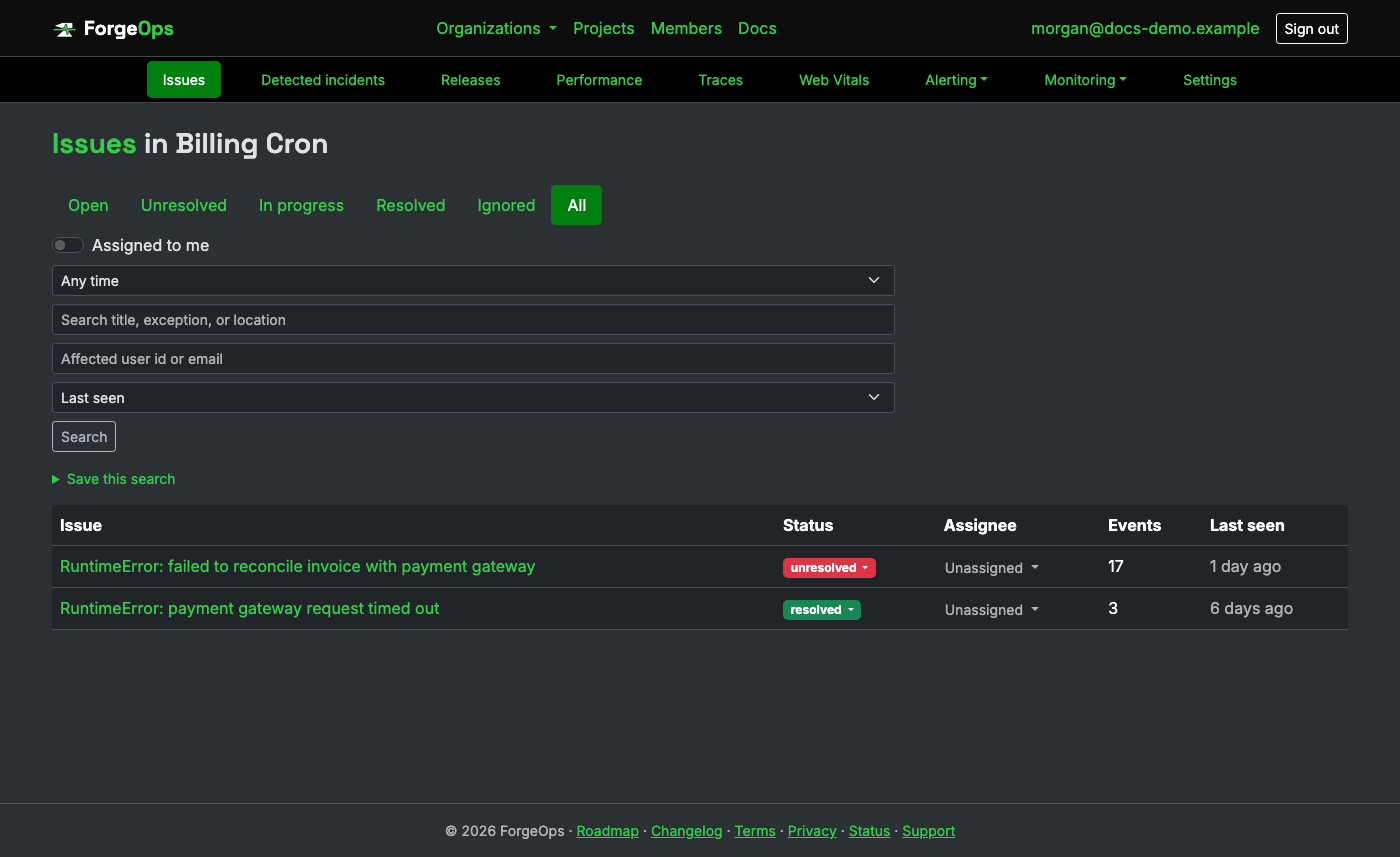
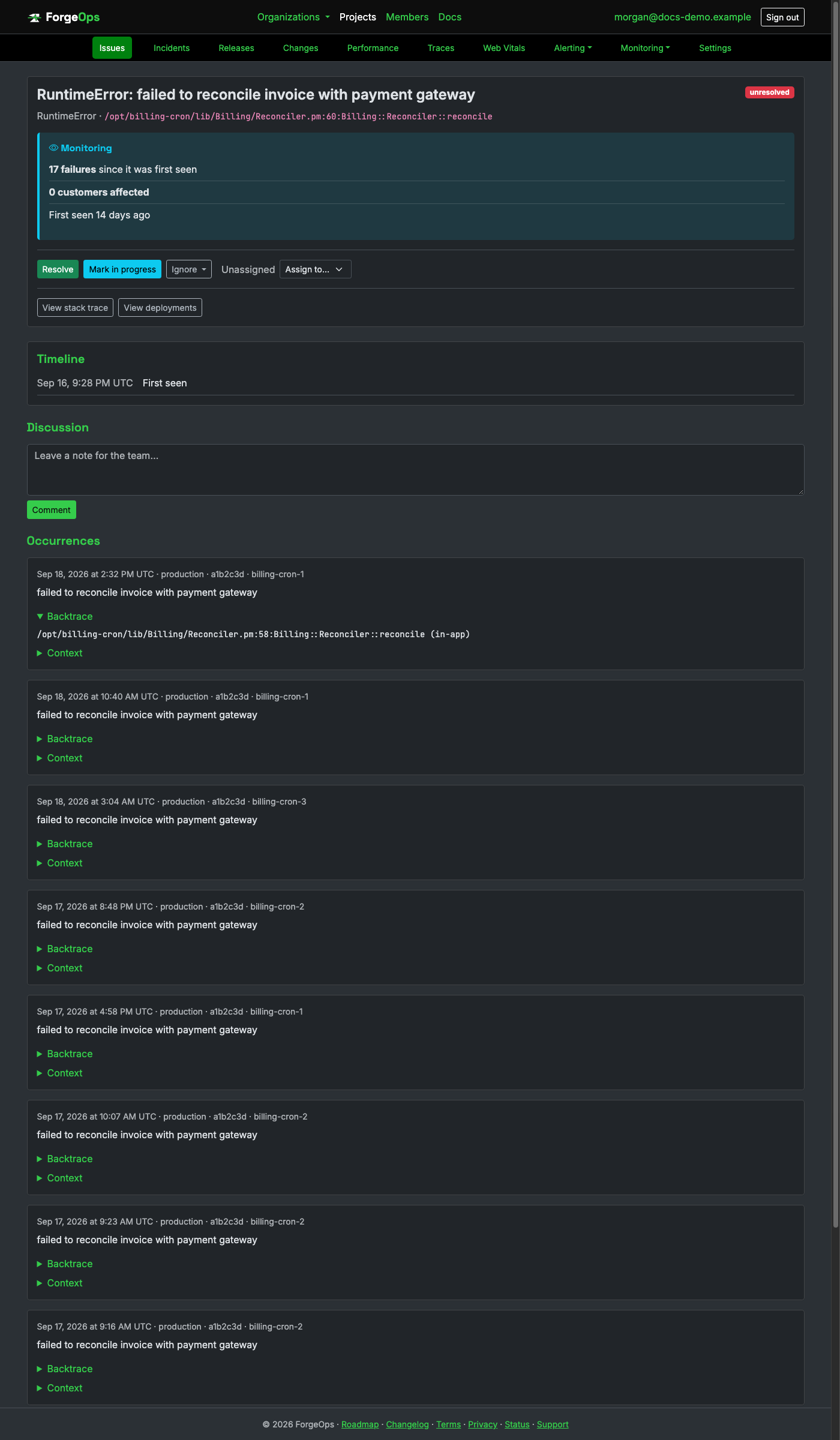
Same grouping, retention, PII scrubbing, and alerting as every other project. The backtrace
above is parsed straight out of the die message text (Perl appends "at FILE line N" itself,
and Carp::confess appends a full call chain on top), not a structured trace
object.
Install the browser client and configure its DSN once, as early as possible on the page:
npm install @forge-ops/tracker-web
import * as forgeOpsTracker from "@forge-ops/tracker-web";

forgeOpsTracker.init({ dsn: "https://<api_key>@getforgeops.net/api/v1/events" });
Installs window listeners by default, covering a synchronous exception that
escapes every try/catch on the page (error) and a rejected promise nobody
attached a .catch() to (unhandledrejection). Also installs a
breadcrumb trail by default: console output, navigation, clicks, and outgoing fetch/XHR
requests, attached automatically to whatever gets reported next. Add your own with
forgeOpsTracker.addBreadcrumb({ category: "auth", message: "user logged in" }),
or pass breadcrumbs: false to init() to turn the automatic
sources off entirely. Also captures Core Web Vitals (LCP, CLS, INP, FCP, TTFB) by default,
sent once the page becomes hidden; see p75 for each metric on a project's own Web Vitals
page, or pass webVitals: false to turn that off too.
That covers anything that would otherwise reach the console uncaught. Code that catches its own exception is different: neither listener ever sees it:
try {
  await chargeCard(order);
} catch (err) {
  console.warn(`card declined: ${err.message}`);
  // ForgeOps never sees this; caught locally, never reaches window's own handlers at all.
}
Report it explicitly instead, right at the catch site (a React app can also use ForgeOpsErrorBoundary for a render-time error):
} catch (err) {
  forgeOpsTracker.captureException(err, { orderId: order.id });
  console.warn(`card declined: ${err.message}`);
}
A real browser exception, grouped and displayed the same way as any other language:
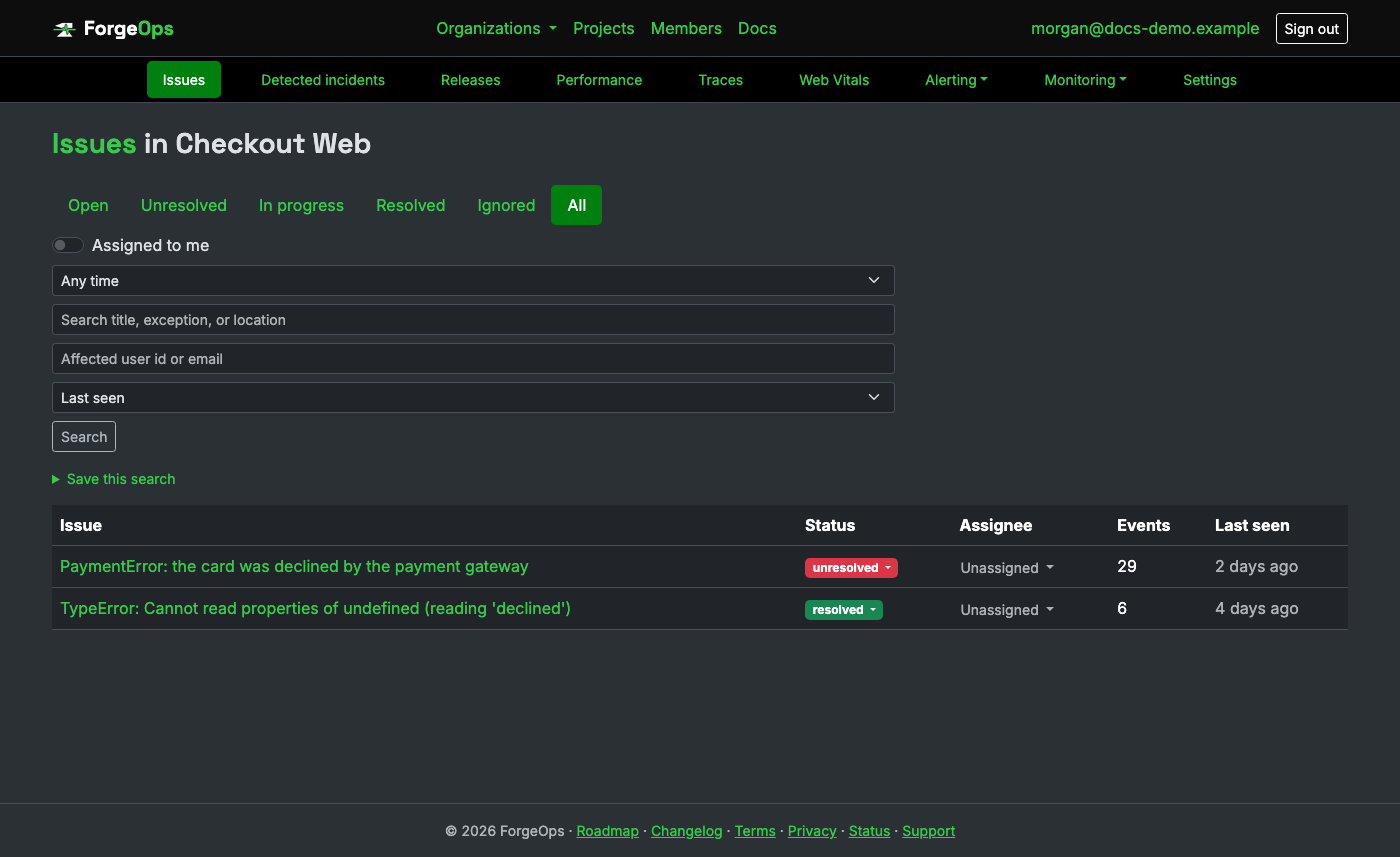
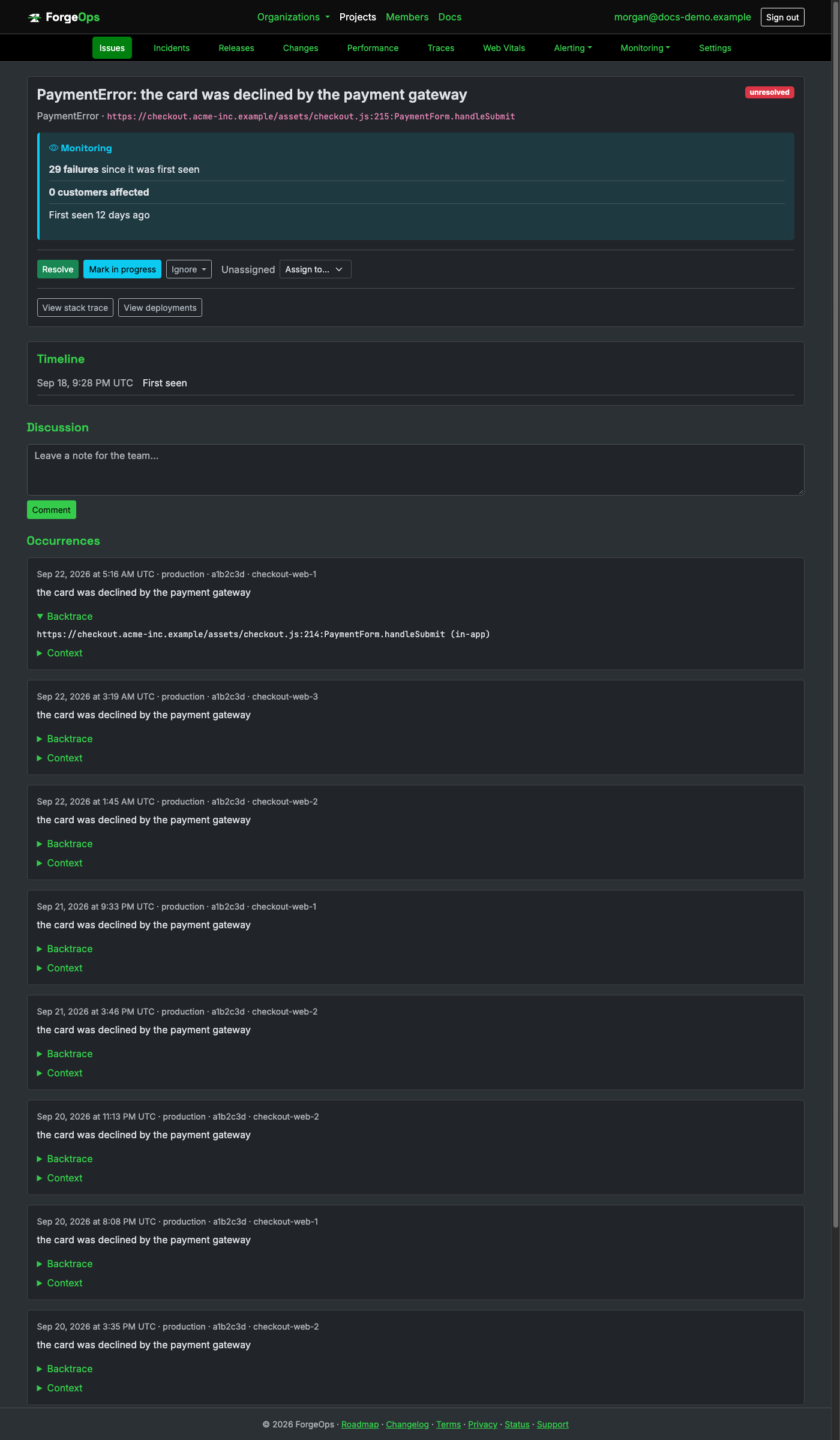
Same grouping, retention, PII scrubbing, and alerting as every other project. The file above is a full page URL, not a filesystem path: there's no equivalent of a server-side app root in a browser.
Install it and configure its DSN once at startup:
go get github.com/Luke-Popwell/forge-ops-tracker-go
import forgeops "github.com/Luke-Popwell/forge-ops-tracker-go"

forgeops.Init(func(c *forgeops.Configuration) {
    c.DSN = "https://<api_key>@getforgeops.net/api/v1/events" // or leave unset to read FORGE_OPS_DSN
})
For net/http (and chi, gorilla/mux), wrap your handler with
forgeopshttp.Middleware; for Gin, use forgeopsgin.Recovery()
instead of gin.Recovery(). Both report a panic that escapes a request handler,
then let it recover exactly as it would without this client.
Go doesn't have exceptions, so there's no single hook for "whatever wasn't handled." An error you already have is reported explicitly, right where you'd otherwise just log it:
if err != nil {
    forgeops.CaptureError(err, map[string]any{"order_id": order.ID})
    return err
}
A panic outside a request handler needs defer forgeops.Recover() at the top of that goroutine:
func processQueue() {
    defer forgeops.Recover(nil)
    // ...
}
A real Go error, grouped and displayed the same way as any other language:
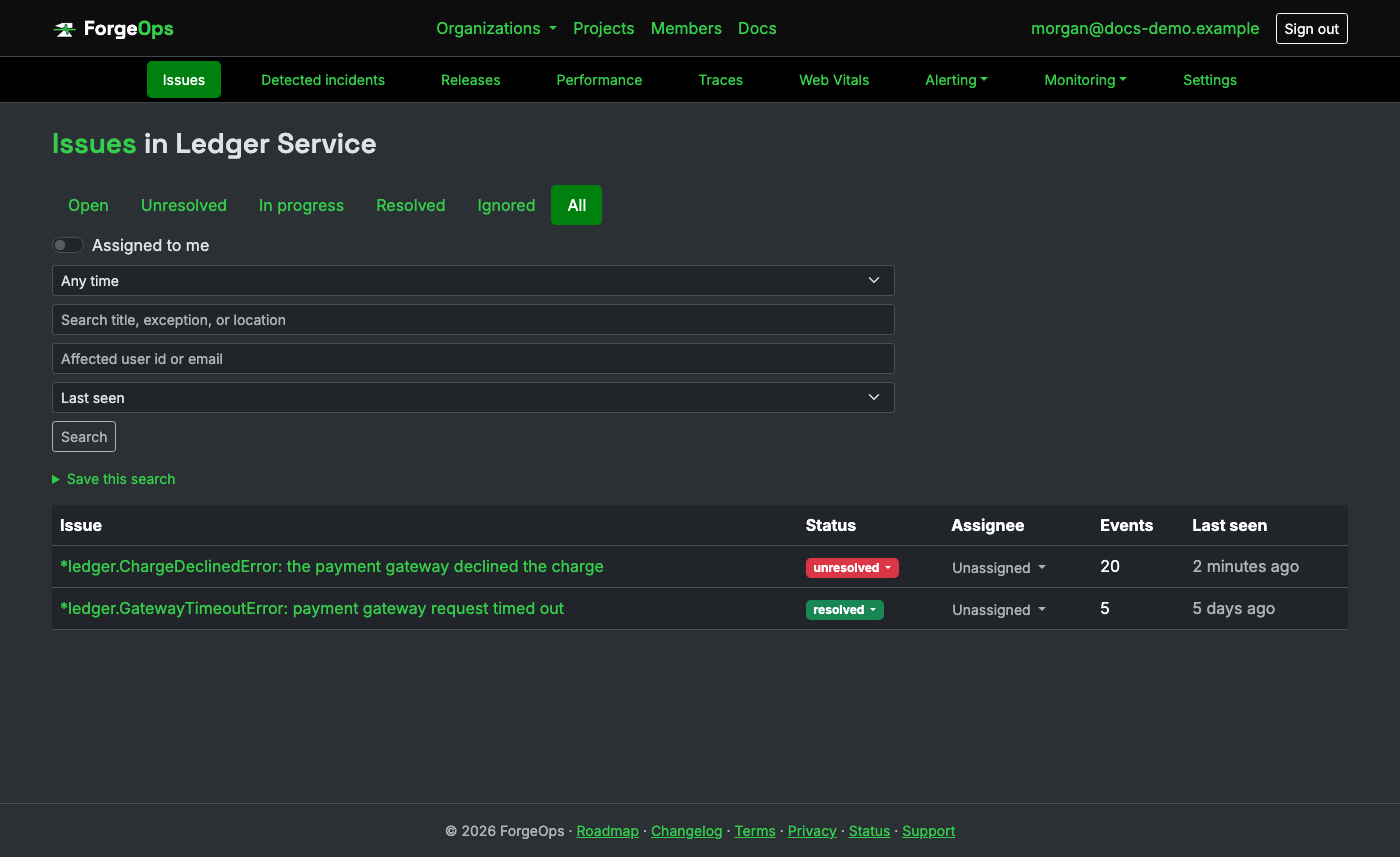
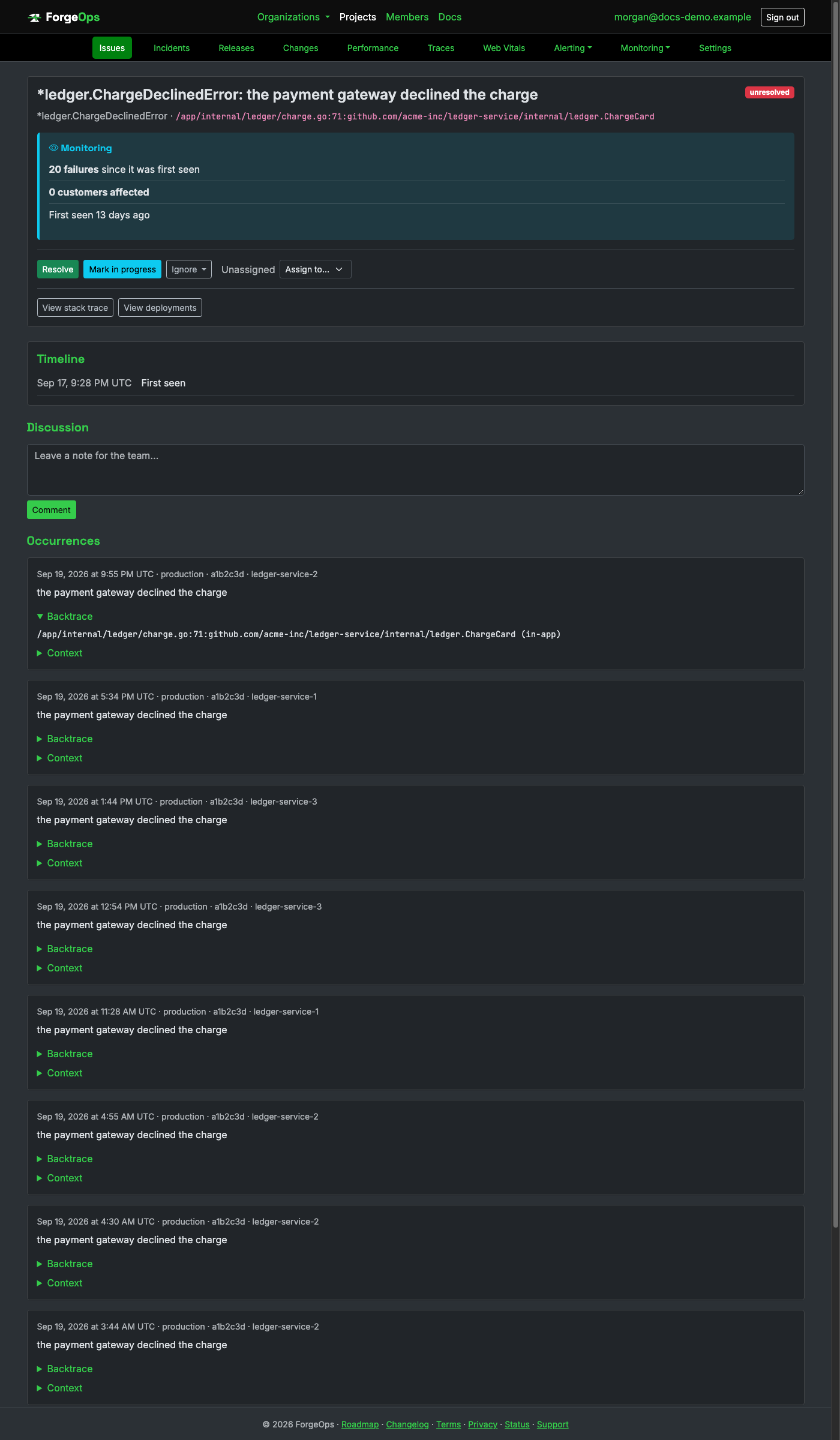
Same grouping, retention, PII scrubbing, and alerting as every other project. The
exception_class above is the error value's package-qualified Go type
(package path plus the type name), so two errors of the same type from different
packages are never grouped together.
Point at the crate directly and configure its DSN once at startup:
# Cargo.toml
[dependencies]
forge-ops-tracker = "0.15"
forge_ops_tracker::init(|c| {
    c.dsn = Some("https://<api_key>@getforgeops.net/api/v1/events".to_string());
});
init() installs a process-wide panic hook by default, covering a panic on
any thread, including a web framework's own worker threads, with no
per-framework middleware needed at all.
Rust doesn't have exceptions, so a Result::Err
you already caught is a separate case; report it explicitly, right where you'd otherwise
just log it:
if let Err(err) = charge_card(&order) {
    forge_ops_tracker::capture_error(&err, forge_ops_tracker::context!{"order_id" => order.id});
    return Err(err);
}
Or via the ResultReportExt extension trait, which reports on Err and passes the Result through unchanged:
charge_card(&order).report_err(forge_ops_tracker::context!{"order_id" => order.id})?;
A real Rust panic, grouped and displayed the same way as any other language:
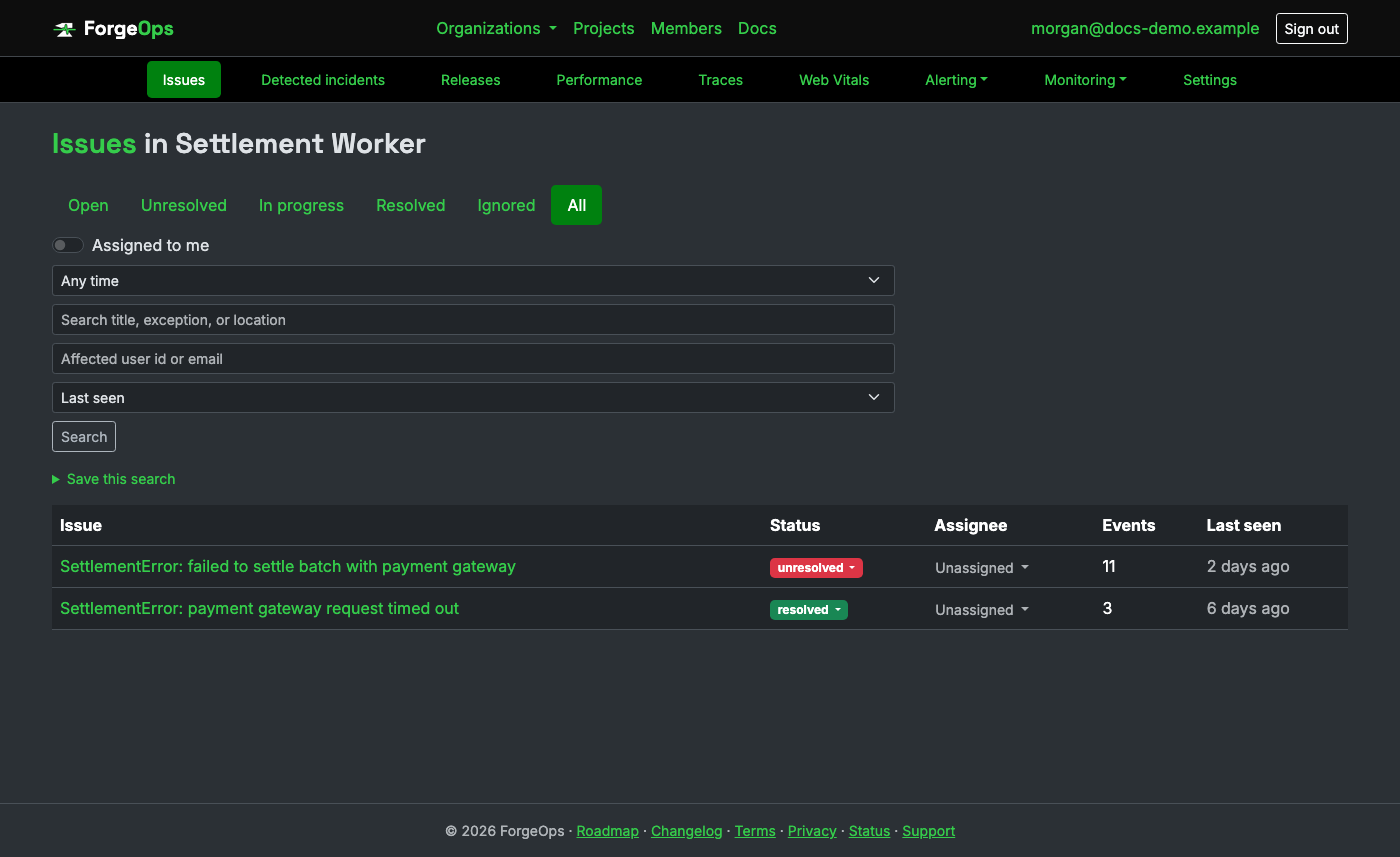
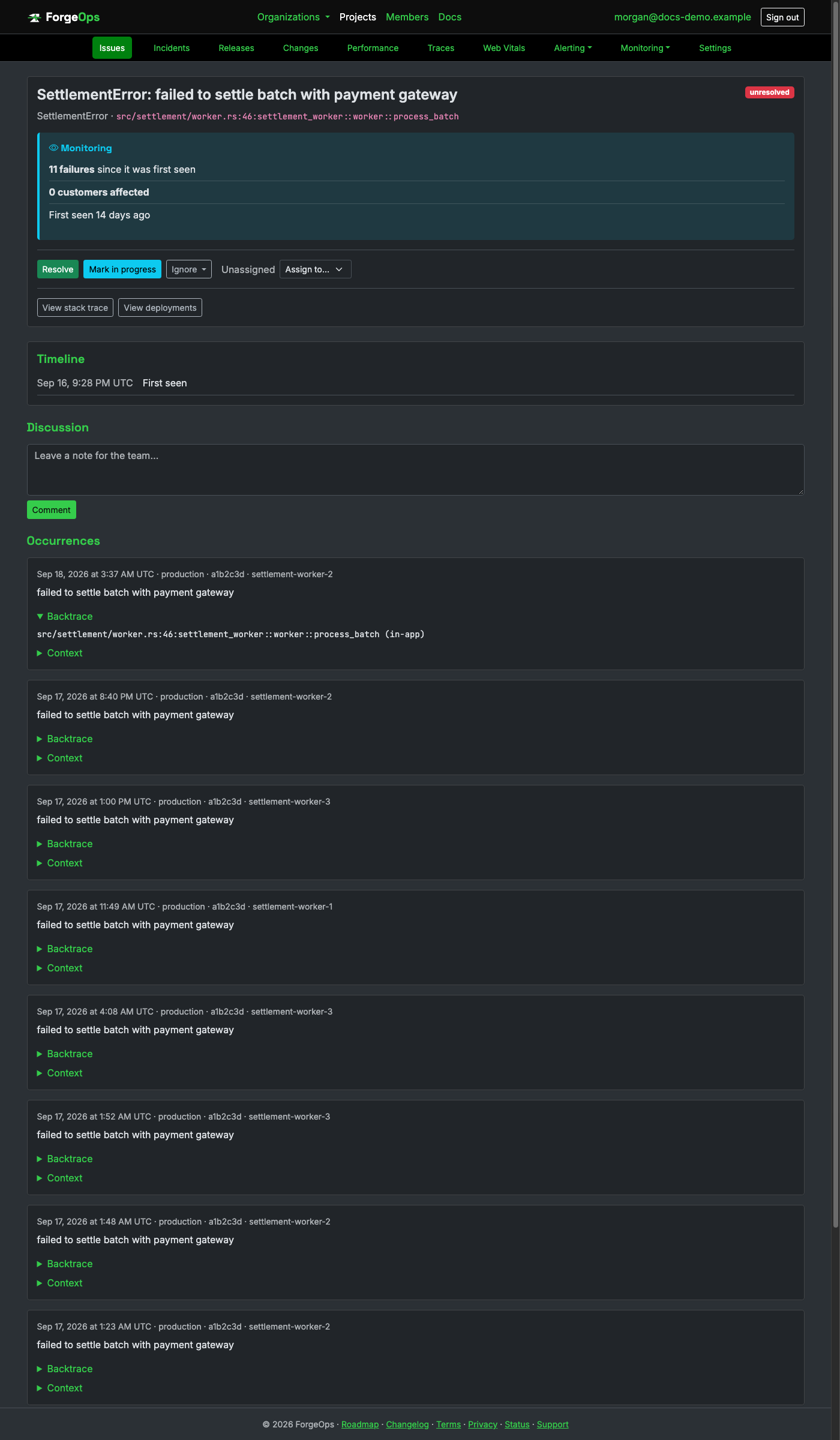
Same grouping, retention, PII scrubbing, and alerting as every other project. The
method above is the demangled symbol the backtrace crate reports,
crate::module::function style.
Add it as a Swift Package Manager dependency, then configure as early as possible in app startup:
// Package.swift
dependencies: [ .package(url: "https://github.com/Luke-Popwell/forge-ops-tracker-swift.git", from: "0.8.0") ]
import ForgeOpsTracker

ForgeOpsTracker.configure { config in
    config.dsn = "https://<api_key>@getforgeops.net/api/v1/events"
}
ForgeOpsTracker.installHandlers()
Covers the same uncaught NSException and fatal-signal cases this repo's
Objective-C client covers (a Swift app crashes through the exact same two mechanisms), plus
fatalError() and a failed force-unwrap. Uploads happen on the next app launch.
A plain Swift Error has no uncaught-error mechanism at
all; report one explicitly, right at the catch site (this uploads
immediately rather than waiting for the next launch):
do {
    try chargeCard(order)
} catch {
    ForgeOpsTracker.capture(error: error, context: ["order_id": order.id])
}
A real Swift error, grouped and displayed the same way as any other language:
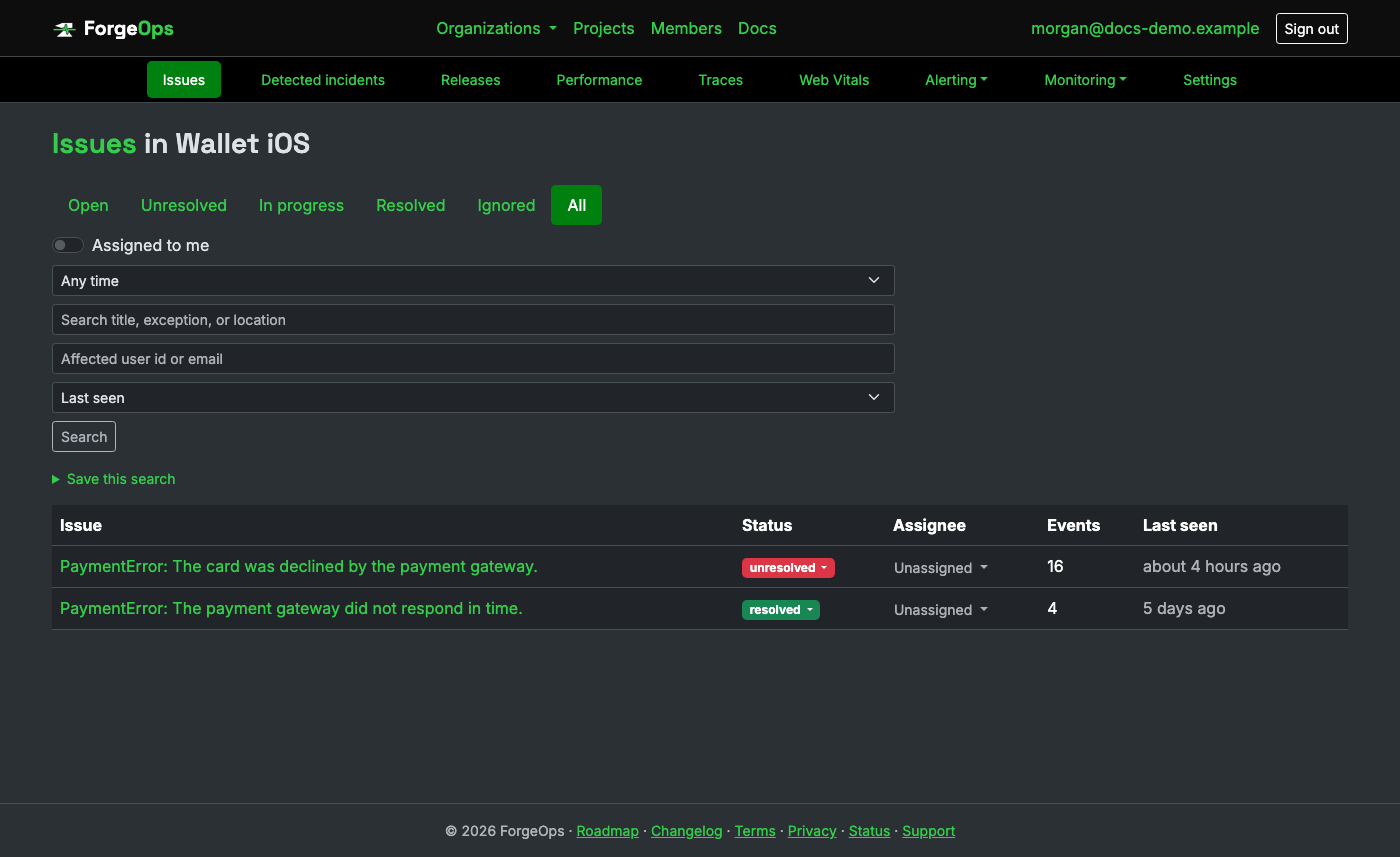
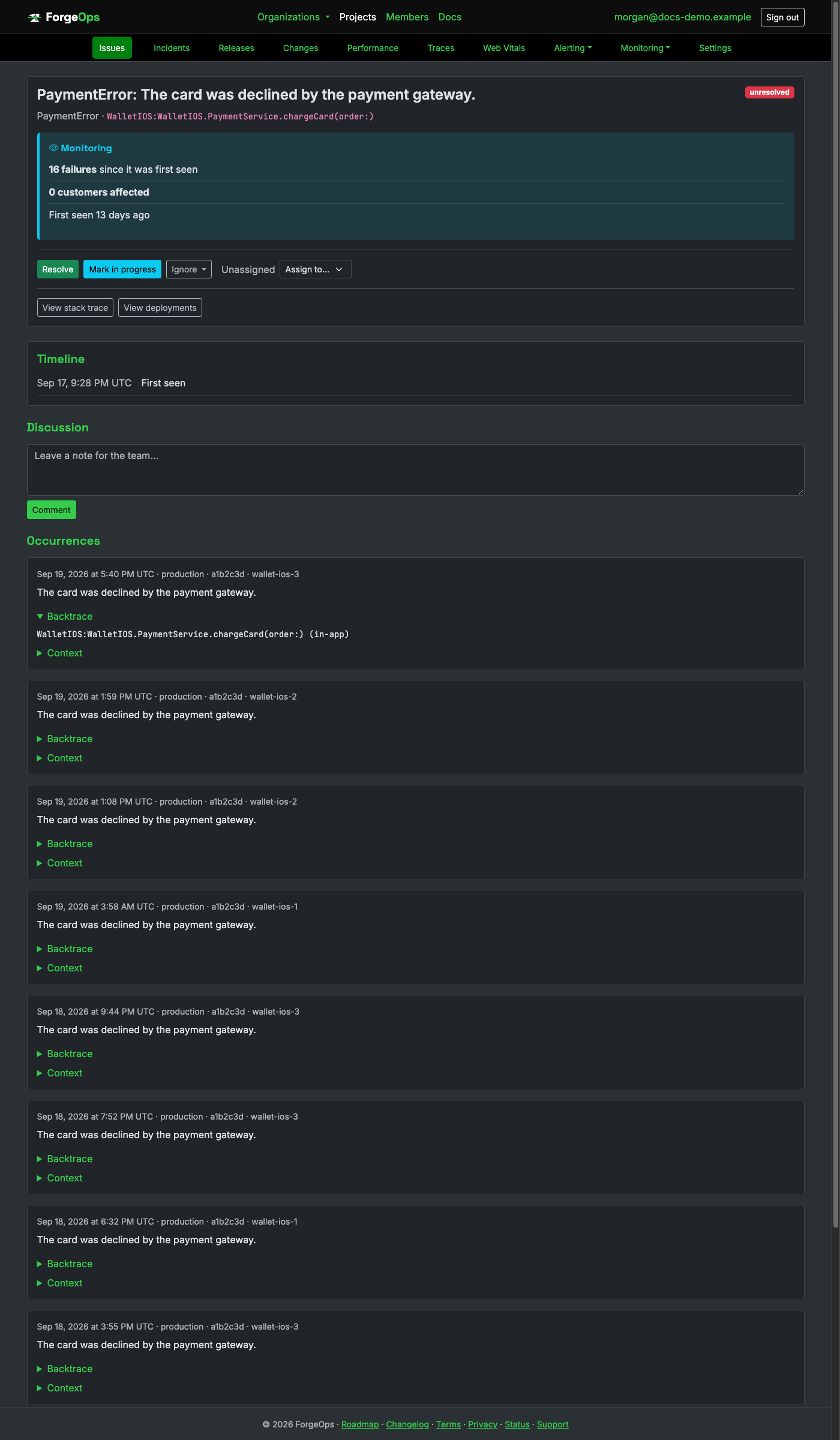
Same grouping, retention, PII scrubbing, and alerting as every other project. There's no
line number above, the same reason as this repo's Objective-C client: Thread.callStackSymbols
is a binary symbol dump, not source locations.
Add the dependency and configure once at startup:
<!-- pom.xml -->
<dependency>
  <groupId>io.github.luke-popwell</groupId>
  <artifactId>tracker-kt</artifactId>
  <version>0.13.0</version>
</dependency>
import io.github.lukepopwell.tracker.ForgeOpsTracker

ForgeOpsTracker.init { config ->
    config.dsn = "https://<api_key>@getforgeops.net/api/v1/events" // or leave unset to read FORGE_OPS_DSN
}
The same JVM integrations as the Java tab above apply here too, since a Kotlin servlet filter or Spring bean is still a real JVM type underneath: both report every unhandled request exception automatically.
That covers anything that would otherwise crash a request.
Code that catches its own exception is different: report it explicitly, right at the
catch site:
try {
    chargeCard(order)
} catch (e: CardDeclinedException) {
    ForgeOpsTracker.captureException(e, mapOf("orderId" to order.id))
    logger.warn("card declined: ${e.message}")
}
A real Kotlin exception, grouped and displayed the same way as any other language:
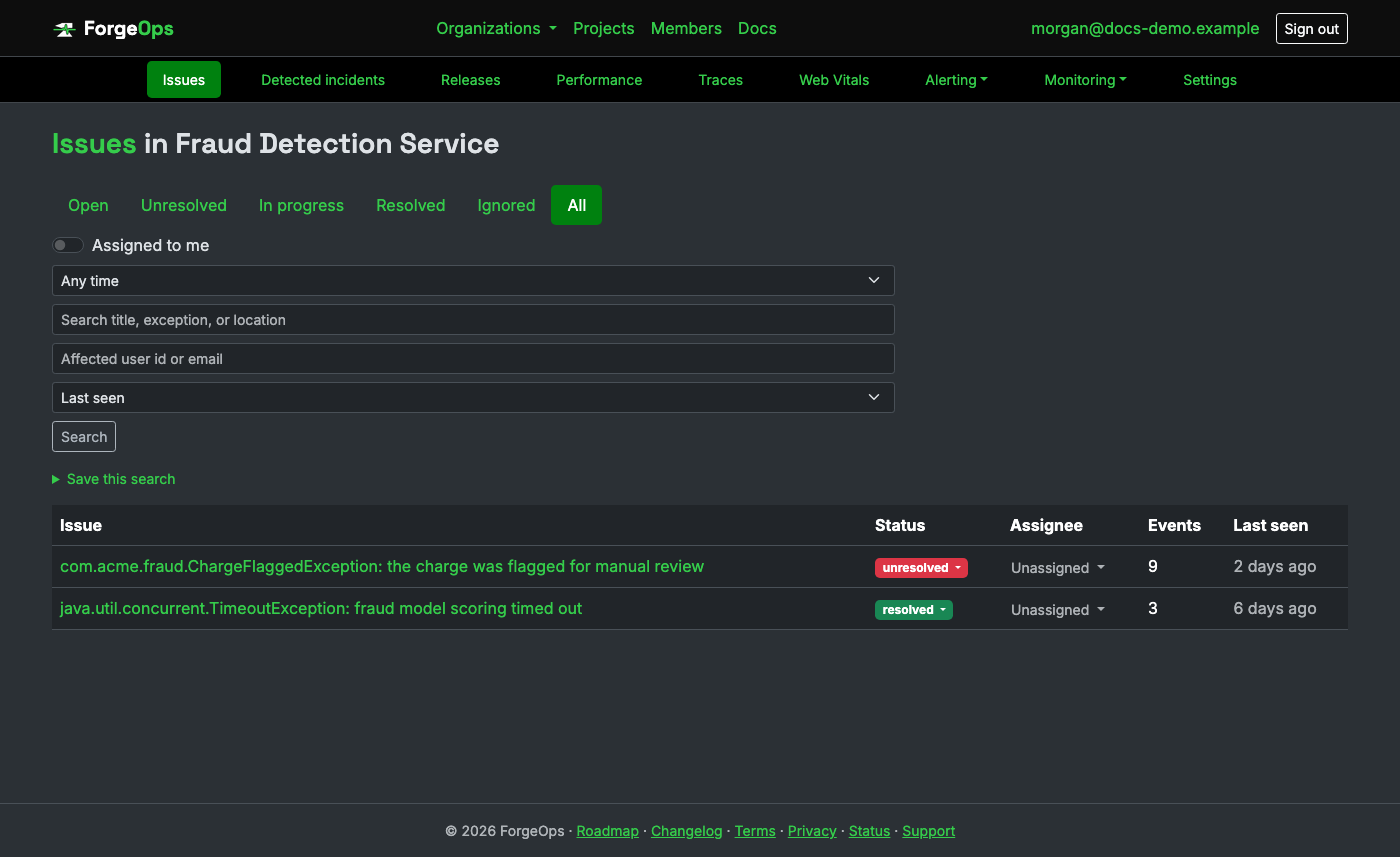
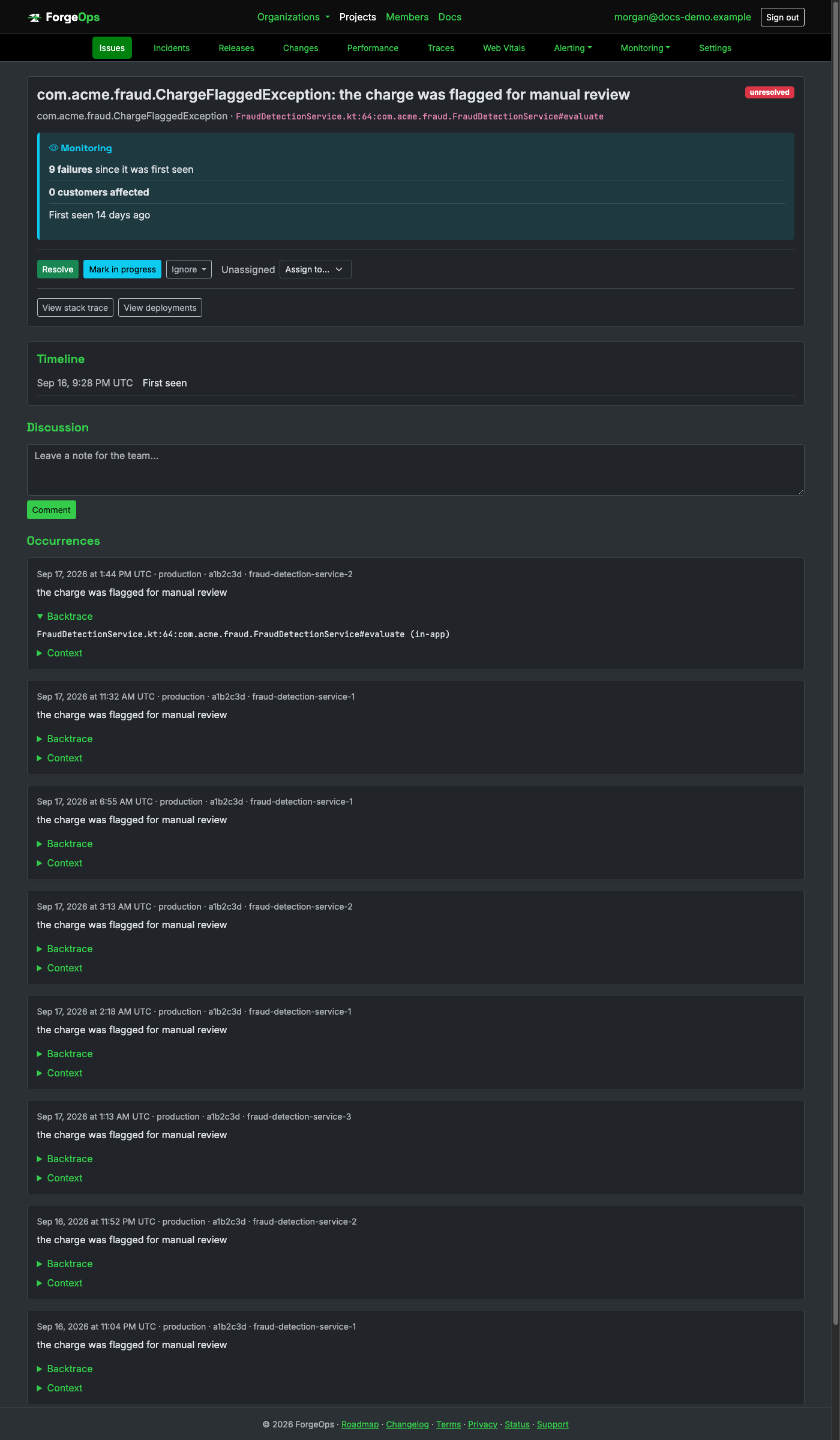
Same grouping, retention, PII scrubbing, and alerting as every other project. Note the
culprit line above shows a bare filename, the same JVM StackTraceElement
limitation the Java tab above documents.
Add it to your project and configure its DSN once at startup:
dart pub add forge_ops_tracker
flutter pub add forge_ops_tracker flutter_forge_ops_tracker # Flutter apps: add both
forge_ops_tracker.init((config) {
  config.dsn = 'https://<api_key>@getforgeops.net/api/v1/events';
});
Plain Dart apps wrap their entry point in runGuarded; Flutter apps also get
FlutterError.onError and PlatformDispatcher.onError from the
separate flutter_forge_ops_tracker package, covering a widget-build error and
an async error respectively.
That covers anything that would otherwise crash the app.
Code that catches its own exception is different: report it explicitly, right at the
catch site:
try {
  await chargeCard(order);
} catch (e, stackTrace) {
  forge_ops_tracker.captureException(e, stackTrace, context: {'orderId': order.id});
  logger.warning('card declined: $e');
}
A real Dart exception, grouped and displayed the same way as any other language:
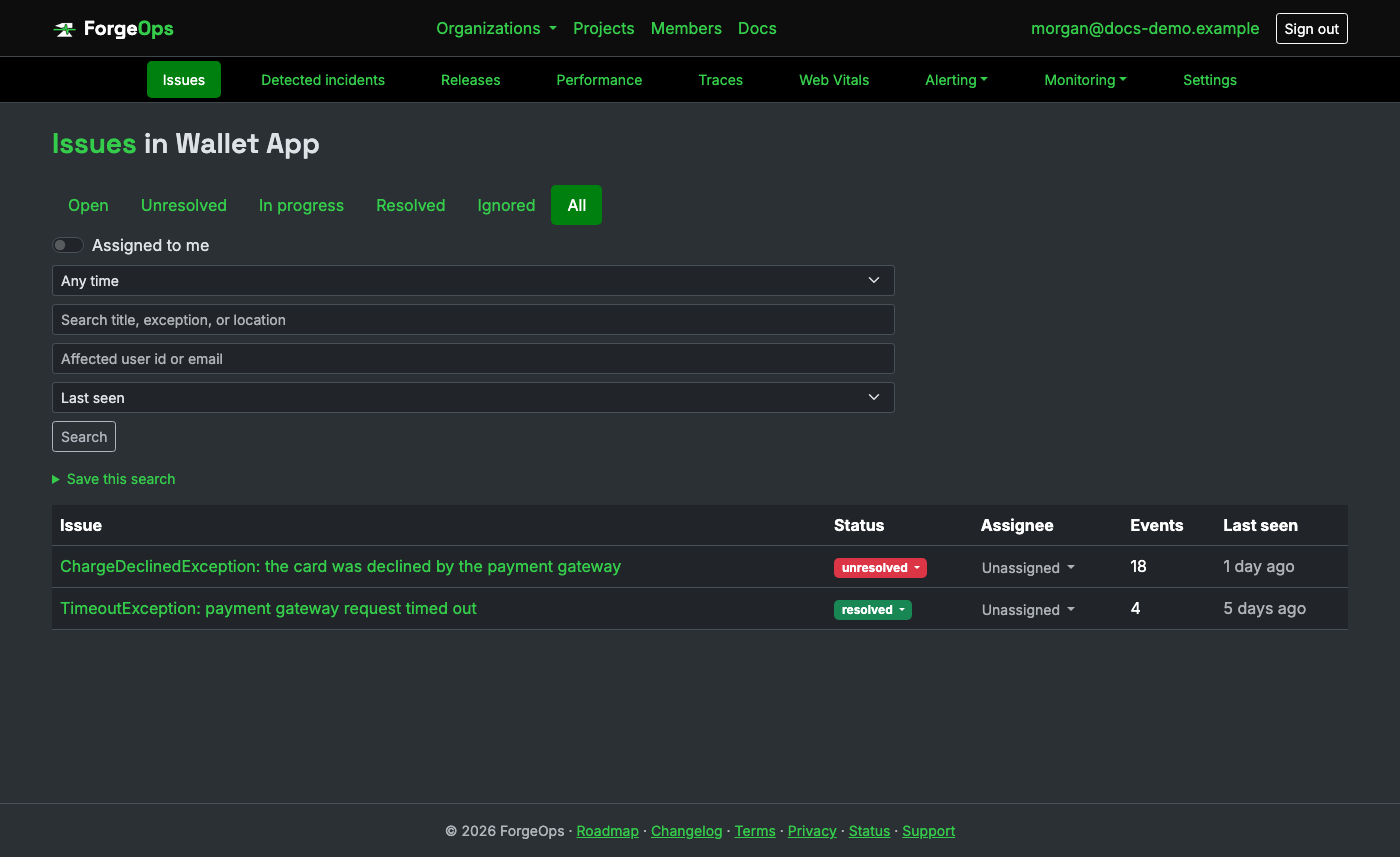
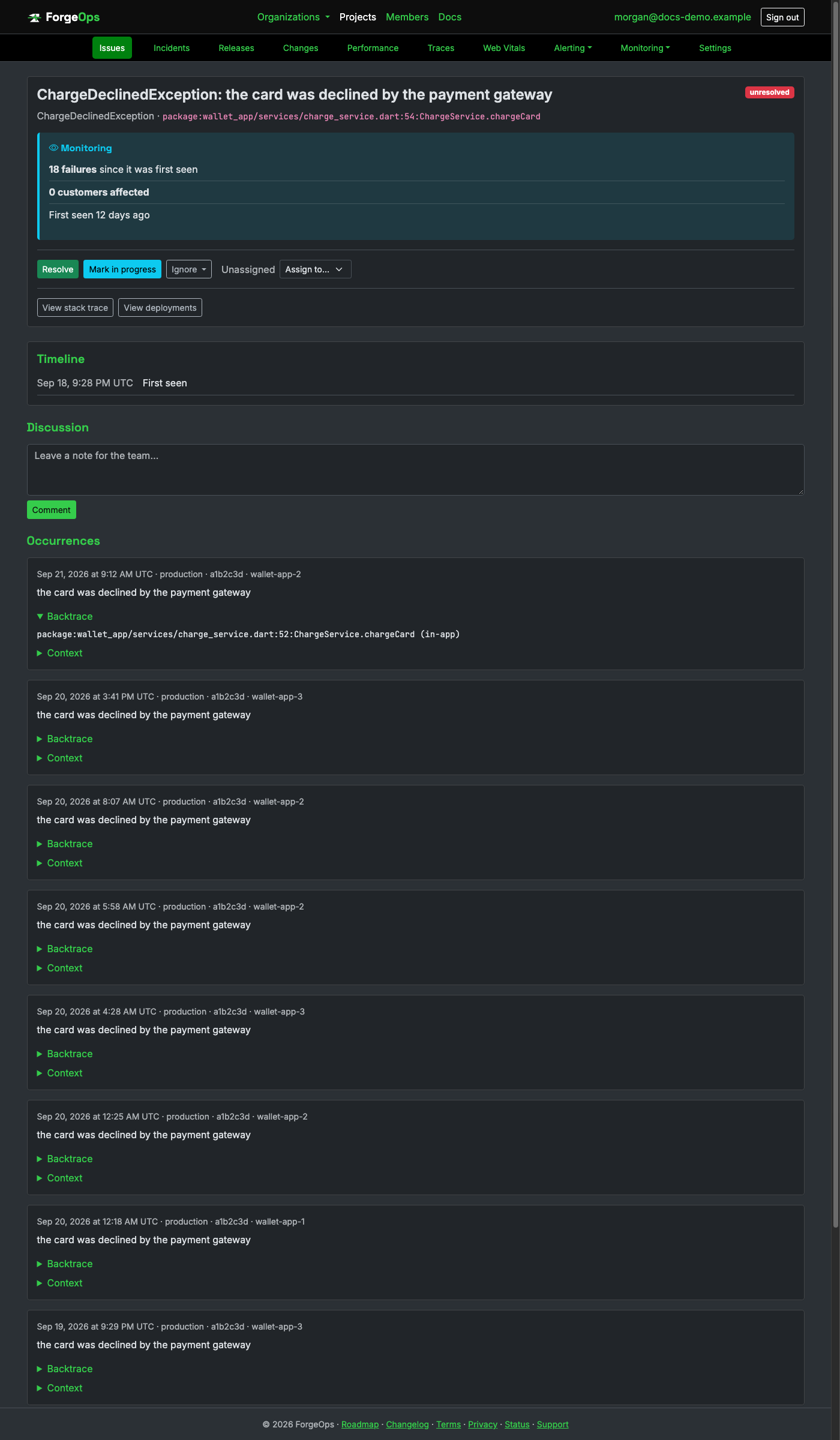
Same grouping, retention, PII scrubbing, and alerting as every other project. The file above
is a package: URI, parsed straight out of StackTrace.toString();
Dart has no structured per-frame trace API the way Java or Go does.
No package registry exists for C: CMake's own FetchContent, pointed at a real tagged release, is the closest equivalent:
# your own CMakeLists.txt
include(FetchContent)
FetchContent_Declare(forgeops_tracker
  GIT_REPOSITORY https://github.com/Luke-Popwell/forge-ops-tracker-c.git
  GIT_TAG v0.9.0)
FetchContent_MakeAvailable(forgeops_tracker)
target_link_libraries(your_app PRIVATE forgeops_tracker)
#include <forgeops_tracker/forgeops_tracker.h>

forgeops_configuration_t *config = forgeops_tracker_configuration();
forgeops_configuration_set_dsn(config, "https://<api_key>@getforgeops.net/api/v1/events");
forgeops_tracker_install_handlers();
forgeops_tracker_install_handlers installs a fatal-signal handler
(SIGSEGV and the rest), the only "automatic capture" story that exists in
plain C, which has no exceptions at all.
An error your own code already detected (a bad return code, not a signal) is reported explicitly:
if (charge_card(order) != 0) {
    forgeops_tracker_capture_error("PAYMENT_ERROR", "card declined", context_keys, context_values, 1);
}
A real C error, grouped and displayed the same way as any other language:
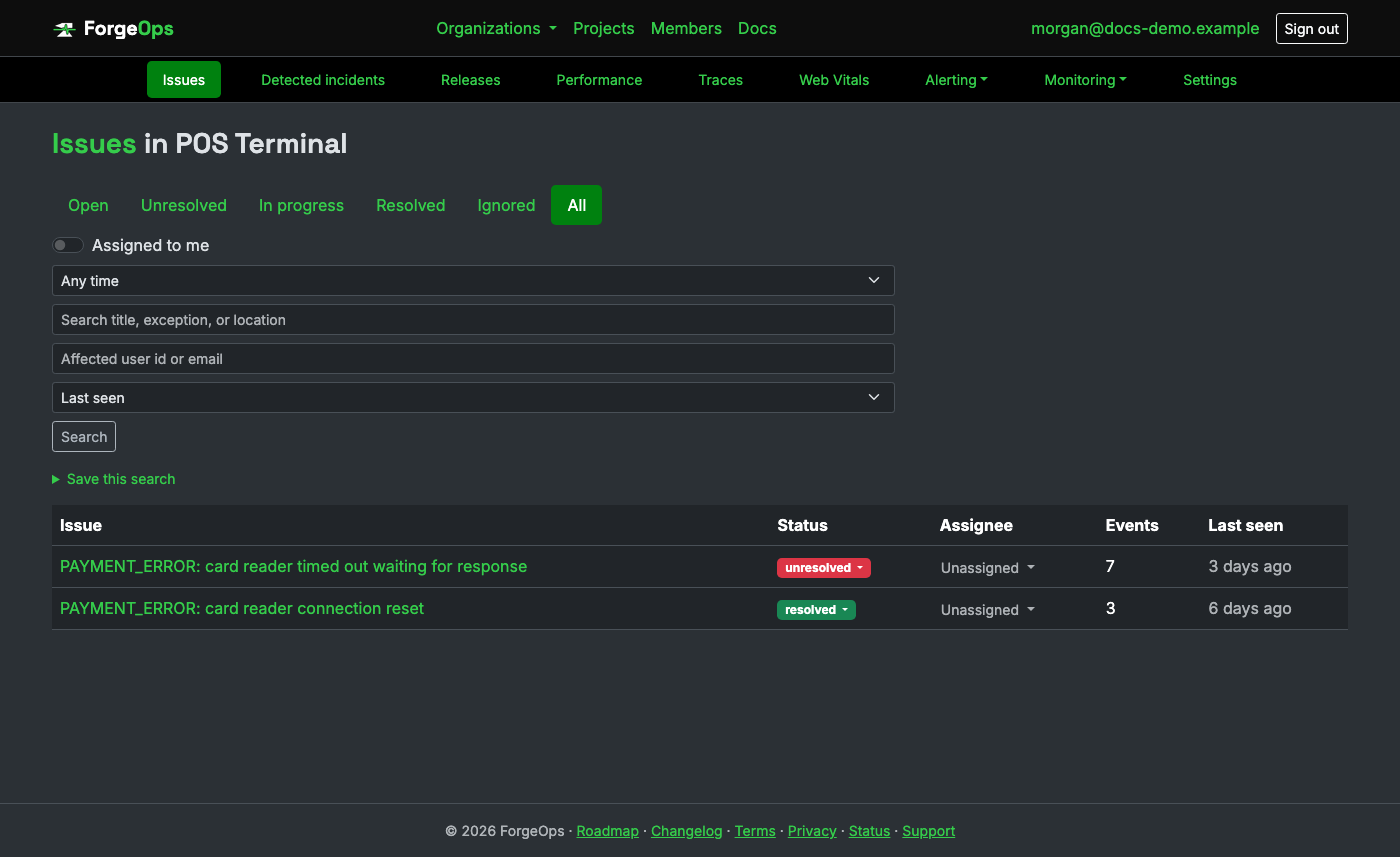
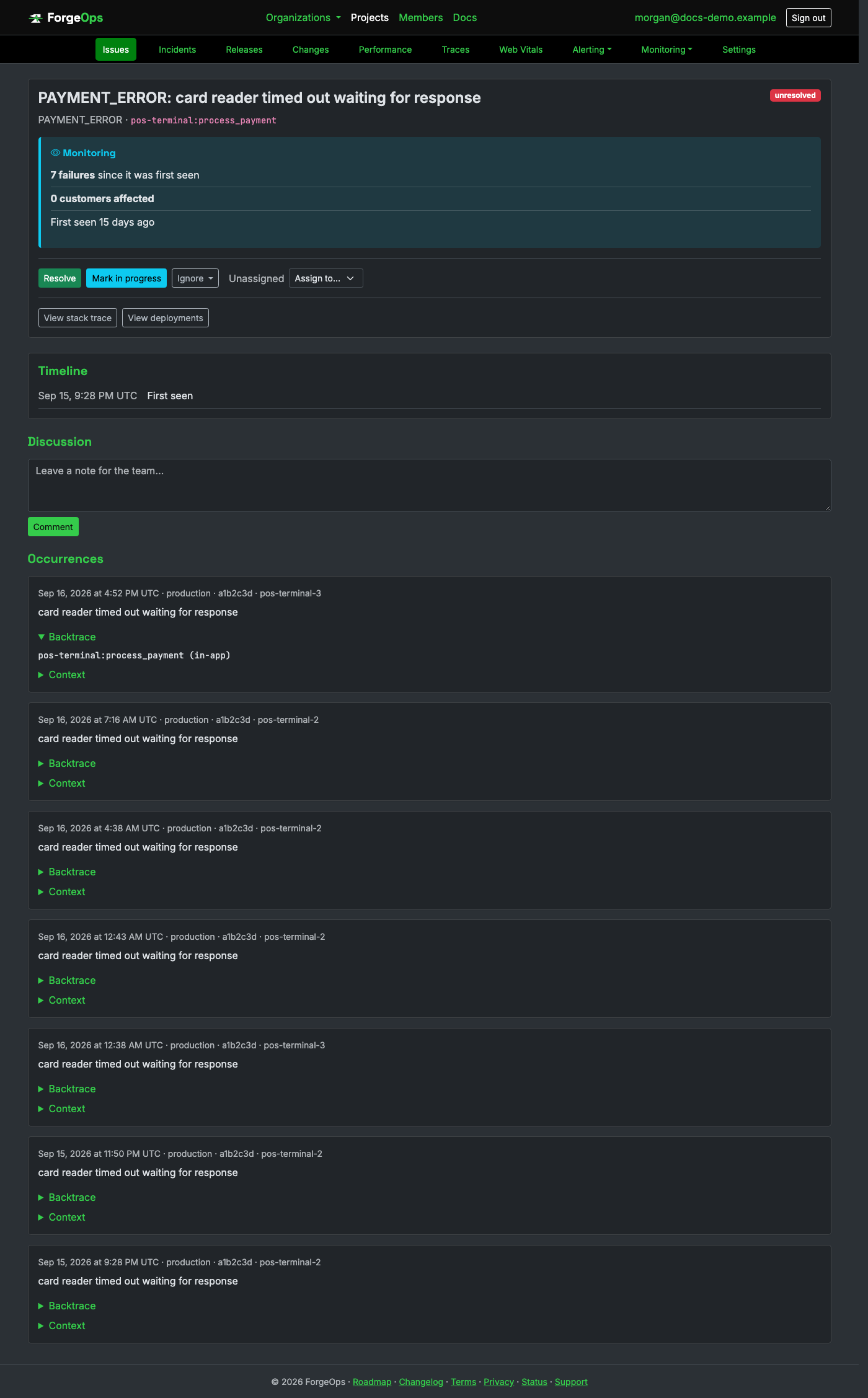
Same grouping, retention, PII scrubbing, and alerting as every other project. There's no file path or line number above: a compiled C binary has no source locations left in it at runtime, only a binary image name and a symbol.
Add the dependency and configure it in Application.onCreate():
// module build.gradle.kts
dependencies { implementation("io.github.luke-popwell.tracker.android:forgeopstracker:0.13.0") }
ForgeOpsTracker.init(this) { config ->
    config.dsn = "https://<api_key>@getforgeops.net/api/v1/events"
}
ForgeOpsTracker.installHandlers()
installHandlers covers an uncaught exception on any thread and an ANR (a
background watchdog pings the main Looper, the standard technique real Android
crash reporters use), both written to disk and uploaded on the next launch.
That covers anything that would otherwise crash the app.
Code that catches its own exception is different: report it explicitly, right at the
catch site:
try {
    chargeCard(order)
} catch (e: CardDeclinedException) {
    ForgeOpsTracker.captureException(e, mapOf("orderId" to order.id))
    Log.w("Checkout", "card declined: ${e.message}")
}
A real Android exception, grouped and displayed the same way as any other language:
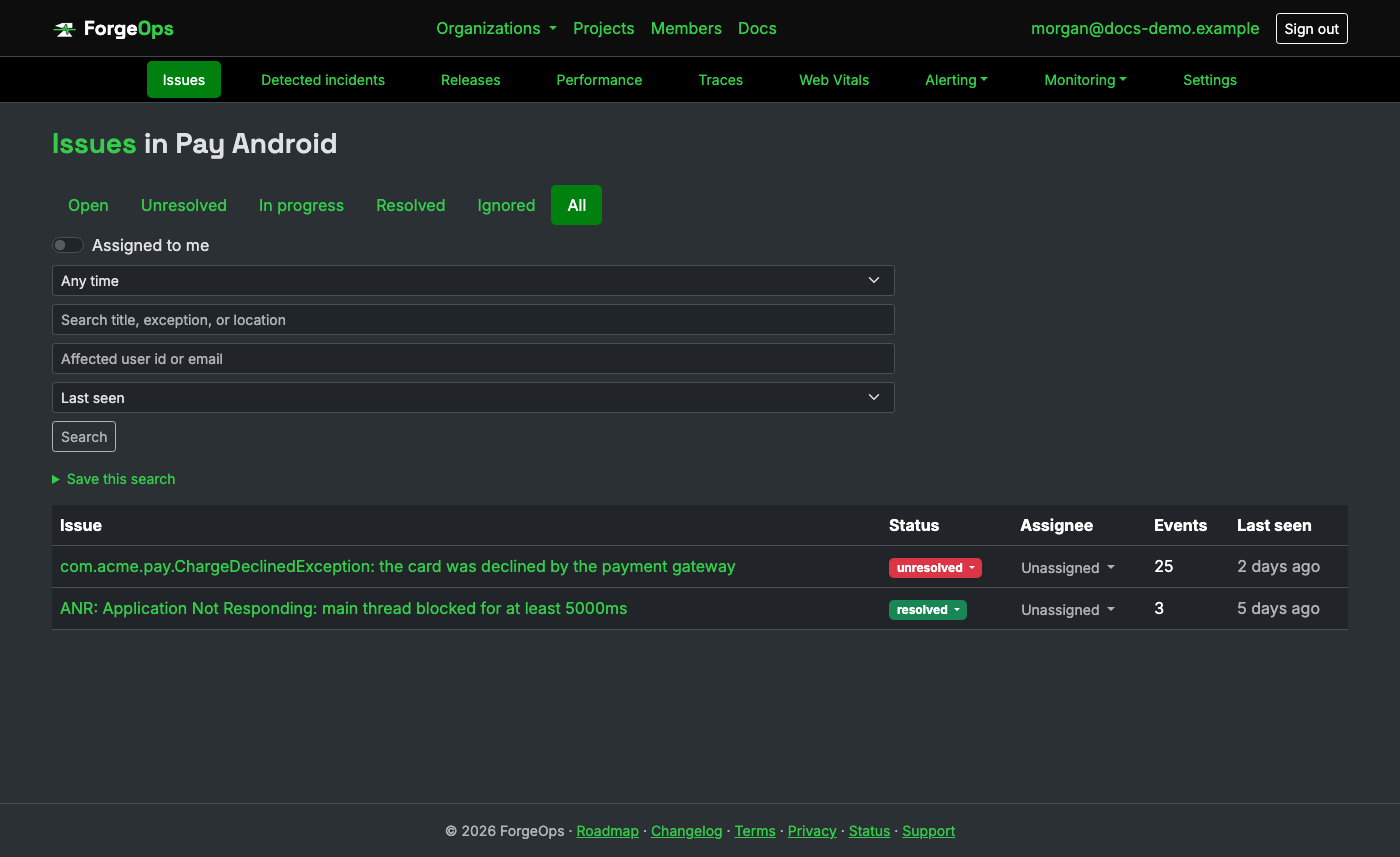
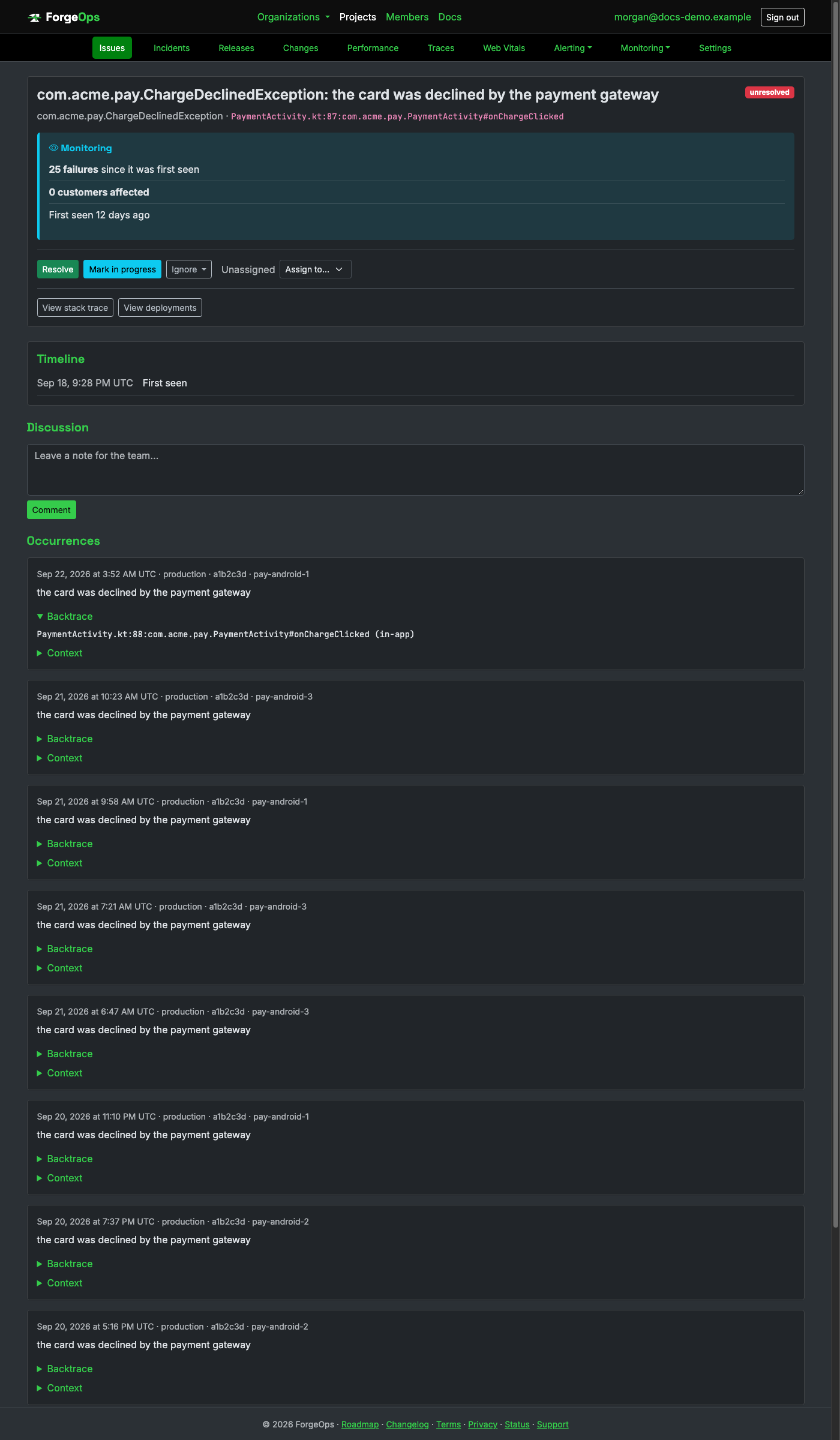
Same grouping, retention, PII scrubbing, and alerting as every other project. An ANR reports
with exception_class set to the literal string "ANR", since there's
no Throwable to classify it by.
Install the client and configure its DSN once, as early as possible in your entry file:
npm install @forge-ops/tracker-react-native
import * as forgeOpsTracker from "@forge-ops/tracker-react-native";

forgeOpsTracker.init({ dsn: "https://<api_key>@getforgeops.net/api/v1/events" });
Chains onto ErrorUtils (React Native's own global error hook, the RN equivalent
of window.onerror) for an uncaught JS exception, and hooks the same
promise/setimmediate/rejection-tracking module RN's own Promise
setup ships with, for an unhandled rejection.
That covers anything that would otherwise reach the red error screen.
Code that catches its own exception is different: report it explicitly, right at the
catch site:
try {
  await chargeCard(order);
} catch (error) {
  forgeOpsTracker.captureException(error, { orderId: order.id });
}
A real React Native exception, grouped and displayed the same way as any other language:
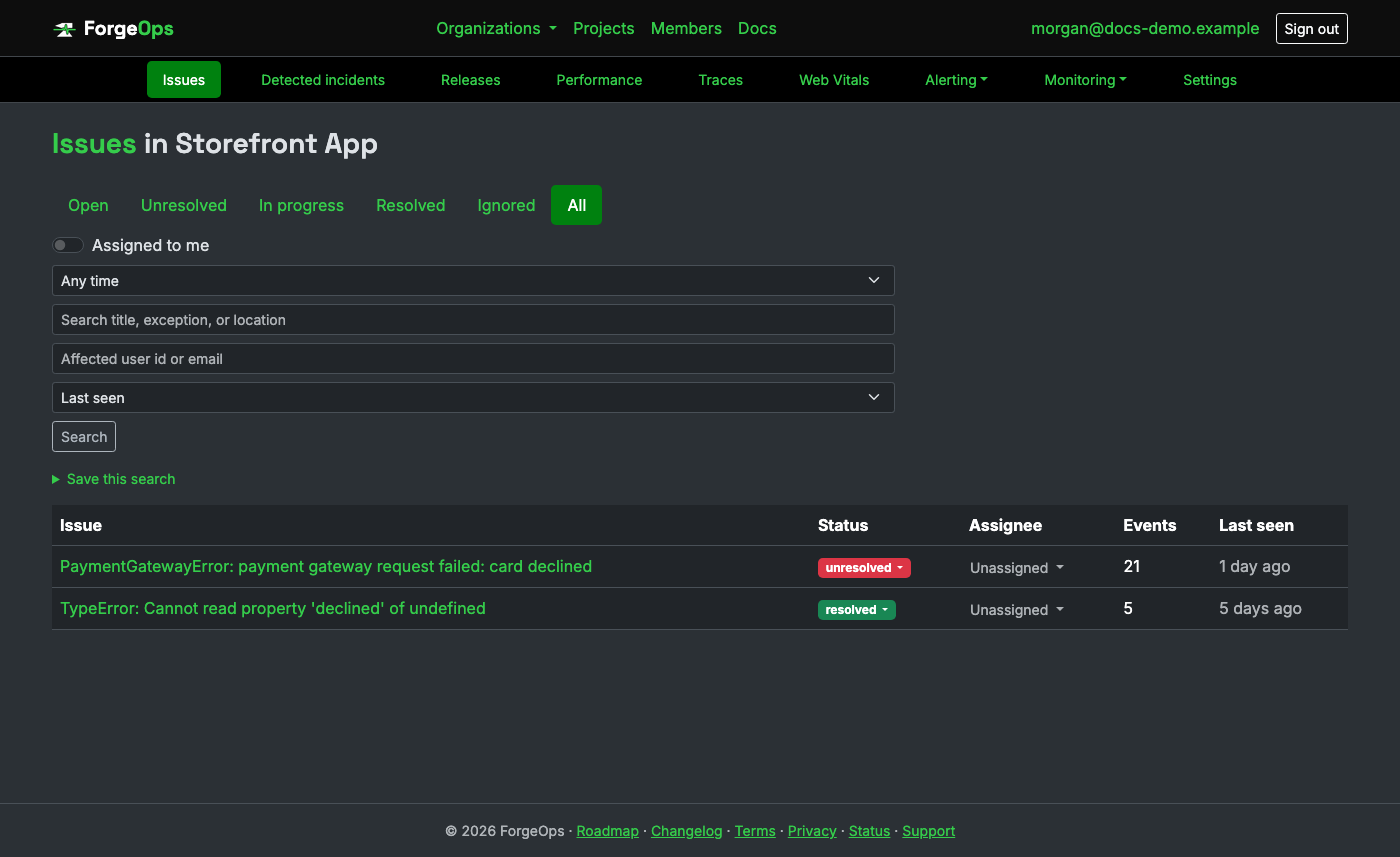
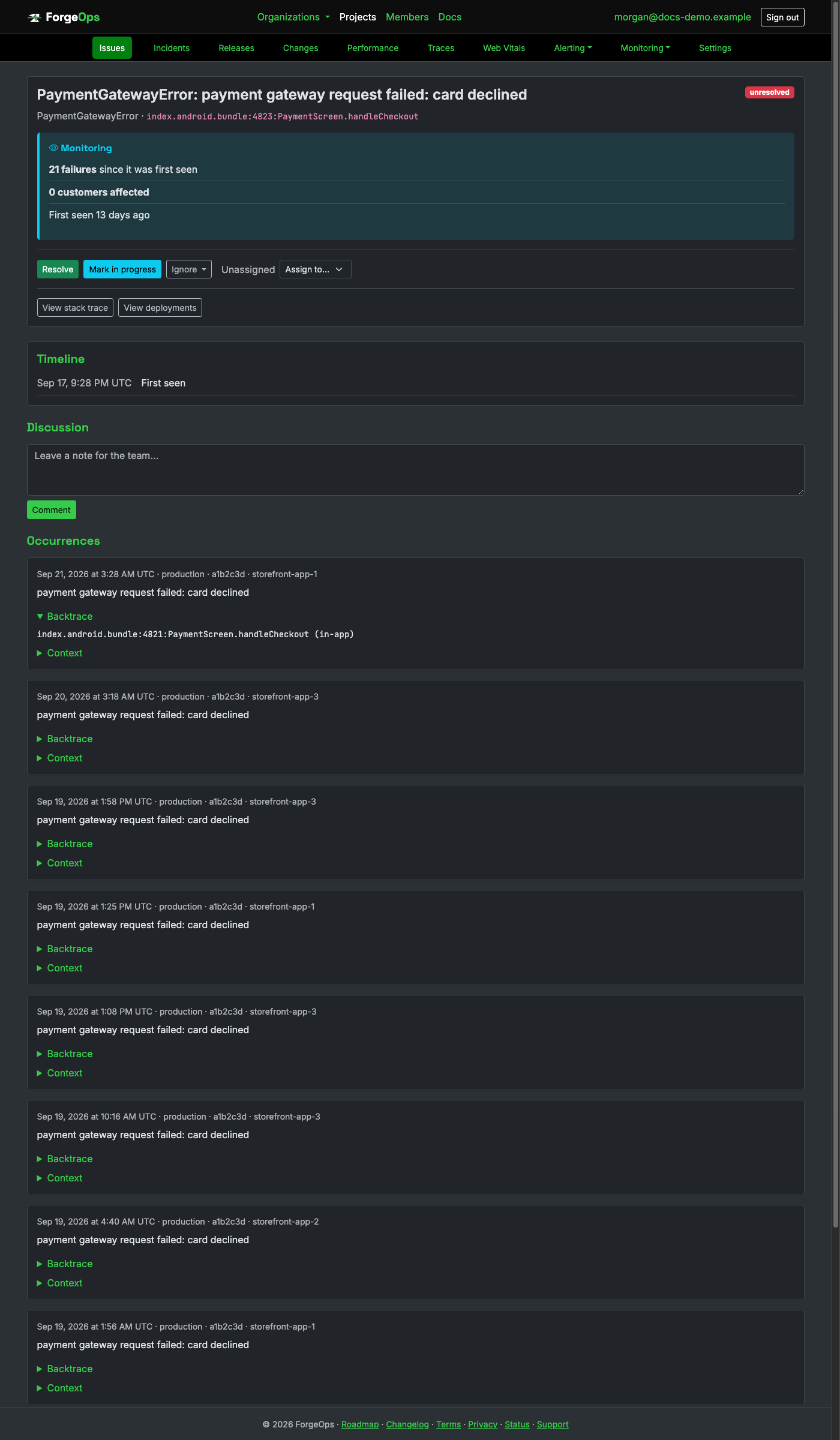
Same grouping, retention, PII scrubbing, and alerting as every other project. The file above is a bundle name, not a source path: a release bundle is typically one single minified file covering the whole app plus every dependency.
Add it from Git (Package Manager, Add package from git URL, or Packages/manifest.json) and configure once, as early as possible (e.g. a [RuntimeInitializeOnLoadMethod]):
// Packages/manifest.json
{ "dependencies": { "com.forgeops.tracker": "https://github.com/Luke-Popwell/forge-ops-tracker-unity.git" } }
using ForgeOpsTracker.Unity;

ForgeOpsTrackerClient.Init(c => {
    c.Dsn = "https://<api_key>@getforgeops.net/api/v1/events";
});
Any uncaught managed exception is reported with zero further wiring, once Init
has run: Unity's own player loop logs whatever escapes Update/a coroutine/a
UI handler as LogType.Exception, and this package listens for exactly that.
That covers anything that would otherwise crash the app.
Code that catches its own exception is different: report it explicitly, right at the
catch site:
try
{
    ChargeCard(order);
}
catch (Exception e)
{
    ForgeOpsTrackerClient.CaptureException(e, new Dictionary<string, object> { ["orderId"] = order.Id });
}
A real Unity exception, grouped and displayed the same way as any other language:
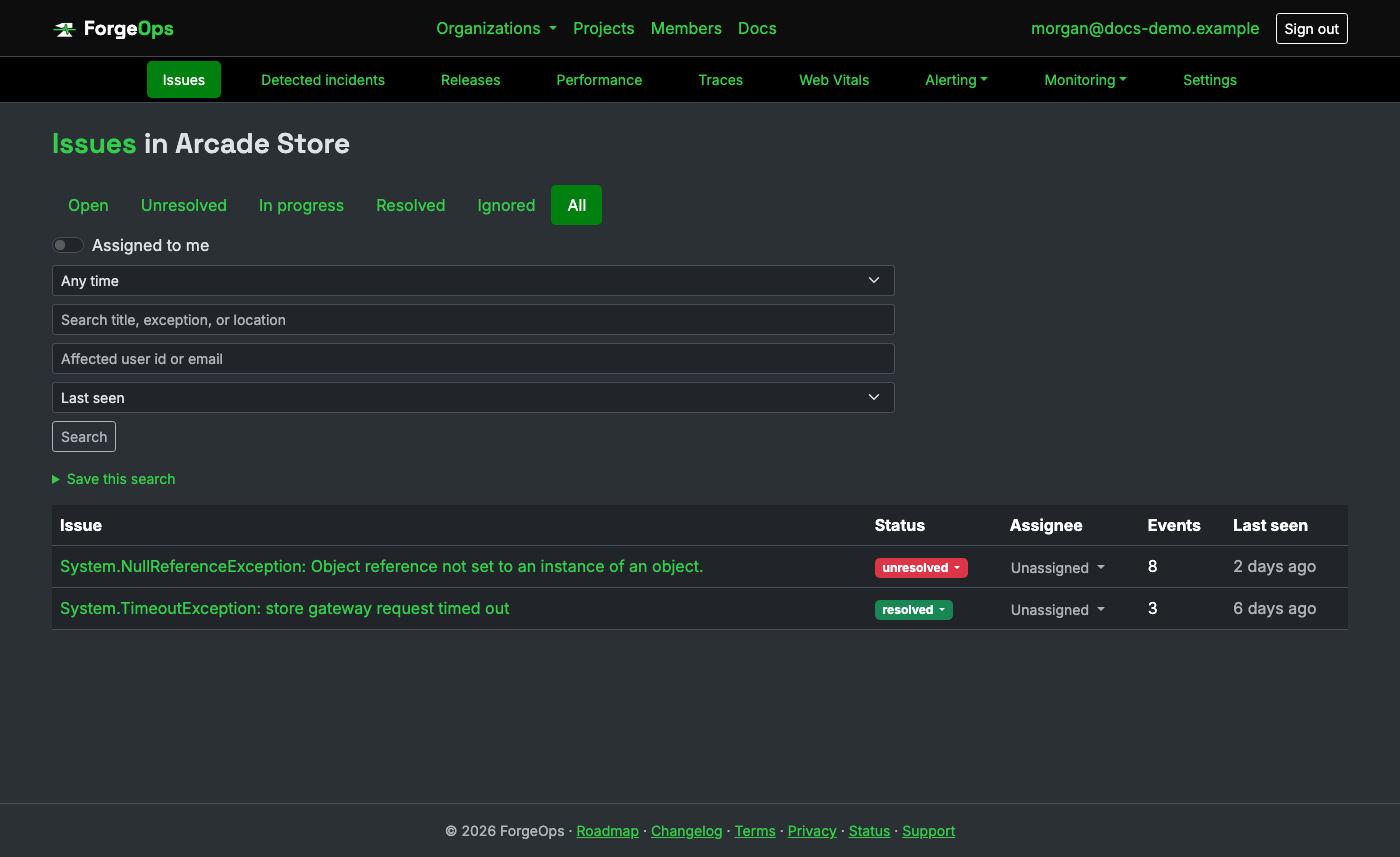
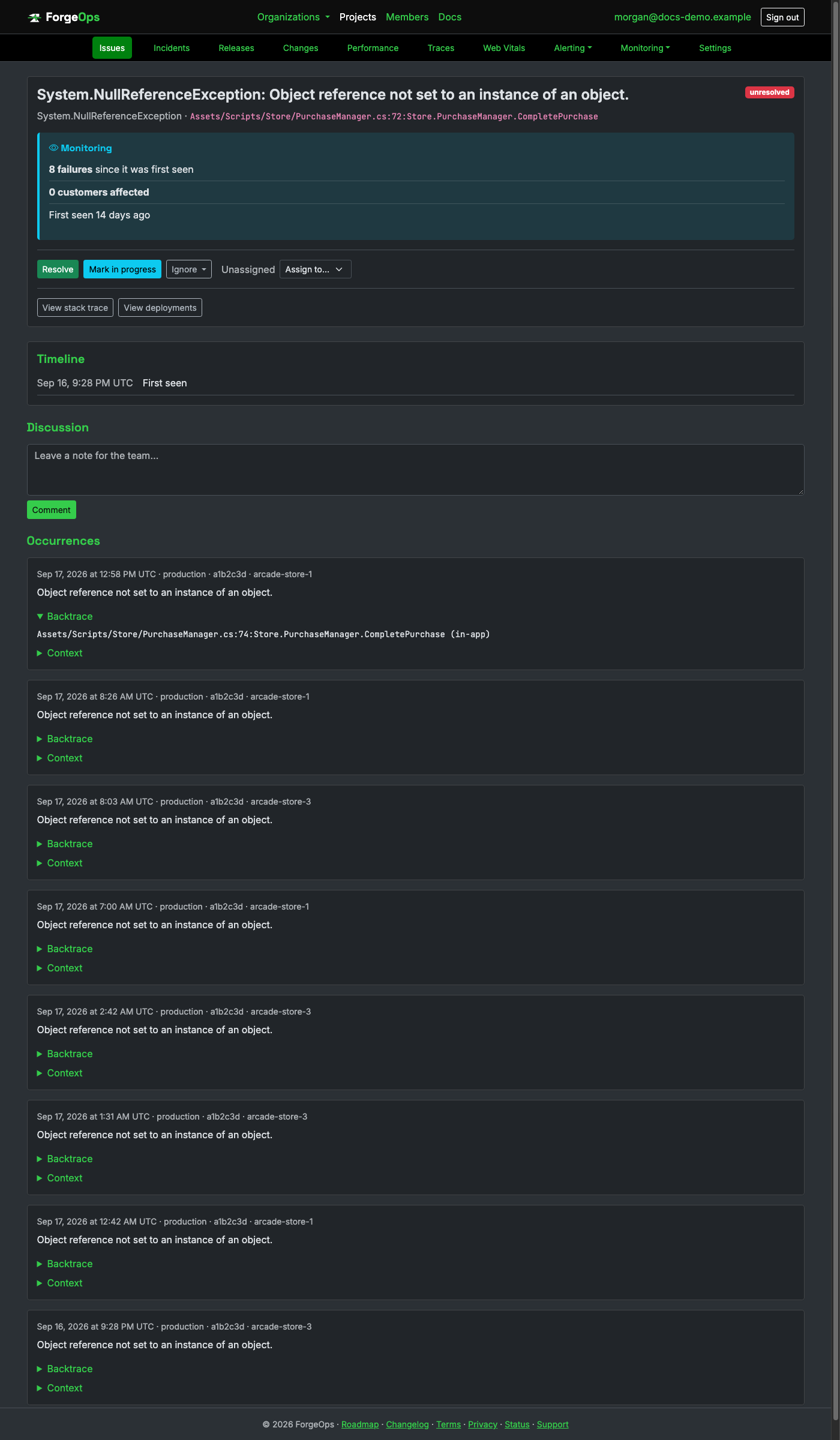
Same grouping, retention, PII scrubbing, and alerting as every other project. This doesn't cover a true native crash (a segfault in IL2CPP-compiled code); see the Unity SDK's own README for that gap.
Add the dependency and configure its DSN once at startup:
# mix.exs
{:forge_ops_tracker, "~> 0.16"}
ForgeOpsTracker.init(dsn: "https://<api_key>@getforgeops.net/api/v1/events")
ForgeOpsTracker.install_handlers()
install_handlers/0 attaches a :logger_handler that reports
any process crash anywhere in the whole BEAM VM with zero further wiring:
a GenServer callback that raises, a linked process crashing another, any of it.
Oban is the one common exception: it catches a failing job's exception itself, wrapped in
its own Oban.CrashError, specifically so one job never crashes its queue's
supervisor, so it never becomes an actual process crash the handler above would see.
Oban's own :telemetry event needs wiring instead:
defmodule MyApp.ObanErrorReporter do
  def handle_event(_e, _m, meta, _c) do
    ForgeOpsTracker.capture_exception(meta.reason, meta.stacktrace, %{worker: meta.worker})
  end
end

:telemetry.attach("forge-ops-tracker-oban", [:oban, :job, :exception], &MyApp.ObanErrorReporter.handle_event/4, nil)
An exception you've already rescued yourself is reported explicitly, typically right before re-raising:
try do
  charge_card(order)
rescue
  e ->
    ForgeOpsTracker.capture_exception(e, __STACKTRACE__, %{order_id: order.id})
    reraise e, __STACKTRACE__
end
A real Elixir exception, grouped and displayed the same way as any other language:
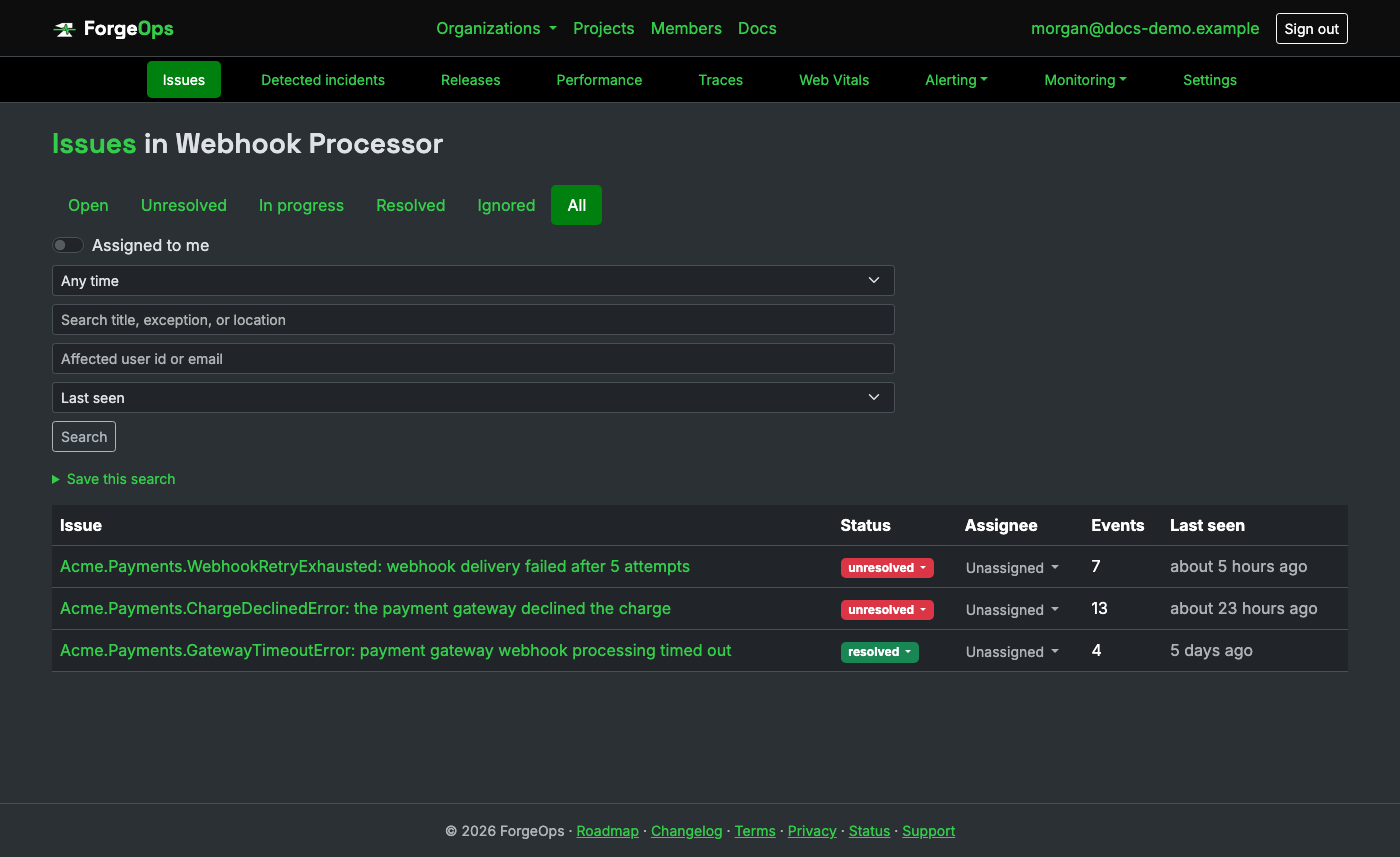
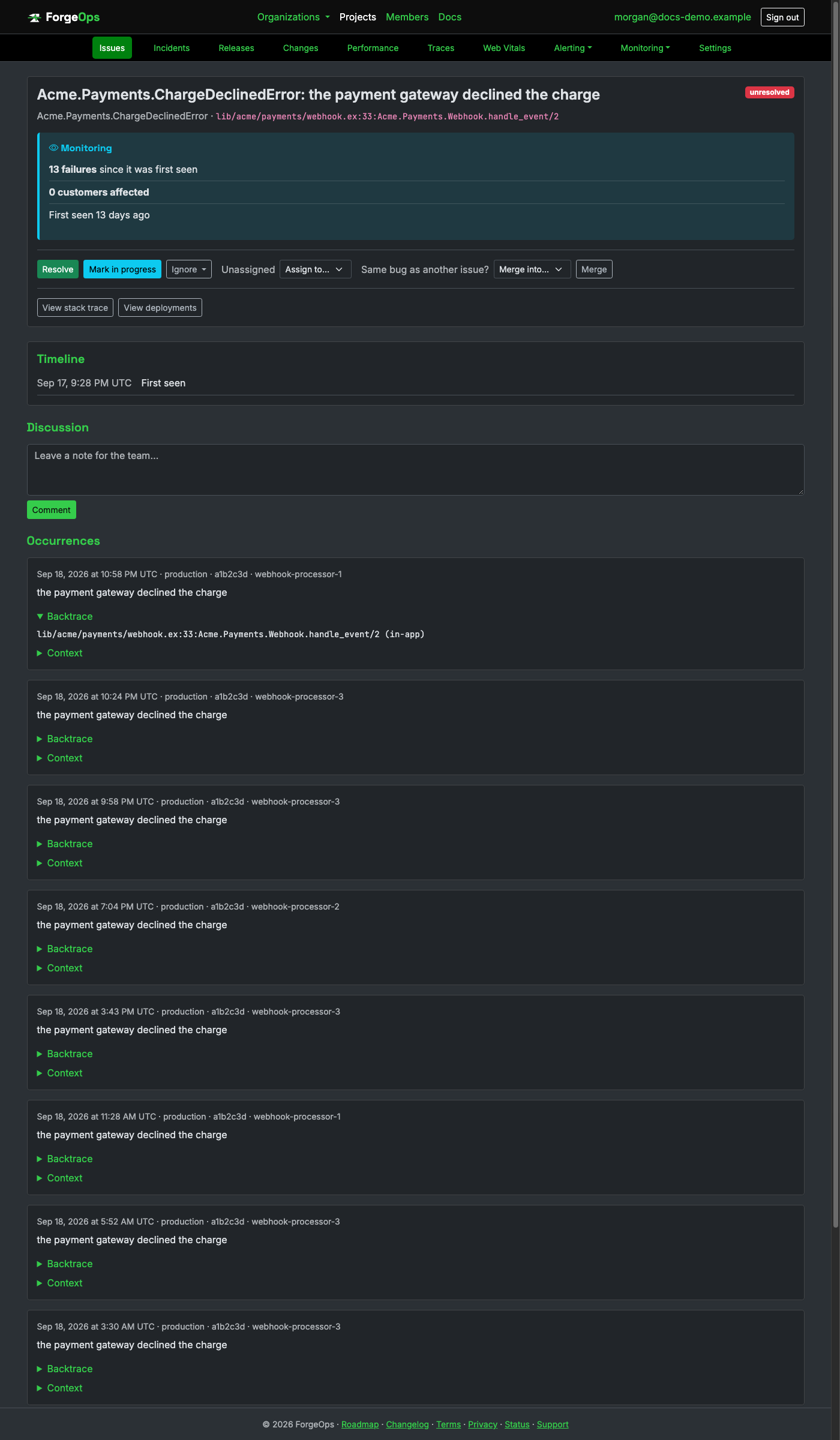
Same grouping, retention, PII scrubbing, and alerting as every other project. The
method above is Module.function/arity notation, straight from
Elixir's own Exception.format_mfa.
Every client above is just a thin wrapper around this one request. If your language isn't
listed yet, talk to the ingestion API directly: POST /api/v1/events, the
project's API key as a bearer token, a JSON body:
curl -X POST https://getforgeops.net/api/v1/events \
  -H "Authorization: Bearer <api_key>" \
  -H "Content-Type: application/json" \
  -d '{
    "exception_class": "PaymentError",
    "message": "the card was declined by the payment gateway",
    "backtrace": [
      { "file": "charge.rb", "line": 42, "method": "charge_card", "in_app": true }
    ],
    "environment": "production",
    "release": "a1b2c3d",
    "server_name": "web-1",
    "context": { "order_id": 4821 },
    "tags": {}
  }'
Only exception_class and message are required; everything else,
including the whole backtrace array, is optional. Each backtrace frame is
file/line/method/in_app, exactly the
shape every client above builds, so an issue reported this way groups, displays, and
alerts identically to one from a real client. occurred_at defaults to the time
the request is received if omitted; pass an ISO 8601 UTC timestamp
("2026-01-15T10:30:00Z") to backdate an event instead.
A successful request responds 202 Accepted immediately; grouping and
persistence happen in the background, so ingestion latency stays low even under load.
401 means a missing or invalid API key; 422 means the payload
itself was rejected (a blank exception_class, an overlong message, too many
backtrace frames); 429 means the project's monthly event quota is exceeded.
Issues
Every exception a project reports is grouped into an issue automatically, by a fingerprint computed from the exception class, its message, and its backtrace (with line numbers and gem versions stripped out, so the same bug reported from slightly different code doesn't split into duplicate issues). The issue list is one row per distinct bug, not one row per occurrence; that's what the columns mean:
- Assignee: who, if anyone, owns triaging this issue (see Issue detail below).
- Events: how many times this exact issue has occurred, across every occurrence ever recorded.
- Last seen: when the most recent occurrence happened. Sorting by this (the default) surfaces what's actively happening right now.
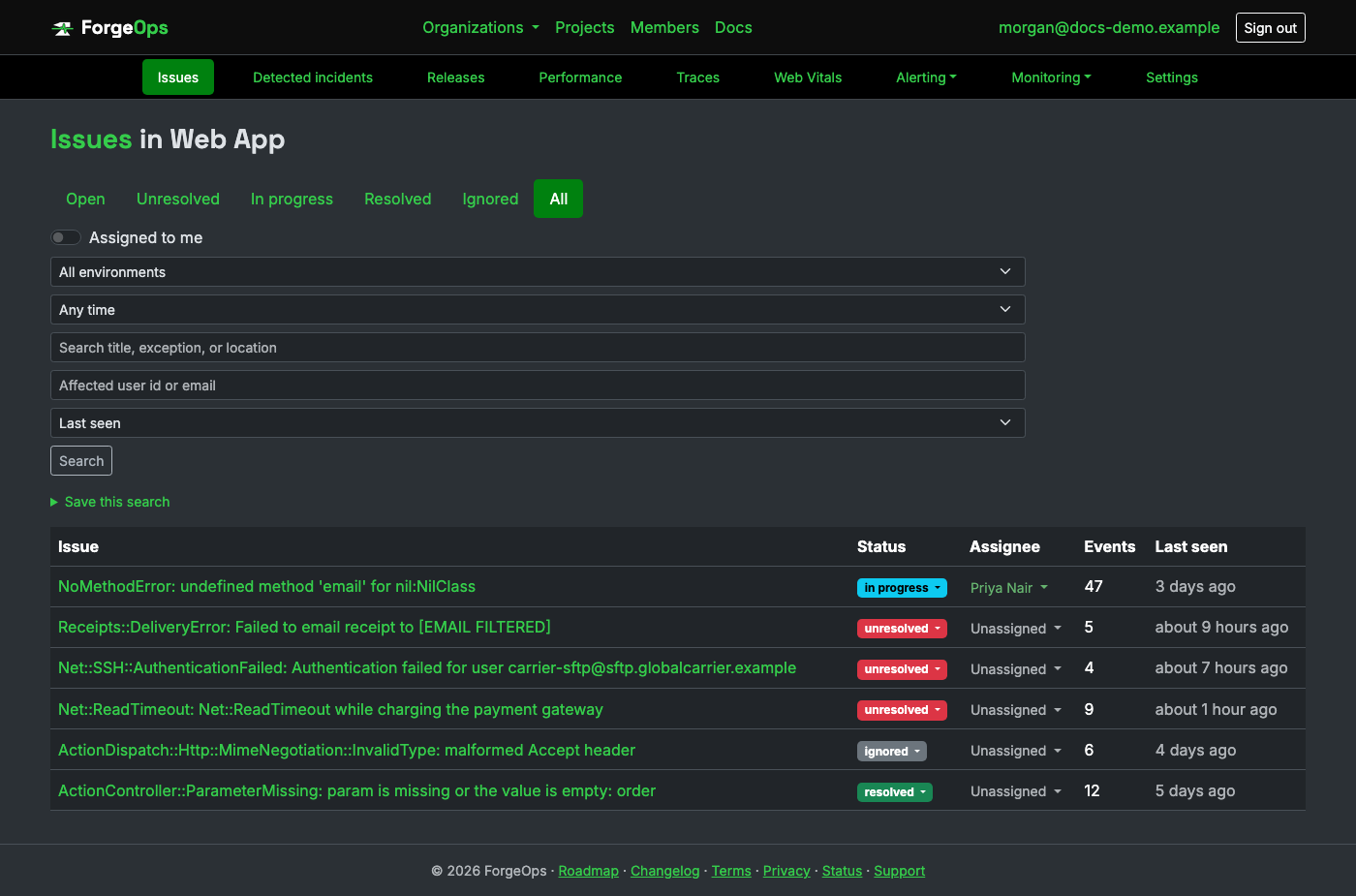
The status tabs and badges mean:
- unresolved: needs attention. New issues start here, and a resolved issue that occurs again automatically flips back to unresolved (a regression).
- in progress: someone's actively looking into it. A purely informational status for you to set, nothing about the app changes because of it, and a fresh occurrence doesn't move it out of this state on its own.
- resolved: marked fixed. If it happens again anyway, it reopens itself as a regression rather than silently staying marked resolved.
- ignored: deliberately muted (known noise, expected in this environment, etc.). Unlike resolved, a fresh occurrence does not reopen an ignored issue by default; ignoring is a stronger, stickier signal than resolving.
- Snoozing is the exception: ignoring gives the option to reopen itself automatically later instead of staying muted forever, either after a fixed time (an hour, a day, a week) or once it recurs a chosen number of additional times, whichever a rule cares about more for that particular issue. A snoozed issue shows as snoozed in place of the plain ignored badge, with when or after how many more occurrences it'll reopen shown right on the issue's own page.
Use the search box to filter by title or exception class, the sort dropdown to switch between last seen, first seen, and event count (busiest first), and the "Assigned to me" switch to see only what's yours.
The Releases link next to a project's issues list shows a full breakdown per release, issue and event counts alongside crash-free session health; see Releases below.
AI-powered search
A project can turn on an "Ask in plain English" box above its issue list, right next to the regular search field, that translates a request like "unresolved payment errors from the last week, assigned to me" into the same status, environment, release, sort, and time-range filters the dropdowns above the list already offer. It never invents a filter value: the result is checked against the project's own real statuses, environments, and releases before it's applied, and anything not recognized is simply dropped rather than silently applying a wrong filter.
If a request can't be understood at all, the search box falls back to a plain substring match on whatever was typed, the exact same fallback a request that names no real filter at all gets; there's no dead end. Turn it on per project from the project's own settings page ("Use AI for natural-language search"). Business plan and above, with its own separate monthly allowance from AI ticket enrichment below; see Plans & pricing for the exact number on your plan.
Issue detail
The top of an issue answers the first question you have about it: does this need you right now? One of four verdicts, with the facts behind it right beside it:
- Needs attention now: an open incident behind it rated high or critical, a sharp climb that's reaching real customers, or so many customers affected that the rate barely matters.
- Investigate: worth a look but not yet a fire, like a brand new issue, one that just came back, a real spike, or a low-severity incident.
- Monitoring: steady, long-running, or ignored.
- Resolved: closed out.
Under the verdict, one fact per line: failures since it started, how many customers are affected (and how many failed once, how many repeatedly, and how often the most affected one hit it), when it started, how the last hour compares with the one before, and the deploy that went out just before it, with its pull request and who shipped it (once GitHub or GitLab is connected). Once occurrences report which request they happened in (every server SDK does), it also names the affected endpoint, the share of occurrences that came from it, and, when the SDK reports request counts too, the share of that endpoint's requests this issue failed in the last hour. An issue that's part of an open incident says so, with a link to the incident.
Under the overview, Where to look shows the likely cause (from the issue's open or most recent incident, marked potentially relevant rather than confirmed) and two to four numbered next steps, each with one line of why and one button: the deployment, the slowest captured request's trace, the slowest query in it, and the outside service it waited on. A step with no data behind it is left out. Every alert for the issue, on every channel, carries the same verdict, so the first call can be made without opening ForgeOps at all.
Below that come the occurrences, ten at a time with the newest first, each with its own timestamp, environment, release, server, and endpoint, and a View trace link when the request it happened in was traced. The newest one's Backtrace starts open; expand it on any other occurrence to see exactly where in the code it happened, or Context for whatever request/user metadata the reporting app attached to it.
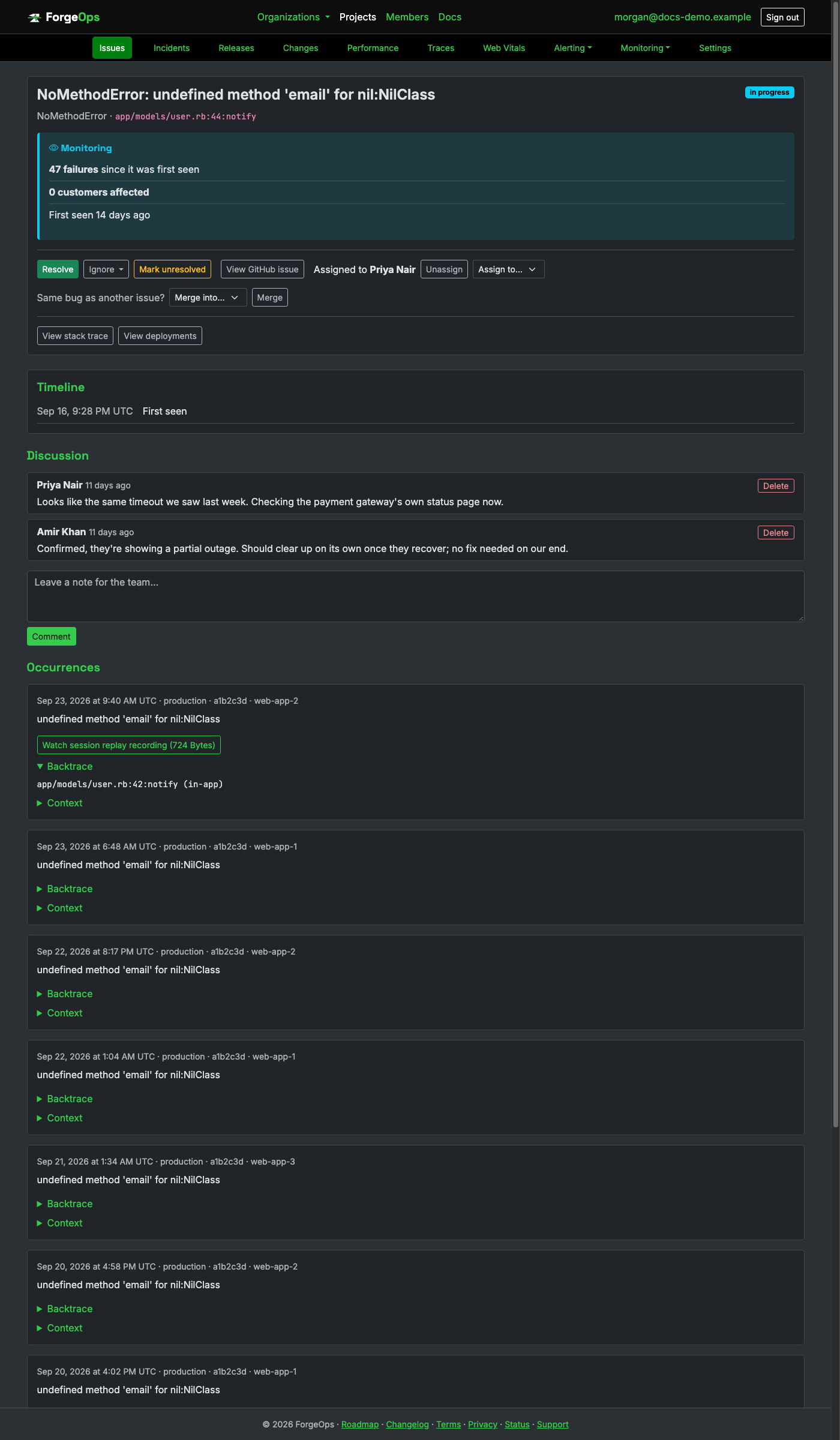
The Resolve / Mark in progress / Ignore / Reopen (or Mark unresolved, for an issue in progress) buttons, and the assignment dropdown below them, only appear for roles allowed to triage (member and up); a viewer sees the same page without them.
Assigning an issue to a teammate is independent of its status: assigning someone doesn't change where the issue stands, and marking it in progress doesn't require anyone be assigned first. Once an issue is resolved, this page also shows when it was resolved and by whom; that record stays even if the issue is later reopened and resolved again by someone else.
A JavaScript occurrence can carry a breadcrumb trail too, right above its backtrace: console output, page navigations, clicks, and outgoing network requests leading up to the error, captured automatically by the browser SDK (see Reporting into ForgeOps above).
When an error came from a database call, an occurrence also has a Database
section: the stored procedure or function, and the tables or views, its SQL touched, so you know
where to start looking. SDKs send these names by default, reading the SQL off the error where
the database library exposes it (Ruby, Python, Node.js, Java, Kotlin, PHP, .NET, Elixir, Perl
and the local-database errors of Android, Swift and Dart). In Go, Rust, C, C++, Objective-C,
Unity and React Native, where an error can't carry it, you hand over the statement with one
call (each SDK's README shows it). SDKs can also send the SQL statement itself, opt-in
(capture_sql_statement in most SDKs), with every string and number in it replaced
by ? so no values leave your app. A project admin can stop ForgeOps storing the
statement at all with Capture the SQL behind database errors in project
settings; the names are still kept. A view and a table are written the same way in SQL, so both
show under Tables / views. Separately, values a database error already carries in its own
message (the row Postgres reports for a unique violation, a MySQL duplicate entry, SQLAlchemy's bound
parameters) are replaced with ? before the message is stored.
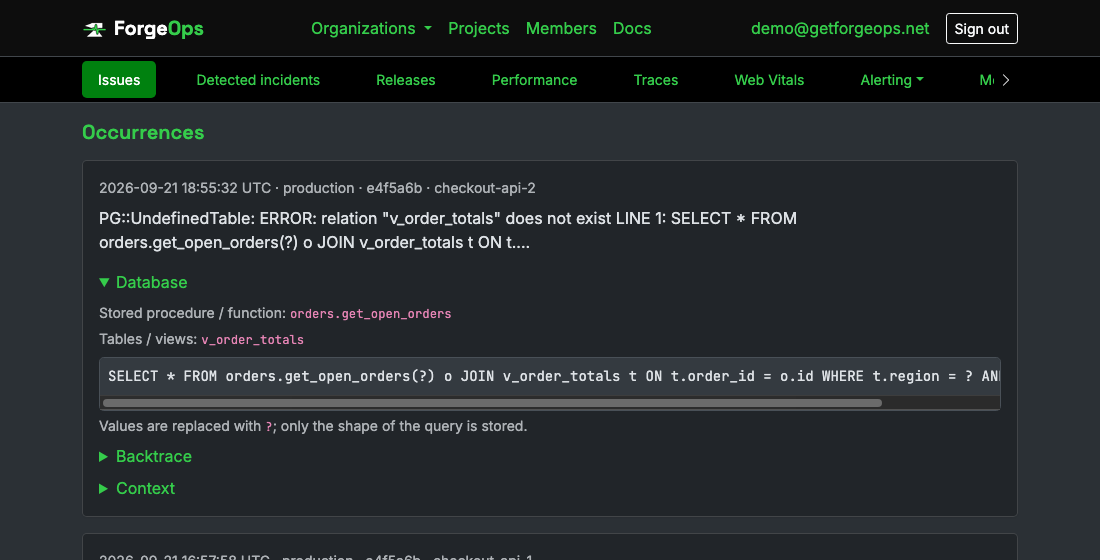
A failing query's Database section: the stored function and the view it touched, and, if the SDK sends it, the statement with every value replaced by ?.
Two issues that turn out to be the same underlying bug can be merged from either one's own page: every event either ever recorded moves onto the survivor, and the merged-away issue's own link forwards there automatically from then on. Its comment thread stays where it was, not moved onto the survivor.
Releases
A per-release breakdown, reached from the Releases button next to a project's
issue list: every distinct release value its events or session data have carried,
most recently active first. There's no separate "release" concept to create or configure;
release is just an optional field on ingestion (see the raw ingestion API above),
typically read from an environment variable or build-time constant a project's own deploy
process already sets.
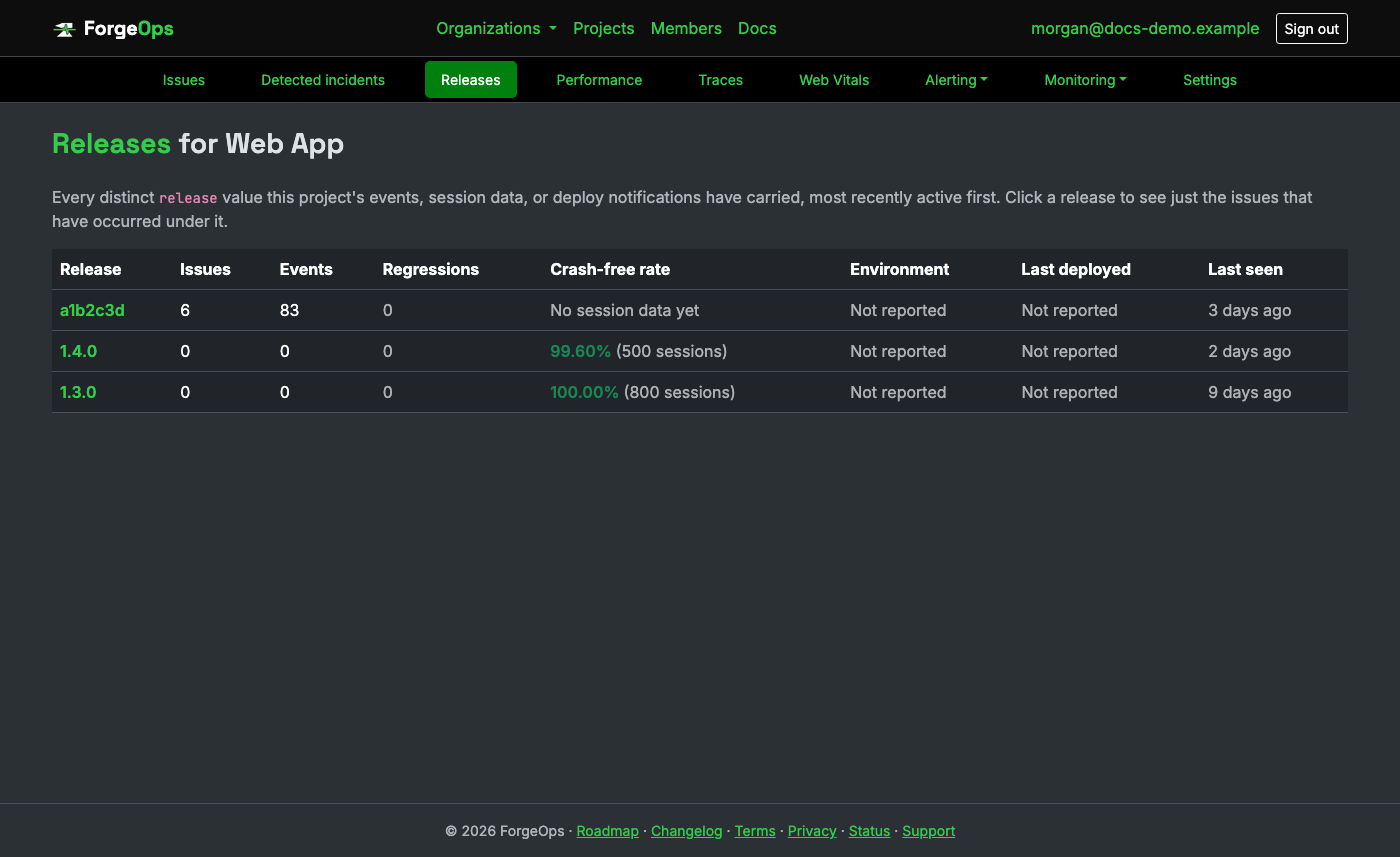
Crash-free rate comes from session checkins the mobile/desktop client SDKs report, entirely separate from issues and events: a release can have perfect crash-free health and never have logged a single event, which is exactly the case this is built to show, not hide. Clicking a release jumps straight to the issues that occurred under it.
Deployment tracking
A real record of every deploy, not just the release string an event happens to
carry: what shipped, to which environment, when, and (once source control is connected below)
the exact commit and pull request behind it. This is what lets an incident's own Likely cause
say "this incident appears related to PR #4821 by luke, deployed 5 minutes before the
failure" instead of only naming a release. Business plan and up (every new
organization has it for its first 14 days), the same
gate as release health above, since a deploy timeline is that same feature area, not a
separate paid tier of its own.
With no deploys reported. If nothing reports deploys yet, ForgeOps still looks
for one in the errors themselves: every SDK sends a release with each error (set it with
FORGE_OPS_RELEASE or your SDK's release setting). When an incident opens and no deploy
was reported before it, a release that first appeared in the project's errors in the 15 minutes
before the spike, or with the spike itself, is taken as the likely deploy, as long as the project
had errors from an earlier release (so a new project's first release isn't mistaken for one). The
likely cause then names it as a release, not a deployment ("Release v1.42"), with a lower match
confidence than a reported deploy, and says plainly that it's inferred from the errors and that no
deploy was reported. As soon as a deploy is reported for that release, it takes over, with its real
time, pull request, and author.
Replaying an incident. To see how all of this plays out on a real incident,
walk through our example: a checkout incident where the deploy looked
guilty and the evidence pointed somewhere else. A
second one has two deploys four minutes apart and
part of the performance data missing, where the most recent deploy is named first and the earlier one,
whose changed file is in every failing stack trace, turns out to be the cause. You can also
replay one of your own, with no account needed, which is the way to
check ForgeOps against an incident your team has already worked out. Upload the errors from around it in
whatever form you have them: Sentry events as JSON, JSON log lines, a CSV with a time column, or plain
log lines that start with a time (a stack trace's lines under the error they belong to). Logs are
narrowed to their errors when each line says how severe it is. On the same form you can say when a
deploy went out, since an export of errors doesn't, and what your team found; the result puts that
beside ForgeOps's own conclusion. ForgeOps runs the errors a minute at a time through the same detection
and likely-cause rules a live project gets, showing when it would have detected the incident, what it
named as the likely cause at each point with only the telemetry that had arrived by then, what counted
against that, and what it couldn't check because it wasn't there. Include the hour before the incident,
so there's a normal rate to compare against. To give it everything (what each deploy changed, query
and endpoint timings, traces, failed jobs, metrics), use ForgeOps's own incident file:
the example's own file shows every section, and only
errors is required. An upload can be up to 2 MB, 2,000 errors, and 6 hours of time, and
logs themselves aren't searched beyond their error lines.
Nothing you upload is saved: it's replayed in a scratch space that's discarded afterwards, and
the result is shown once, on the page that ran it, with no copy kept. A replay sends no alerts and adds
nothing to any account.
From your own CI/CD
Works with any pipeline, regardless of where your code is hosted:
curl -X POST https://getforgeops.net/api/v1/deploys \
  -H "Authorization: Bearer <project_upload_token>" \
  -d release=v2.41.0 \
  -d environment=production \
  -d commit=4b1cabb \
  -d repository=owner/repo \
  -d deployed_by=luke
Only release and environment are required; deployed_at
defaults to right now if you don't pass it, so the common case is calling this right at deploy
time with nothing else to report. commit, repository, and
deployed_by are optional context for the same "what changed right before this
incident" story, useful on their own even without source control connected at all.
Authenticate with the project's upload token, created under the project's settings and kept in your CI secrets. Your API key works too until the project has an upload token, but it ships inside your app where anyone can read it, so once you create an upload token this endpoint only accepts that.
If you upload source maps, create an upload token. The first source map uploaded for a release and file is the one that's kept, so with only the API key, someone who read it out of your app could upload one for a release you haven't built yet, and that release's stack traces would show what they sent. With an upload token, only your build can upload.
From GitHub or GitLab, if your deploys already go through it
Connect a repository under a project's own Settings → Source control section (an owner-only setting; see Projects above) and two things happen automatically, no separate API call needed for either: a successful deployment there (GitHub's Deployments API, or GitLab's own CI/CD deployments) records the Deploy itself, and every push or merged pull request backfills the commit message, author, and PR number onto whichever deploy it actually shipped.
With a repository connected, ForgeOps also reads what shipped in each deploy since the one before it, once, with the same access token: how many commits and which files changed. It shows next to the deploy on an issue or incident that started after it, beside a Compare with previous deploy link to the full comparison on GitHub or GitLab.
Bitbucket isn't a source control option here yet, only GitHub and GitLab; a Bitbucket-hosted pipeline can still record deploys the same way any other CI/CD does, through the direct API call above.
What changed
Deploys are only one kind of change. A feature flag flipped, a config value edited, a migration that ran, a dependency upgraded, or a server moved can each break things with no deploy at all. ForgeOps keeps all of them on one timeline: the project's Changes page lists them beside your deploys, an issue's verdict shows the ones recorded in the two hours before it started under What changed, and an incident's timeline includes them. They're labeled potentially relevant: ForgeOps knows they happened nearby, not that they caused anything. Business plan and up, the same gate as deployment tracking.
Detected automatically
The server SDKs look at a few things each time your app starts and send them to ForgeOps, which compares them
with the last start and records what's different: the runtime version, dependency versions (an upgrade,
addition, or removal) where the language has a reliable list of them, and for Rails the database schema
version, so a migration shows up. Many processes starting the same build record each change once, and a mix
of old and new processes during a rolling deploy isn't read as changes back and forth. Turn it off with the
SDK's detect_changes option.
Environment variables are opt in, with track_env_var_names: then an added or removed variable shows
up too. Only their names are ever sent, never their values, and names that differ from host to
host (HOSTNAME, PORT, Kubernetes service variables, and the like) are left out so a
fleet doesn't look like it keeps changing.
Recorded from your code
For changes only your app knows about, like a feature flag service calling back, record them with the SDK:
ForgeOpsTracker.record_change(
  kind: "feature_flag",
  title: "checkout_v2 turned on for 100% of users",
  details: { flag: "checkout_v2", from: "25%", to: "100%" },
  actor: "maria"
)
From CI or any other system
Or send them straight to the API, with your project's API key or its upload token:
curl -X POST https://getforgeops.net/api/v1/changes \
  -H "Authorization: Bearer <project_upload_token>" \
  -H "Content-Type: application/json" \
  -d '{"kind": "infrastructure", "title": "Database moved to a larger instance",
       "environment": "production", "actor": "terraform", "id": "tf-run-8812"}'
kind is one of feature_flag, config, migration,
dependency, infrastructure, or other, and title is required.
Everything else is optional: details (any small JSON object), environment,
service, actor, url (a link to the flag, pull request, or run),
occurred_at (defaults to now), and id, which makes a retried request safe: a change
with an id already recorded isn't recorded twice. Send up to 50 at once as
{"changes": [...]}.
Web Vitals
A Core Web Vitals summary for whatever a project's browser SDK has reported: LCP, CLS, INP, FCP, and TTFB, each shown as its own p75 (75th percentile) over the last 7 days, not a plain average. Real-world Web Vitals guidance is defined against p75 specifically, since an average gets skewed by a handful of outlier page loads (a cold cache, a slow connection) in a way that hides what most visitors actually experienced.
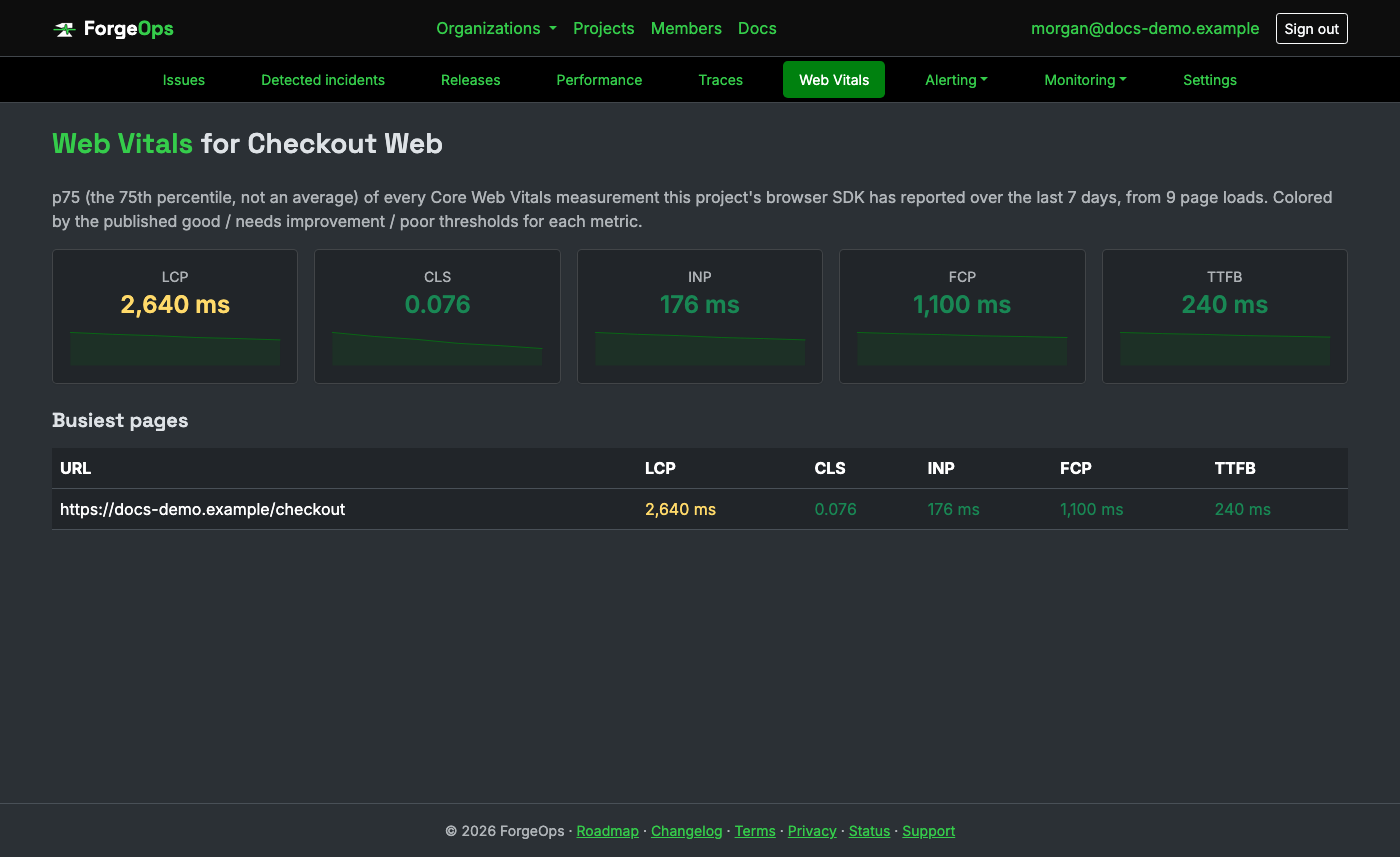
Each metric is colored against the same good / needs improvement / poor thresholds the Web Vitals standard itself publishes. The busiest-pages table below breaks the same five metrics down by URL, ordered by measurement volume, so a slow but rarely-visited page doesn't crowd out what most visitors are actually experiencing.
Notification rules
Each project can have rules that send an alert (Slack, Microsoft Teams, email, PagerDuty, Opsgenie, or a generic webhook) when:
- New issue: a fingerprint has never been seen before.
- Regression: a previously resolved issue occurs again.
- Spike: an issue crosses a threshold you set (e.g. 20 occurrences within 10 minutes). Once a spike rule fires for an issue, it won't fire again for that same issue until the threshold window has passed, so a sustained spike doesn't flood the channel with repeat alerts.
- Heartbeat missed: any heartbeat in the project goes missing (see Heartbeats below). Unlike the other three triggers, this one isn't about an issue at all.
- Uptime down: any uptime monitor in the project goes down (see Uptime monitors below). Business plan and above.
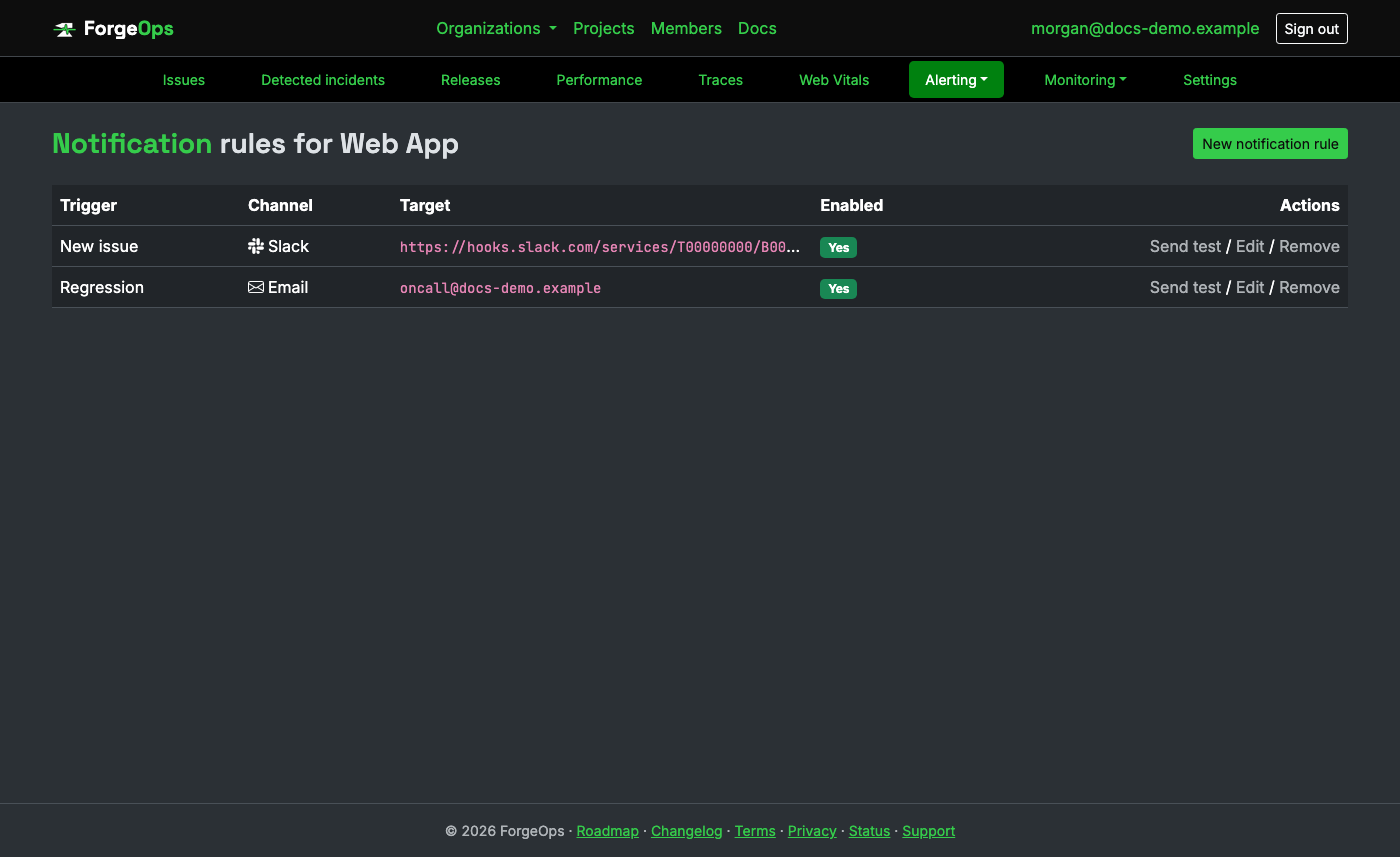
Each rule can also be scoped to one environment (the same values seen on
ingested events, e.g. production/staging), so a spike in staging
doesn't page the same channel a production spike does. Left as "Any environment" (the
default), a rule fires regardless of which environment reported it. This doesn't apply to the
Heartbeat missed or Uptime down triggers, since neither a
heartbeat nor an uptime monitor has an environment of its own to filter by.
What's in an alert
Every alert reads like a small version of the page it links to, so whoever gets it can decide what to do before opening anything. For a new issue, a regression, a spike, or a detected incident, it says, whenever ForgeOps has the data behind it (a line with nothing behind it is left out, never shown blank):
- Status: the same verdict the issue or incident page opens with, such as "Needs attention now".
- What: the error and the endpoint it happens on, such as
POST /api/checkout. - Impact: customers affected, failures since it started, and the error rate change for an incident.
- Started: when it started, as an absolute time wherever "14 minutes ago" would go stale.
- What changed: the deploy that went out just before it, with its pull request and who deployed it, and any recorded change around the same time. Labeled potentially relevant, never as the cause.
- Likely cause: for an incident, the likely cause with its match confidence, its two strongest pieces of evidence, and the next step, always marked as potentially relevant and not a confirmed cause.
- Investigate in ForgeOps: a link straight to the incident page (or the issue page when there's no incident), plus the pull request, the deploy comparison, and the trace, wherever the channel has room for buttons.
When the likely cause has something counting against it (a deploy whose changed files are nowhere in the failing stack traces, say), the alert shows that too, marked "Against", as the incident page does. When two deploys went out shortly before an incident and the likely cause names the earlier one, "What changed" leads with that deploy, so the sentence, the pull request, and the comparison link are all about the same one, and the later deploy is listed after it.
Follow-ups you can turn on. An incident's alert goes out the moment the incident opens, before a deploy's changed files and the first performance readings are in, so the likely cause it names is an early answer. A rule for detected incidents has two options, both off unless you tick them when adding or editing the rule:
- Tell me if the likely cause changes: one follow-up if the cause changes in the incident's first 15 minutes, headed "Likely cause updated", naming the new cause and what the first alert said. Never more than one per incident.
- Tell me when the incident resolves: one message, headed "Resolved", once the errors have been back to normal for ten minutes, saying how long the incident lasted. On PagerDuty and Opsgenie it resolves or closes the alert the first one opened rather than sending another.
A missed heartbeat or a down uptime monitor has no verdict to give, so its alert says what's down, since when, and the last error or check-in, with the same link to its page.
Each channel shows this in its own native format:
- Slack: a message with a header, the facts as fields, what changed and the likely cause in their own sections, and buttons (Investigate in ForgeOps first). The start time shows in each reader's own time zone and stays current. Through a connected Slack App, issue alerts also get Resolve/Ignore.
- Microsoft Teams: an Adaptive Card with the status, the facts as a fact list, the likely cause and its evidence, and buttons. Through a connected channel, issue alerts also get Resolve/Ignore.
- Email: a subject that leads with the status, such as "Needs attention: Payments::GatewayTimeout on Checkout API", and HTML and plain text parts with the same sections, times in UTC.
- PagerDuty: a summary that leads with the status, the facts in the event's custom details, and links to investigate, the pull request, and the trace. Alerts for the same issue still group under one dedup key.
- Opsgenie: a message that leads with the status, the whole alert in the description, and the facts in the alert's details. Alerts for the same issue still share one alias.
- Webhook: every field it has always sent, unchanged, plus a
verdictobject (below).
The email for a spike on an issue behind an open incident:
Subject: Needs attention: Payments::GatewayTimeout: gateway timed out after 30s on Checkout API

Needs attention now: Payments::GatewayTimeout: gateway timed out after 30s
Endpoint: POST /api/checkout
Impact: 427 customers affected · 1,284 failures · error rate up 340%
Started: 2026-09-30 14:02 UTC, 14 minutes before this alert
What changed (potentially relevant): Deploy f7c2d91 went out 5 minutes before this started (PR #5132 · Alex Morgan)
Likely cause: Deployment f7c2d91 · 80% confidence
  - Deployed f7c2d91 to production 5 minutes before this incident began
  - Changed charge_service.rb, which is in every failing stack trace
Potentially relevant, not a confirmed cause.
Next step: Review PR #5132 and roll back f7c2d91 if it's the cause.
Investigate in ForgeOps: https://getforgeops.net/organizations/acme/projects/checkout-api/incidents/318
Webhook payload
A webhook delivery is JSON with the trigger and one object for what it's about
(issue, detected_incident, heartbeat, or
uptime_monitor), exactly as before, and signed with your project's secret in the
X-ForgeOps-Signature-256 header. A spike can add issue_anomaly, and a
regression or spike near a release can add release_correlation. Every delivery now
also carries verdict, the same alert every other channel shows, as fields:
{
  "trigger": "spike",
  "issue": {
    "id": 1842,
    "title": "Payments::GatewayTimeout: gateway timed out after 30s",
    "status": "unresolved",
    "exception_class": "Payments::GatewayTimeout",
    "events_count": 1284,
    "url": "https://getforgeops.net/organizations/acme/projects/checkout-api/issues/1842"
  },
  "verdict": {
    "status": "needs_attention",
    "status_label": "Needs attention now",
    "title": "Payments::GatewayTimeout: gateway timed out after 30s",
    "project": "Checkout API",
    "endpoint": "POST /api/checkout",
    "customers_affected": 427,
    "failures": 1284,
    "error_rate_change_pct": 340,
    "started_at": "2026-09-30T14:02:00Z",
    "likely_cause": {
      "rule": "deployment",
      "headline": "Deployment f7c2d91",
      "confidence_pct": 80,
      "evidence": [
        "Deployed f7c2d91 to production 5 minutes before this incident began",
        "PR #5132: Retry gateway calls with a shorter timeout"
      ],
      "counter_evidence": [],
      "inferred": false,
      "pull_request_url": "https://github.com/acme/checkout/pull/5132",
      "note": "Potentially relevant, not a confirmed cause."
    },
    "previous_likely_cause": null,
    "resolved_at": null,
    "changes": [
      {
        "kind": "deploy",
        "title": "Deploy f7c2d91",
        "occurred_at": "2026-09-30T13:57:00Z",
        "relation": "5 minutes before",
        "release": "f7c2d91",
        "pull_request_number": 5132,
        "pull_request_url": "https://github.com/acme/checkout/pull/5132",
        "deployed_by": "Alex Morgan",
        "compare_url": "https://github.com/acme/checkout/compare/a1b2c3d...f7c2d91"
      }
    ],
    "recommended_action": "Review PR #5132 and roll back f7c2d91 if it's the cause.",
    "investigate_url": "https://getforgeops.net/organizations/acme/projects/checkout-api/incidents/318",
    "links": [
      { "label": "View PR #5132", "url": "https://github.com/acme/checkout/pull/5132" },
      { "label": "Compare deploys", "url": "https://github.com/acme/checkout/compare/a1b2c3d...f7c2d91" }
    ]
  }
}
counter_evidence lists what the rule found against its own match, and inferred is true when the
cause is a release taken from the errors because no deploy was reported. On a "Likely cause updated" follow-up,
previous_likely_cause holds what the first alert named (its rule_name, subject,
headline, and confidence_pct) and trigger is likely_cause_updated; on a
"Resolved" follow-up, resolved_at is set and trigger is incident_resolved.
status:needs_attention,investigate,monitoring, orresolvedfor an issue or incident;missedfor a heartbeat,downfor an uptime monitor.customers_affected,failures,error_rate_change_pct,endpoint:nullwhen not known. Customers are only ever counted, never listed.started_at,changes[].occurred_at: ISO 8601, in UTC.likely_cause:nullunless an open incident has one.ruleisdeployment,external_dependency,database, orbackground_job;evidencelists every line behind the match.changes: the deploy just before it started (kinddeploy) and recorded changes around then (kindchange), empty when there are none.- A heartbeat's verdict adds
last_check_in_at; an uptime monitor's addslast_status_codeandlast_error.
New fields may be added to verdict over time; existing ones won't change meaning.
A Slack rule's target can be an incoming webhook URL or a #channel name through a
connected Slack App (see Slack settings below).
A Teams rule's target is a Teams Workflow webhook URL (built from the "Post
card when a webhook request is received" template; the old Office 365 Connector URLs were
retired), or a connected channel (see Teams settings below).
Issue trackers & ticket rules
A project can connect one issue tracker (GitHub, Bitbucket, Jira, or ClickUp) from its own project settings page: a repository, Jira project key, or ClickUp List ID, plus a personal access token / App Password / API token. Once connected, an issue's own detail page gets a "Create issue" button that files a real ticket there on demand, one per issue (clicking it again turns into a "View issue" link instead of filing a duplicate).
What shows up in a filed ticket
Real content for a real issue, not a mocked-up example: the exact title and fields ForgeOps sends to whichever tracker is connected.
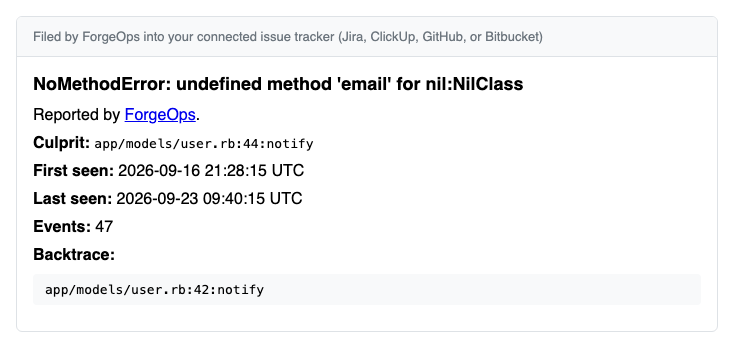
Every provider gets the same fixed set of fields: the issue title, a link back to the issue in ForgeOps, culprit, first seen, last seen, event count, and the latest occurrence's backtrace (when one is available). Jira alone reformats that same content into its own Atlassian Document Format rather than Markdown; the fields themselves don't change. This field set isn't customizable: there's no way to add, remove, or reorder what goes into a ticket, per project or otherwise.
A filed ticket also isn't assigned to anyone. ForgeOps doesn't set an assignee on the Jira/ClickUp/GitHub/Bitbucket side when it creates a ticket. That's a different thing from assigning the issue itself to a ForgeOps teammate (the "Assign" control on the issue's own page); that assignment only exists inside ForgeOps and has no effect on who the external ticket is assigned to over there.
Ticket rules are the automatic version of that same button, configured per project alongside notification rules:
- Trigger: the same new issue / regression / spike vocabulary notification rules use.
- Minimum events: what level of issue actually gets a ticket; leave blank to file as soon as the trigger fires, or set a floor (e.g. 5) to skip a one-off blip and only file once an issue has genuinely recurred.
- Rate limit: how many tickets, how often; an optional cap on how many tickets one rule may create within a rolling window, so a burst of many issues spiking at once can't flood the tracker. An issue skipped by the cap gets another chance once the window frees up, on its next occurrence.
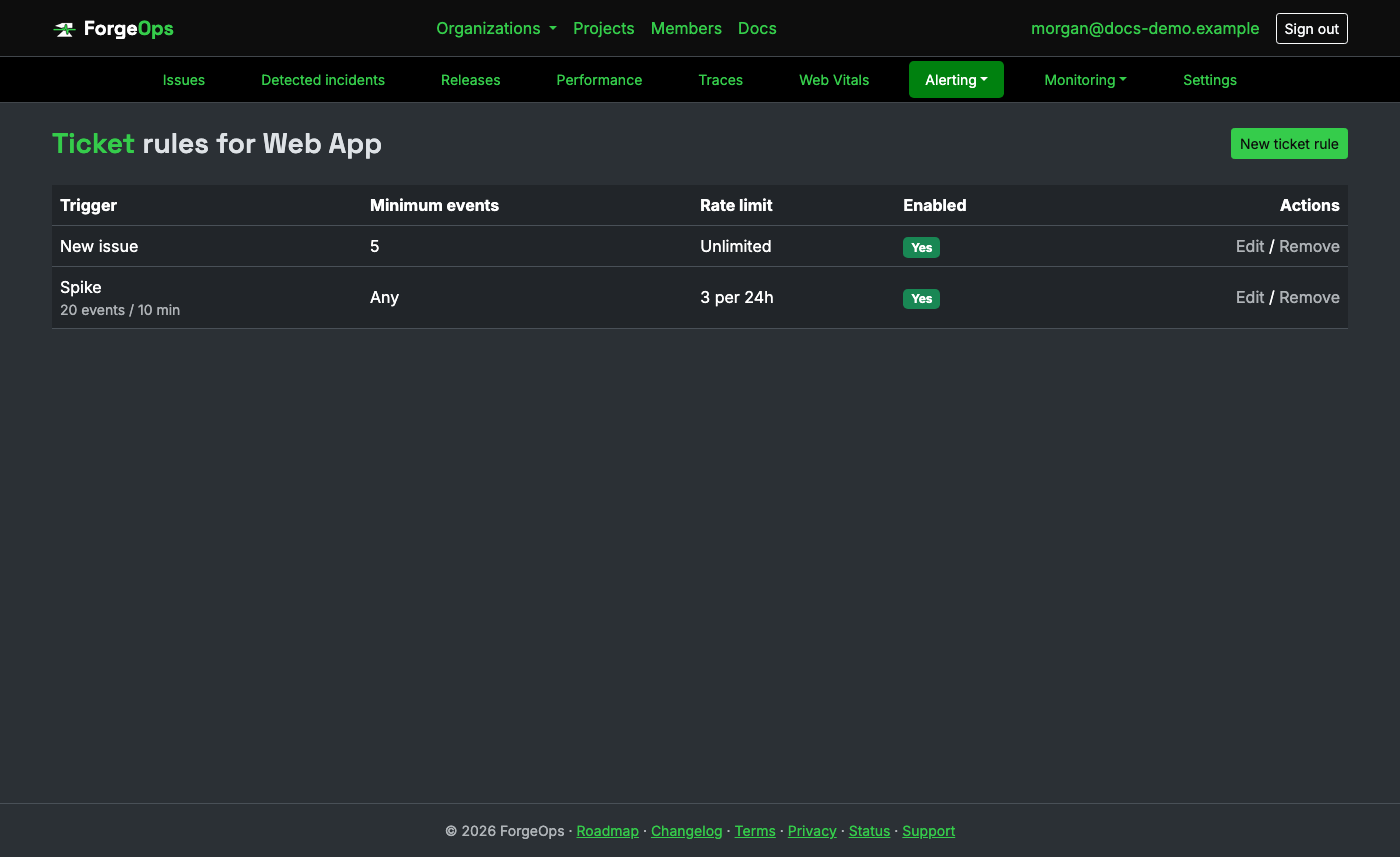
Filing is permanently one-time per issue, automatic or manual: once an issue has an external ticket, no rule ever files a second one for it. A rule's rate limit only counts tickets that rule itself filed; a ticket filed by hand via the button, or by a different rule, never counts against it.
AI ticket enrichment
When turned on for a project ("Use AI to enrich tickets" in the project's own settings), an issue's own "Generate AI summary" button sends its exception class, title, culprit, and most recent backtrace to an LLM, and gets back a plain-language explanation of what likely went wrong, a suggested priority, and one to three suggested labels. That summary is shown right on the issue, and folded into the ticket body the next time one's filed through that issue's own "Create issue" button or a ticket rule, alongside the same fixed fields every filed ticket already carries (see Issue trackers & ticket rules above).
Only what a filed ticket would already show a human reader goes into the request, nothing beyond it, and only the already-scrubbed fields (see PII scrubbing) the ticket body itself sends. It's a suggestion, not a decision made on your behalf: nothing is filed, resolved, or reassigned automatically just because a summary was generated. Business plan only, its own separate monthly allowance from AI-powered search above; see Plans & pricing for the exact number on your plan.
Heartbeats
Issues and heartbeats alert on opposite failure modes. An issue exists because something did happen: an exception was reported. A heartbeat alerts you when something that was supposed to happen didn't (a nightly job that silently stopped running, a queue worker that died), the kind of failure no exception tracker can see on its own, since nothing ever raised.
Each heartbeat gets its own unique ping URL. Have the job call it (a plain GET or
POST, no API key or auth header needed, since the unguessable token in the URL itself is
the credential) every time it finishes successfully:
your_job && curl -fsS https://getforgeops.net/api/v1/heartbeats/<token>
# the && matters; a ping only fires when the job actually succeeded
That covers anything scheduled by the OS (cron, a systemd timer), which is most jobs. If yours is instead scheduled from inside your own app's process, by an in-process scheduler rather than cron, the ping has to move too: it belongs right after the real work, guarded by the same success path, not next to wherever the job merely gets enqueued or scheduled. Enqueuing only proves a job was handed off; the ping needs to prove it actually ran.
A job scheduled by a platform with its own step model rather than a shell command you write yourself, SQL Server Agent in SSMS being the common case, wires up the same way through one extra job step instead of a shell operator:
# A final PowerShell job step, added after the step that does the real work and set to run
# only "On success of previous step" in that step's Advanced tab
Invoke-RestMethod -Method Post -Uri "https://getforgeops.net/api/v1/heartbeats/<token>" -TimeoutSec 10
"On success of previous step" is what stands in for the && in the cron example
above: the ping step has to sit on the job's success path, not its failure branch, or a job that
broke partway through would still check in as if it ran fine.
If you'd rather not run a script, a CmdExec step does the same thing with no
PowerShell involved, its command line is just curl.exe directly:
# Job step type: "Operating system (CmdExec)"; same "On success of previous step" setting as above
curl.exe -fsS -X POST "https://getforgeops.net/api/v1/heartbeats/<token>"
curl.exe ships with Windows Server 2019+ and Windows 10+ by default, so this needs
nothing installed beyond what's already on the box.
A Clockwork job, wired for both heartbeats and failure reporting:
# config/clock.rb
require "clockwork"
require "./config/boot"
require "./config/environment"

module Clockwork
  # Covers every job below, present and future; one hook instead of a rescue in each `every`
  # block, the same way ApplicationJob's rescue_from above covers every Solid Queue job. The
  # rescue around Rails.error.report matters here specifically: Clockwork doesn't catch an
  # exception raised *inside* error_handler at all, and lets it kill the whole clock process.
  error_handler do |error|
    Rails.error.report(error, source: "clockwork") rescue nil
  end

  every(1.day, "nightly_reconciliation", at: "02:00") do
    NightlyReconciliationJob.perform_now
    Net::HTTP.get(URI(ENV["FORGE_OPS_HEARTBEAT_URL"]))
  end
end
Clockwork isn't Sidekiq or Solid Queue, so neither of the two paths above covers it on its
own: error_handler is Clockwork's own equivalent, reporting whatever any job
below it raises without needing a rescue in each one. Its one limitation is
that the job's name isn't passed along, only the error itself, usually identifiable
from the exception's own backtrace; if it needs to be explicit instead, wrap the call
(reporting("nightly_reconciliation") { NightlyReconciliationJob.perform_now })
with a small helper that reports with that context and re-raises for
error_handler to still catch and log too.
An APScheduler job:
import requests
from apscheduler.schedulers.blocking import BlockingScheduler

HEARTBEAT_URL = "https://getforgeops.net/api/v1/heartbeats/<token>"

def nightly_reconciliation():
    run_reconciliation()  # whatever the job actually does
    requests.get(HEARTBEAT_URL)  # only reached if the line above didn't raise

scheduler = BlockingScheduler()
scheduler.add_job(nightly_reconciliation, "cron", hour=2)
scheduler.start()
A node-cron job:
const cron = require("node-cron");
const HEARTBEAT_URL = "https://getforgeops.net/api/v1/heartbeats/<token>";

cron.schedule("0 2 * * *", async () => {
  await runReconciliation(); // whatever the job actually does
  await fetch(HEARTBEAT_URL); // only reached if the line above didn't throw
});
Laravel's own task scheduler:
// app/Console/Kernel.php
protected function schedule(Schedule $schedule): void
{
    $schedule->call(function () {
        app(ReconciliationService::class)->run(); // whatever the job actually does
        Http::get('https://getforgeops.net/api/v1/heartbeats/<token>'); // only reached on success
    })->dailyAt('02:00');
}
Spring's own @Scheduled:
@Component
public class NightlyReconciliationTask {
    private static final String HEARTBEAT_URL = "https://getforgeops.net/api/v1/heartbeats/<token>";
    private final HttpClient http = HttpClient.newHttpClient();

    @Scheduled(cron = "0 0 2 * * *")
    public void run() throws Exception {
        reconciliationService.run(); // whatever the job actually does
        http.send(HttpRequest.newBuilder(URI.create(HEARTBEAT_URL)).GET().build(),
                  HttpResponse.BodyHandlers.discarding()); // only reached on success
    }
}
The same Spring @Scheduled mechanism, Kotlin syntax:
@Component
class NightlyReconciliationTask(private val reconciliationService: ReconciliationService) {
    private val http = HttpClient.newHttpClient()

    @Scheduled(cron = "0 0 2 * * *")
    fun run() {
        reconciliationService.run() // whatever the job actually does
        http.send(
            HttpRequest.newBuilder(URI.create("https://getforgeops.net/api/v1/heartbeats/<token>")).GET().build(),
            HttpResponse.BodyHandlers.discarding()
        ) // only reached on success
    }
}
A Hangfire recurring job:
RecurringJob.AddOrUpdate<ReconciliationJob>(
    "nightly-reconciliation",
    job => job.Run(),
    Cron.Daily(2));

public class ReconciliationJob
{
    private static readonly HttpClient Http = new();

    public async Task Run()
    {
        await _reconciliationService.RunAsync(); // whatever the job actually does
        await Http.GetAsync("https://getforgeops.net/api/v1/heartbeats/<token>"); // only reached on success
    }
}
A robfig/cron job:
c := cron.New()
c.AddFunc("0 2 * * *", func() {
    if err := runReconciliation(); err != nil { // whatever the job actually does
        log.Printf("reconciliation failed: %v", err)
        return // no ping; the job didn't actually succeed
    }
    http.Get("https://getforgeops.net/api/v1/heartbeats/<token>")
})
c.Start()
A tokio-cron-scheduler job:
let sched = JobScheduler::new().await?;
sched.add(Job::new_async("0 0 2 * * *", |_uuid, _l| Box::pin(async {
    if run_reconciliation().await.is_ok() { // whatever the job actually does
        let _ = reqwest::get("https://getforgeops.net/api/v1/heartbeats/<token>").await;
    }
}))?).await?;
sched.start().await?;
An Oban.Plugins.Cron worker:
# config/config.exs
config :my_app, Oban,
  plugins: [{Oban.Plugins.Cron, crontab: [{"0 2 * * *", MyApp.Workers.NightlyReconciliation}]}]

# lib/my_app/workers/nightly_reconciliation.ex
defmodule MyApp.Workers.NightlyReconciliation do
  use Oban.Worker

  @impl Oban.Worker
  def perform(_job) do
    :ok = MyApp.Reconciliation.run()  # whatever the job actually does
    Req.get!("https://getforgeops.net/api/v1/heartbeats/<token>")  # only reached on success
    :ok
  end
end
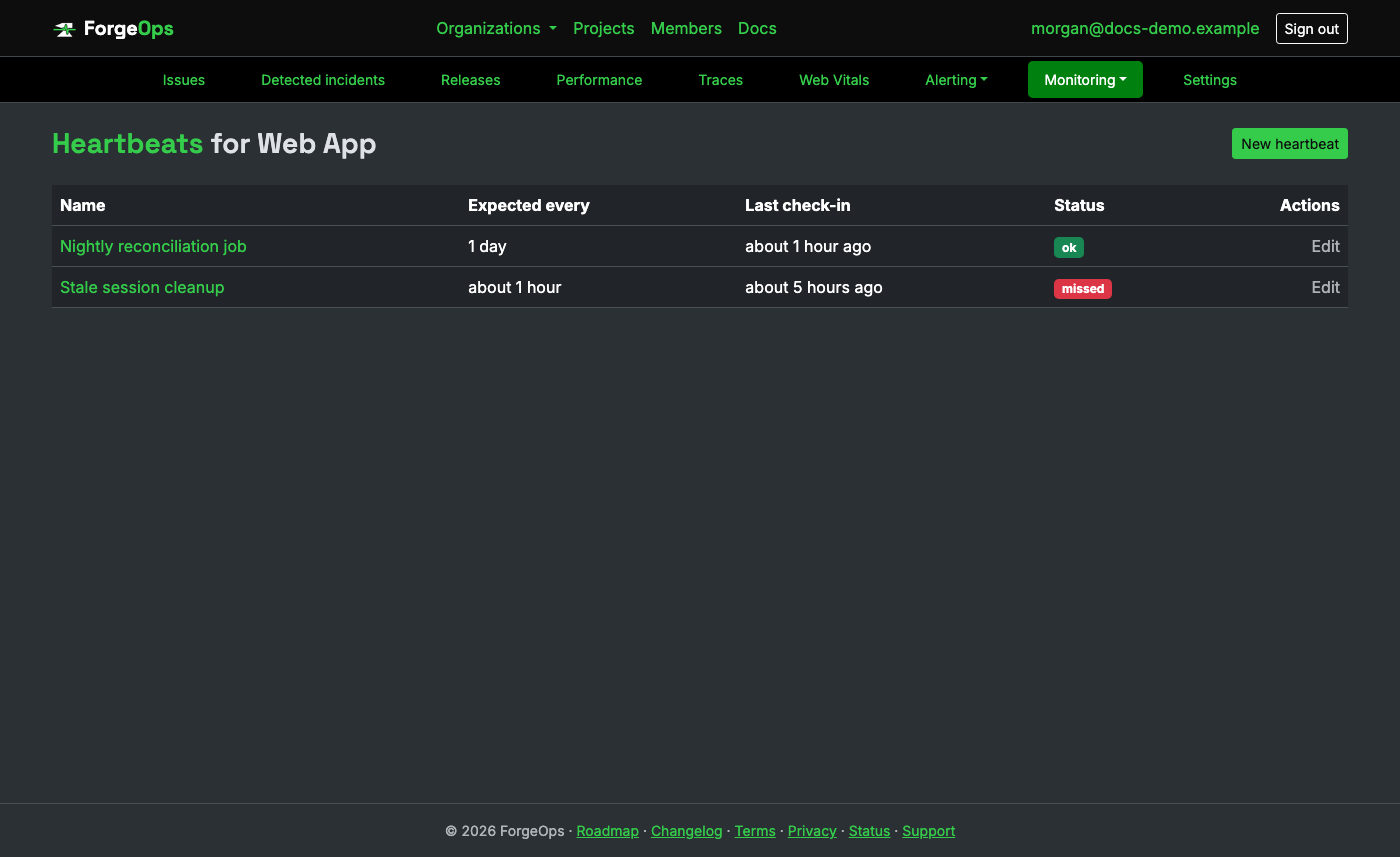
A heartbeat's status:
- ok: checked in within its expected interval.
- late: past the expected interval but still inside the grace period. A soft, non-alerting "keep an eye on this" state; nothing has fired yet.
- missed: past the expected interval and the grace period with no ping. This is what actually triggers a Heartbeat missed notification rule, and only once, right when it first goes missing, not repeatedly every minute it stays that way.
- paused: monitoring deliberately suspended (a planned maintenance window, say). Excluded entirely from missed-check-in sweeps until resumed. A ping received while paused is recorded but doesn't resume it; only resuming it yourself does, and it then picks up from that latest ping.
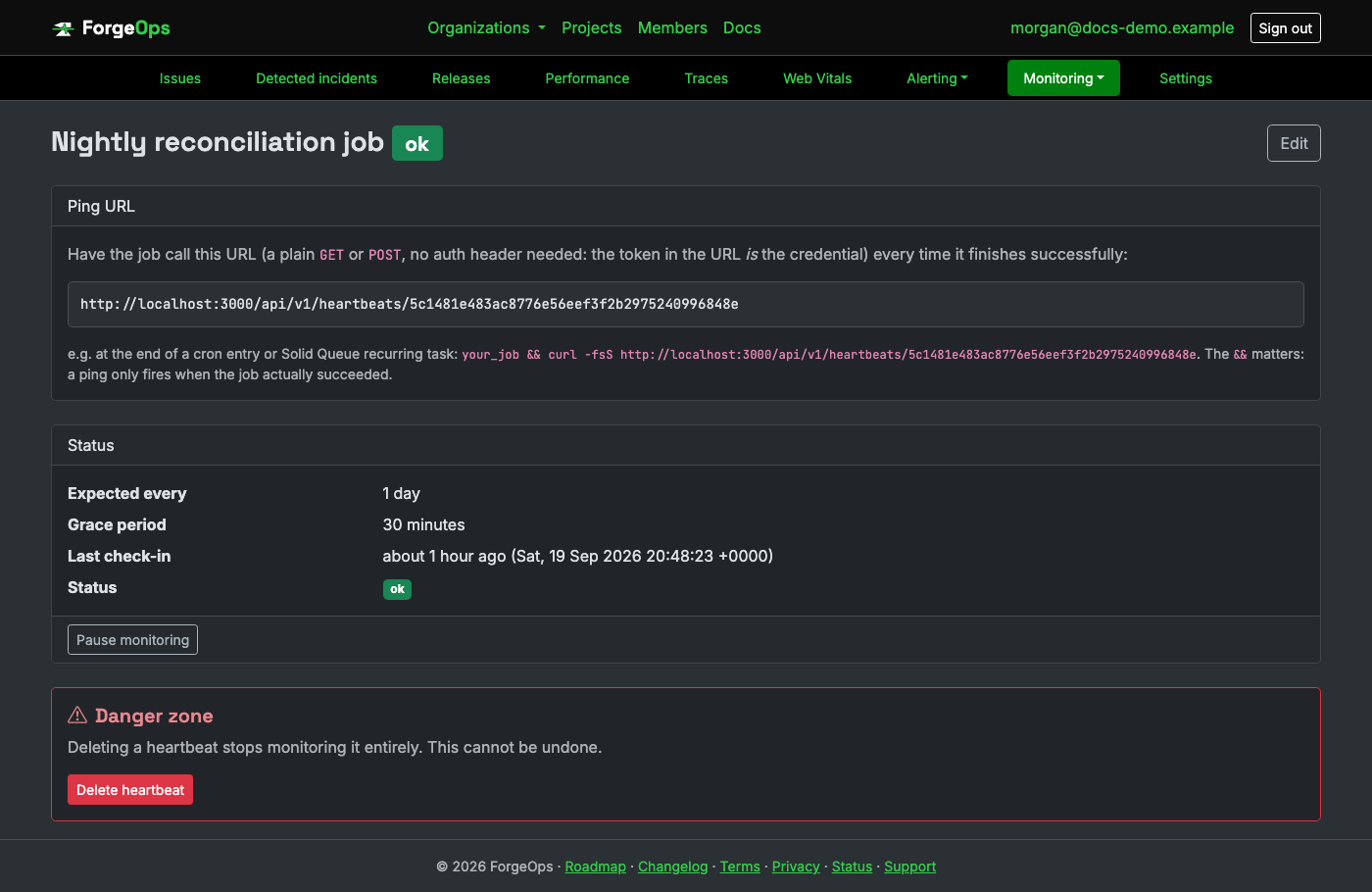
Recovering from missed needs no separate "resolve" step the way an issue does; the very next real ping flips it straight back to ok.
Uptime monitors
The active counterpart to a heartbeat. A heartbeat waits for your job to ping in; an uptime monitor instead fetches a URL you choose on its own schedule and alerts when that stops succeeding, catching an outage even when nothing inside the app ever gets the chance to report anything itself. Business plan and above.
Each monitor is checked with a plain GET request, on whichever interval you set
(1 minute up to 1 hour). A 2xx or 3xx response counts as up, the same way a browser or load
balancer would treat a redirect as reachable; only a 4xx/5xx response, a timeout, or a failed
connection counts as a failed check.
A monitor's status:
- up: the most recent check succeeded, or hasn't failed enough consecutive times yet to count as down.
- down: consecutive failed checks reached the monitor's own "failures before alerting" threshold. This is what actually triggers an Uptime down notification rule, and only once, right on that transition, not repeatedly on every check it stays down.
- paused: monitoring deliberately suspended. Excluded entirely from checks until resumed.
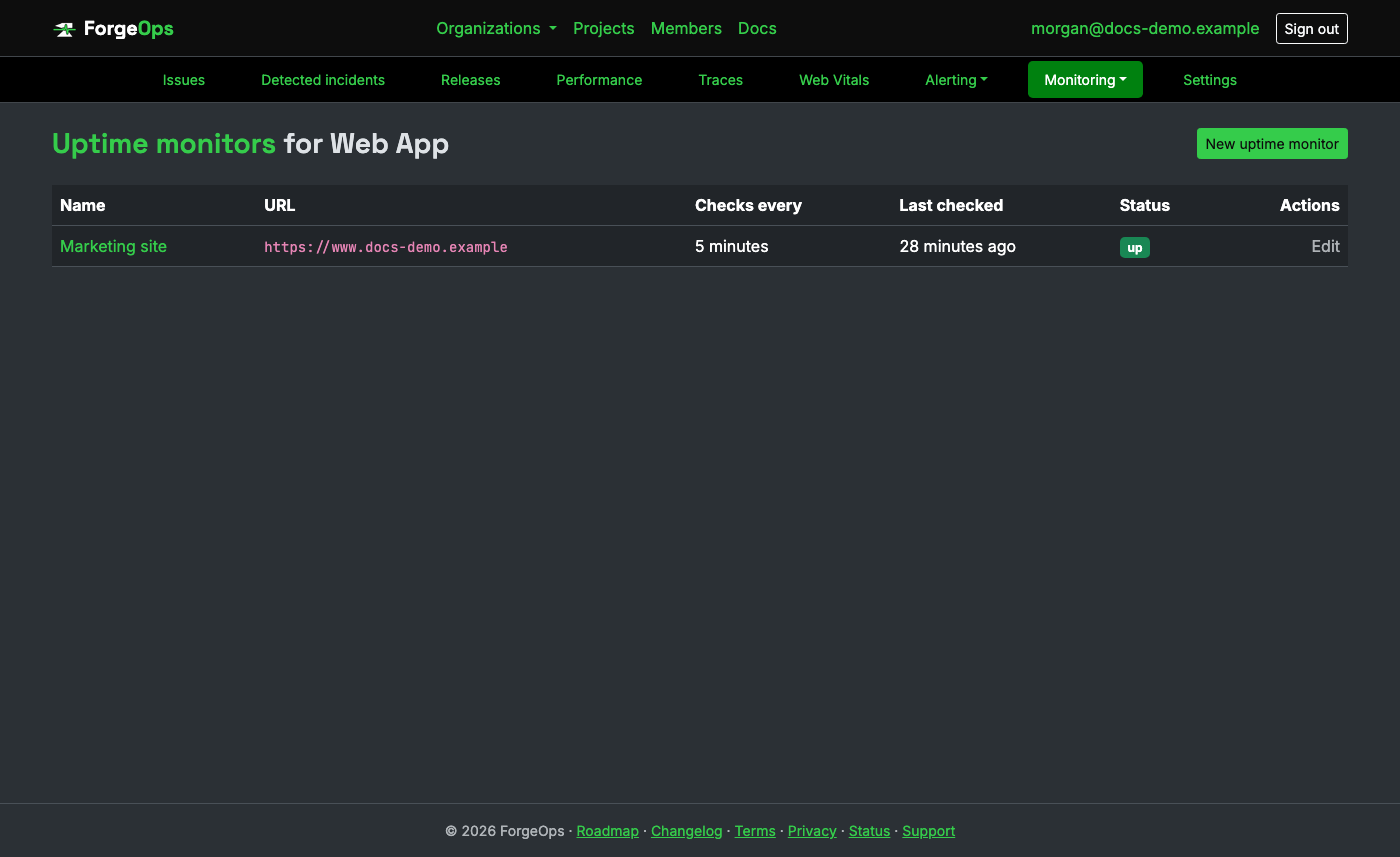
A single failed check alone never triggers an alert: the failures before alerting setting (2 by default) exists specifically so one transient blip doesn't page anyone. Recovering from down needs no separate "resolve" step, the same as a heartbeat; the very next successful check flips it straight back to up.
Incidents & status updates
Two different things, kept under two different names:
- Incidents, in each project's own navigation bar, are detected for you: a project-wide spike in errors opens one automatically. The organization overview's What's broken? lists the open ones across every project.
- Status updates, in the organization's navigation bar, are the ones you post yourself, for your customers: a title, a status, and a running series of updates, each optionally emailed to everyone subscribed. Nothing there is created automatically; post once you know what's going on. Business plan and above.
An incident's page reads as numbered steps, in the order you'd investigate:
- Needs attention now (or whichever verdict applies): customers affected and occurrences, how many customers failed once and how many repeatedly, how much the error rate changed, and the affected endpoint's response time against before it started.
- What changed? The deploys and recorded changes (flags, config, dependencies, migrations) from the hours before it started, labeled potentially relevant.
- Likely cause: what the matching rule points at, its match confidence, the evidence behind it, the pull request when a deploy is the match, and a recommended action. A heuristic, not a confirmed diagnosis. Members can answer Was this the cause? with Yes or No (also on the issue's page), and can change their answer later. The answers tell us how often each rule is right, so we can tune the rules.
- Affected endpoint: the endpoint the failures came from, its failure rate, and its slowest captured request.
- Slowest part of the request: the slowest database query in that request, its share of the request's time, and a likely N+1 when the same query repeated.
- Related dependency: the outside service the request was waiting on, with its latency and failed calls.
- Full timeline: deploys and changes, when the endpoint slowed down, the first occurrence, when the error rate rose and the incident opened, customer impact, each alert and on-call page sent, acknowledgment, and resolution, each linked to its detail. View postmortem builds a postmortem from the same timeline.
A step with no data behind it is left out and the rest renumber. Correlated signals, affected projects, and the health of the services it depends on follow under Supporting detail.
Status updates appear on the organization's public status page only while that page is turned on, under Settings → Status page. The Status updates page shows whether it's on, and links to the public page when it is; turned off, the public page returns "not found" for everyone, subscribers included.
Performance monitoring
How fast each part of your app actually is, straight from the SDK you already installed. The SDK's performance integration times every request and, where its language has the hook to do it, every background job, database query, and outbound call too. Timings are grouped by transaction name and sent as one small aggregate report every minute, never one network call per request, so turning it on adds nothing to a request's own latency. Which of those a given language reports depends on its SDK; each language page says what it covers. Business plan and up (every new organization has it for its first 14 days): on a lower plan the aggregates are accepted but not recorded, and the response says why.
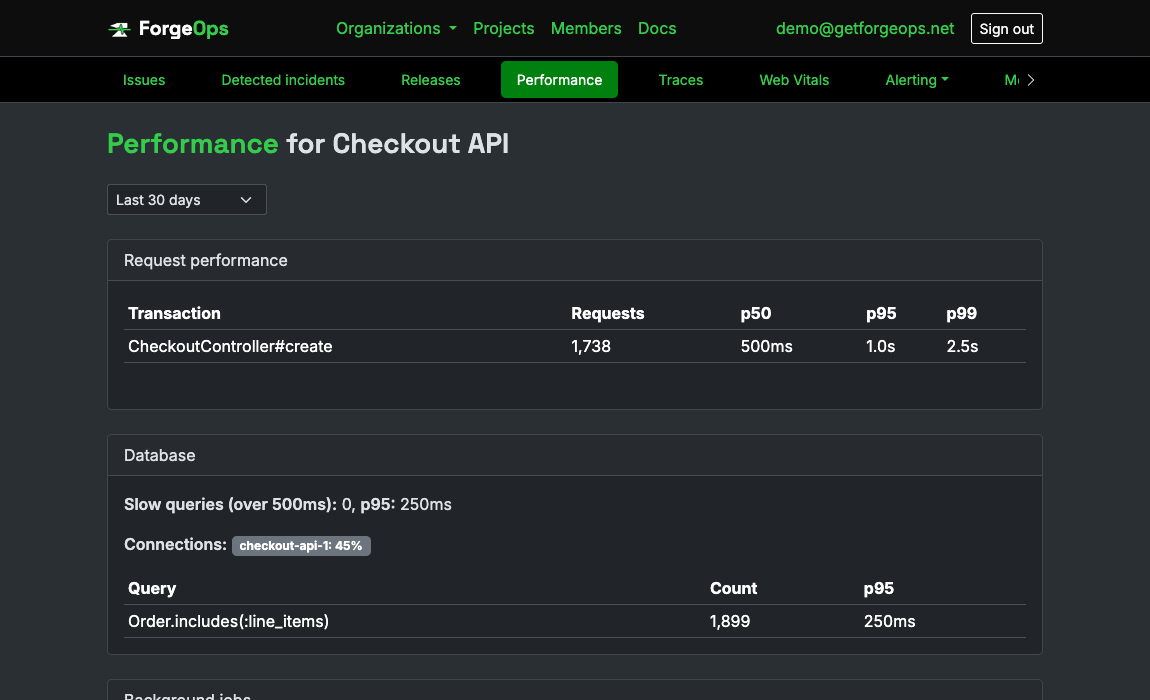
A project's Performance tab has four panels: Request performance
(request count per transaction, with p50, p95, and p99 latency for SDKs that report a latency
histogram, which today is Ruby, Python, Node.js, PHP, Java, Kotlin, .NET, Go, Perl, Elixir, Rust,
browser TypeScript, React Native, Dart and Flutter, Android, Swift, Objective-C, and C++; the other
SDKs report request counts and average duration, which you can chart on a
dashboard), Database (slow queries
over 500ms and connection pool usage), Background jobs (p95 latency per
queue), and External services (p95 and its trend per host). Transaction names
are kept low-cardinality on purpose, the matched route pattern rather than the literal URL, so
a distinct user id never becomes its own row. SDKs that report performance have a track_performance-style
switch to turn it off entirely.
Distributed tracing
The full call tree for one slow request: the request itself, then every database query, cache call, outbound HTTP call, and piece of your own code nested under it, drawn as a waterfall so you can see which step the time actually went to instead of only an aggregate latency number. Business plan and up.
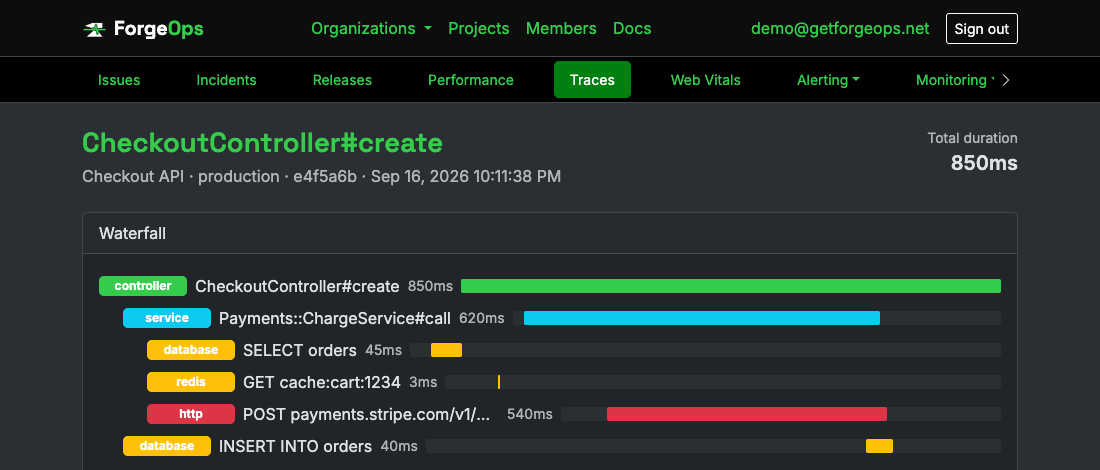
Only a slow request's trace is ever sent, plus, with the server SDKs, the trace of any request that raised an error, fast or not, so an error can link straight to the request it happened in. Whether a request crossed the threshold (one second by default, configurable in each SDK) is decided entirely inside your process, before anything goes over the network, so a normal, fast request costs nothing extra. Each captured trace appears under a project's Traces tab, newest first, with its duration, environment, and release; click one to open its waterfall. A trace keeps at most 500 spans. A request with more, like one running the same query hundreds of times, keeps its 500 slowest, each still nested where it ran, and its waterfall says how many were left out. Queries left out still count toward the issue page's query total and its N+1 warning.
What is captured for you, and what you add
Web frameworks with a hook (Rails, Django, Flask, Express, Fastify, Laravel, Symfony, Java servlets, ASP.NET Core, Go's net/http and Gin, Phoenix, Perl's PSGI and Dancer2) start a trace for every request and record the request itself as the root span, plus whichever database and outbound HTTP calls that language can hook. SDKs with no web framework (Rust, Kotlin, C, C++, Dart) have you wrap the unit of work you care about, and the mobile, browser, and game SDKs use an explicit trace object you pass around, because one flow there hops between threads. In every language you can wrap your own service-layer code so it shows up as its own step:
ForgeOpsTracker.span("PaymentService.charge") { PaymentService.charge(order) }

# Python
with forge_ops_tracker.span("PaymentService.charge"):
    charge_card(order)

// Node.js
await forgeOpsTracker.span("PaymentService.charge", () => chargeCard(order))
Every span has a kind, one of controller, service,
database, redis, http, job, or
other; anything else is sent as other. Span names stay
low-cardinality (GET api.stripe.com, SELECT orders), never a raw URL
path, query string, or SQL literal, since any of those can carry a customer id or a secret.
A language page has the exact call for your language.
Following a request across services
Every ForgeOps SDK passes a request's trace along to whatever it calls, in the standard W3C
traceparent header. When both sides report to ForgeOps and their projects are
linked, one trace shows the whole request: the calling side's outbound
call, with the called service's own request nested underneath it, each part labeled with its project.
The same trace id goes on every error, which is how an issue shows the errors a linked project raised
in the very same request.
-
Server SDKs (Ruby, Python, Node.js, PHP, Perl, Elixir, Java, .NET, Go) pick up an
incoming trace automatically in their framework integration, put the request's endpoint and trace id
on every error, and always keep the trace of a request that failed. They pass the trace on
automatically through the HTTP client they already instrument (Ruby's Net::HTTP, Python's
requests, Node'shttp/https, .NET'sIHttpClientFactoryclients, and Go'sforgeops.Transport), and through an explicithttpSpanhelper in PHP, Perl, Elixir, and Java. - App and browser SDKs (Swift, Objective-C, Android, React Native, the browser SDK, Dart/Flutter, Unity) send the header on requests made through a trace, and an error reported with that trace carries its id. React Native and the browser SDK also add it to requests the app makes itself while one trace is open; the browser SDK only to same-origin requests unless you list more hosts, since a third-party API that doesn't allow the header in its CORS settings would block the request.
-
Kotlin, Rust, C, and C++ do both through an explicit API: start a trace from an incoming
traceparent, and wrap an outgoing call to get the header to send.
# Ruby: which hosts get the header (every SDK has the same two settings)
ForgeOpsTracker.configure do |config|
  config.propagate_traces = true                           # the default
  config.trace_propagation_targets = [ "api.example.com" ] # only these hosts; nil (the default) means all
end

// Swift: an app's request through a trace, and its failure reported with it
let trace = ForgeOpsTracker.startTrace("checkout")
let (_, response) = try await trace.measureRequest(request) { try await URLSession.shared.data(for: $0) }
ForgeOpsTracker.capture(error: error, trace: trace)   // in the catch
Each language page has the exact code for that SDK, and its README the full details.
SQL in a request
Every database query in a traced request carries its SQL, so a trace's waterfall shows exactly which query
each database bar was, and an issue opens with the slowest query in the request it failed in:
how long it took, its share of the request's time, how many queries the request ran in total, and a warning when
the same statement ran five or more times (the usual sign of an N+1). The SQL is always masked before it
leaves your app: every string and number becomes ?, so you see the shape of the query, never the
values it ran with. ForgeOps masks it again when it arrives.
The Rails, Python (Django and SQLAlchemy), PHP (Laravel), and Elixir (Ecto) SDKs add the SQL to the queries they already time on their own. In the other SDKs, pass the statement to a database span you create yourself.
Query plans for PostgreSQL
Turn on explain_slow_queries and the SDK asks PostgreSQL how it ran a slow query, so the issue page
can show the plan beside it, pointing out a sequential scan over a large table (usually a missing index):
ForgeOpsTracker.configure do |config|
  config.explain_slow_queries = true   # off by default
  config.explain_threshold_ms = 500    # only queries at least this slow
end
What it does and doesn't do: it runs plain EXPLAIN, never EXPLAIN ANALYZE, so the query
is planned, not run again. Only plain SELECT statements qualify (nothing with a locking clause, a
second statement, or a write anywhere in it). It runs off the request, on its own database connection, inside a
read-only transaction with a two-second timeout, never inside your app's own transaction. Each statement is
explained at most once every ten minutes, and at most ten times a minute per process. Values inside the plan are
masked the same way as the statement. The plan is kept per statement, so an issue shows the latest one captured
for its slowest query even when that request itself wasn't explained. Plans need a plan that includes
performance monitoring.
Custom metrics
Track any named business number, a signup, a payment, a refund, with one explicit call from your own code. Nothing about these can be detected automatically, so nothing is on by default. The value defaults to 1, so a bare call is a counter; pass a real amount for anything else (it can be negative, for a refund). Business plan and up.
ForgeOpsTracker.capture_metric("signups")
ForgeOpsTracker.capture_metric("revenue", value: 49.00)

# Python
forge_ops_tracker.capture_metric("signup")
forge_ops_tracker.capture_metric("payment", 49.0)

// Node.js
forgeOpsTracker.captureMetric("signup")
forgeOpsTracker.captureMetric("payment", 49)
Calls are buffered and sent as one batch in the background (every minute by default and, in most SDKs, once more when the process exits), so they are safe to make inside a request without adding network latency. Every capture is stored as its own row, not a running total, so any count or sum you compute later is exact. Metrics show up on a dashboard through the Custom metrics data source: a big number summing a "revenue" metric, a chart of signups over time, or a table by metric name. If a delivery fails, every buffered entry is kept for the next flush; the buffer holds at most 1000 entries and drops further ones until a flush succeeds, and a NaN or infinite value is dropped when captured.
Infrastructure monitoring
Report CPU, memory, disk, or anything else you can read from your own servers, on your own schedule. There is no ForgeOps-built agent to install: a small script on a cron entry or a systemd timer reads the host's own numbers and reports them with the same SDK you already use. Business plan and up.
# Run periodically by cron or a systemd timer, not by your web app
require "forge_ops_tracker"
ForgeOpsTracker.configure { |config| config.dsn = ENV["FORGE_OPS_DSN"] }

load_average = File.read("/proc/loadavg").split.first.to_f
ForgeOpsTracker.capture_infrastructure_metric("load_average", value: load_average)

# Python
forge_ops_tracker.capture_infrastructure_metric("cpu", 0.42, hostname="db-1")
Each reading needs a hostname, which defaults to the SDK's configured server name; pass one explicitly (or set the server name) in the mobile and browser SDKs, which have none by default, since a reading without one is dropped. Readings are buffered and sent in the background, and in most SDKs once more when a short-lived script exits (the rest have a flush call), so a handful of captures in one run cost a single network request. They appear on a dashboard through the Infrastructure data source: a table grouped by host to spot the one box running hot, or a big number averaging disk usage across the fleet.
On-call & escalation
An on-call schedule is a rotation of real organization members, shared across every project's escalation policies rather than owned by one project; an escalation policy is what actually pages someone when a heartbeat is missed or an uptime monitor goes down. Enterprise plan only. A schedule on its own can be built on any plan; it's simply of no use until a policy references it.
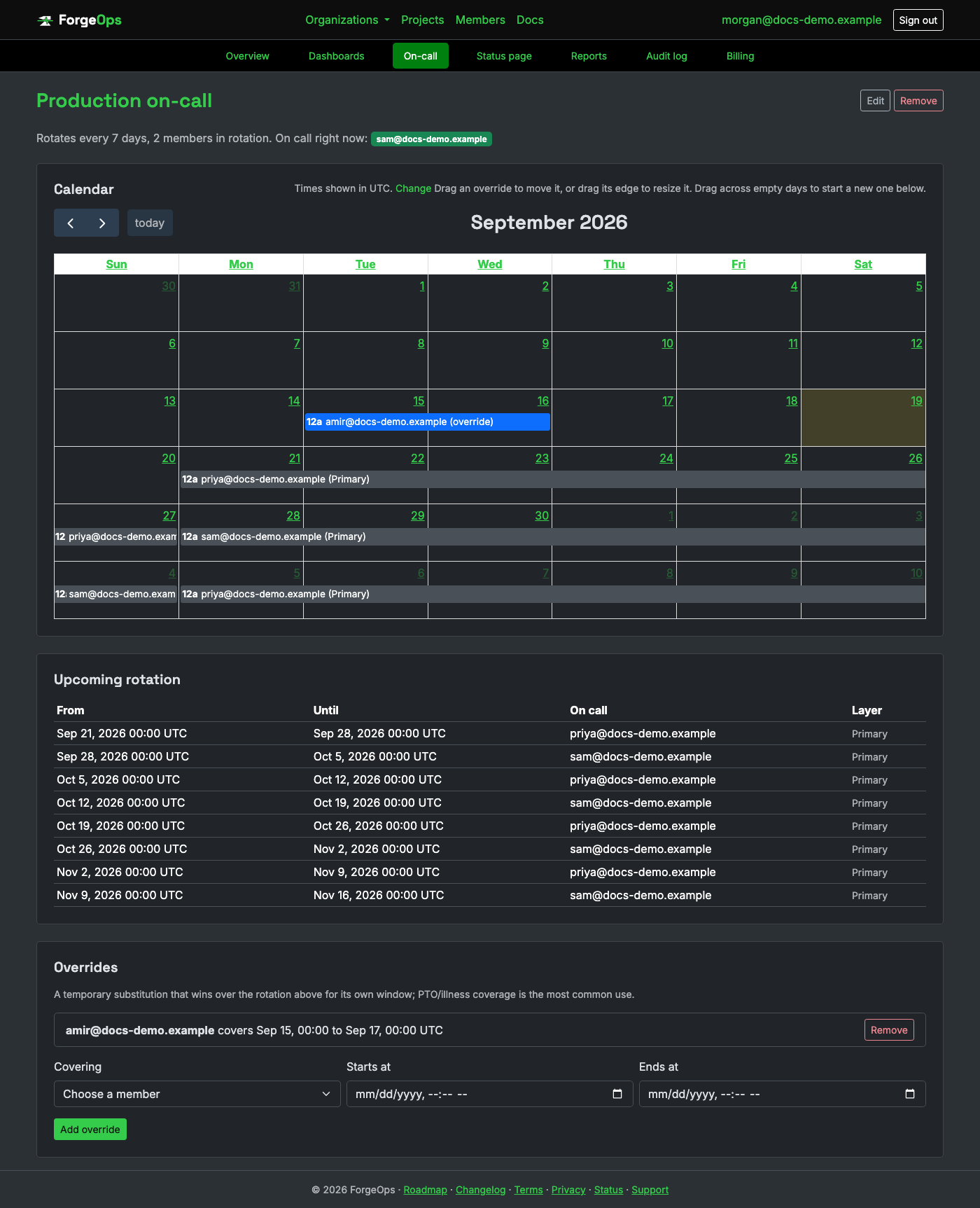
The calendar shows the computed rotation, every override, and every layer at once, converted into whichever time zone you've set on your own account page (its own Time zone setting). Dragging an override moves it; dragging its edge resizes it. Dragging across an empty day fills in the override form below the calendar with that range, ready to review and submit; it doesn't create anything on its own.
A schedule works one of two ways, never both at once:
- A plain rotation: add members in the order they'll rotate and set how often the handoff happens (every N days); the simple case, and enough for most schedules.
- Layers: for anything the plain rotation can't express, like a business-hours-only rotation or a separate weekend team. Each layer is a plain recurrence rule (the same RFC 5545
RRULEsyntax calendar apps use, e.g.FREQ=WEEKLY;BYDAY=MO,TU,WE,TH,FRfor weekdays only), a shift length, and its own rotation of members. A schedule with any layers at all resolves entirely through them; adding one means the plain rotation stops being used. Layers are checked highest priority first, so a narrow one can override a broad one underneath it for its own window.
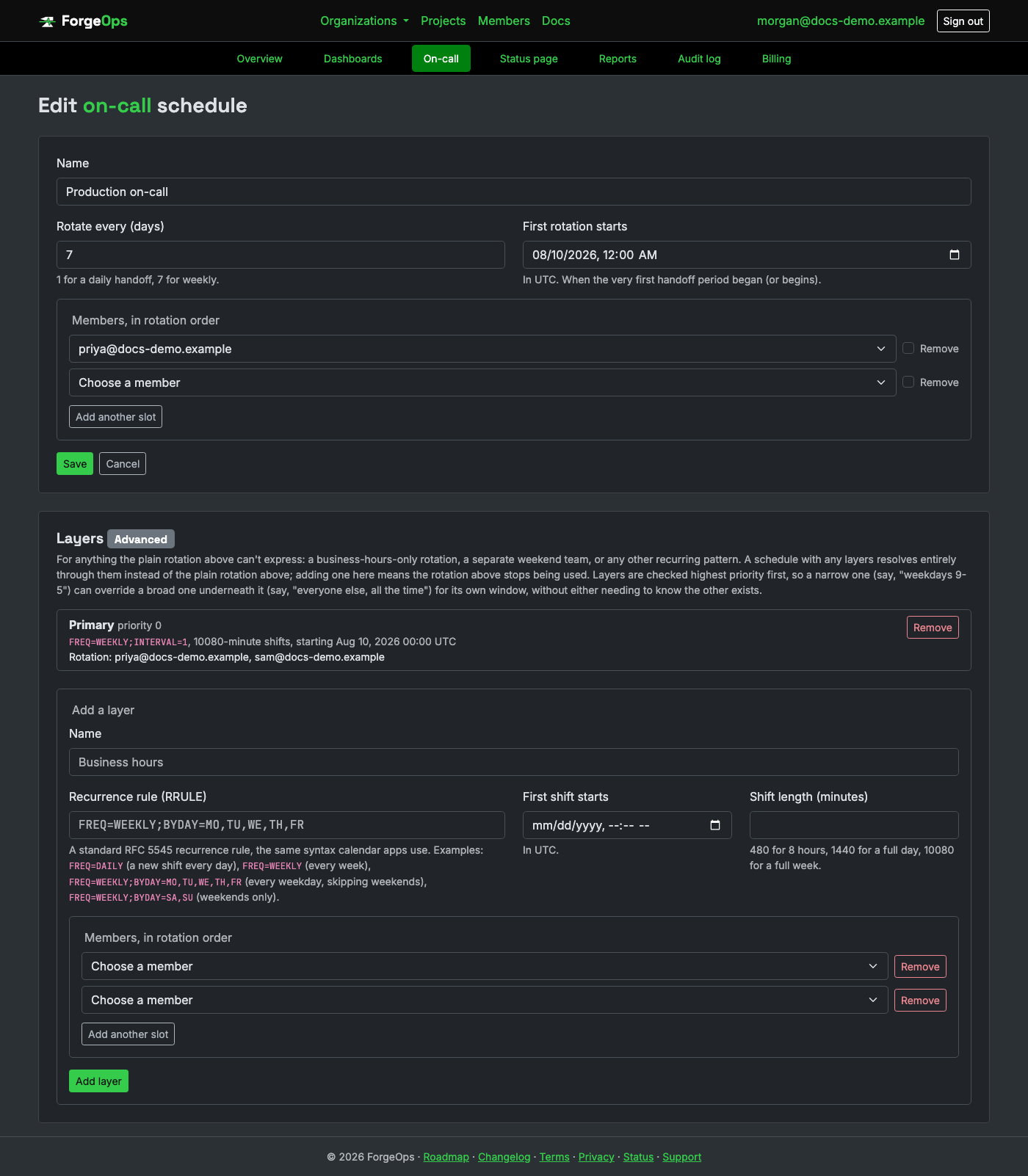
An override is a one-off substitution for a specific window (PTO, illness): its own user doesn't have to already be on the rotation, and it wins outright over whatever the rotation or a layer would otherwise say, only for its own window. Once it ends, the schedule picks back up exactly where it would have been anyway.
An escalation policy has two steps, primary and backup. Each step either resolves through an on-call schedule (whoever's actually on call, resolved fresh the moment it fires) or is a hand-typed contact, never both. If the primary step isn't acknowledged within the policy's own "escalate after" window, the backup step fires next. Acknowledging is a single link right in the alert itself, and it stops the escalation from ever reaching its backup step.
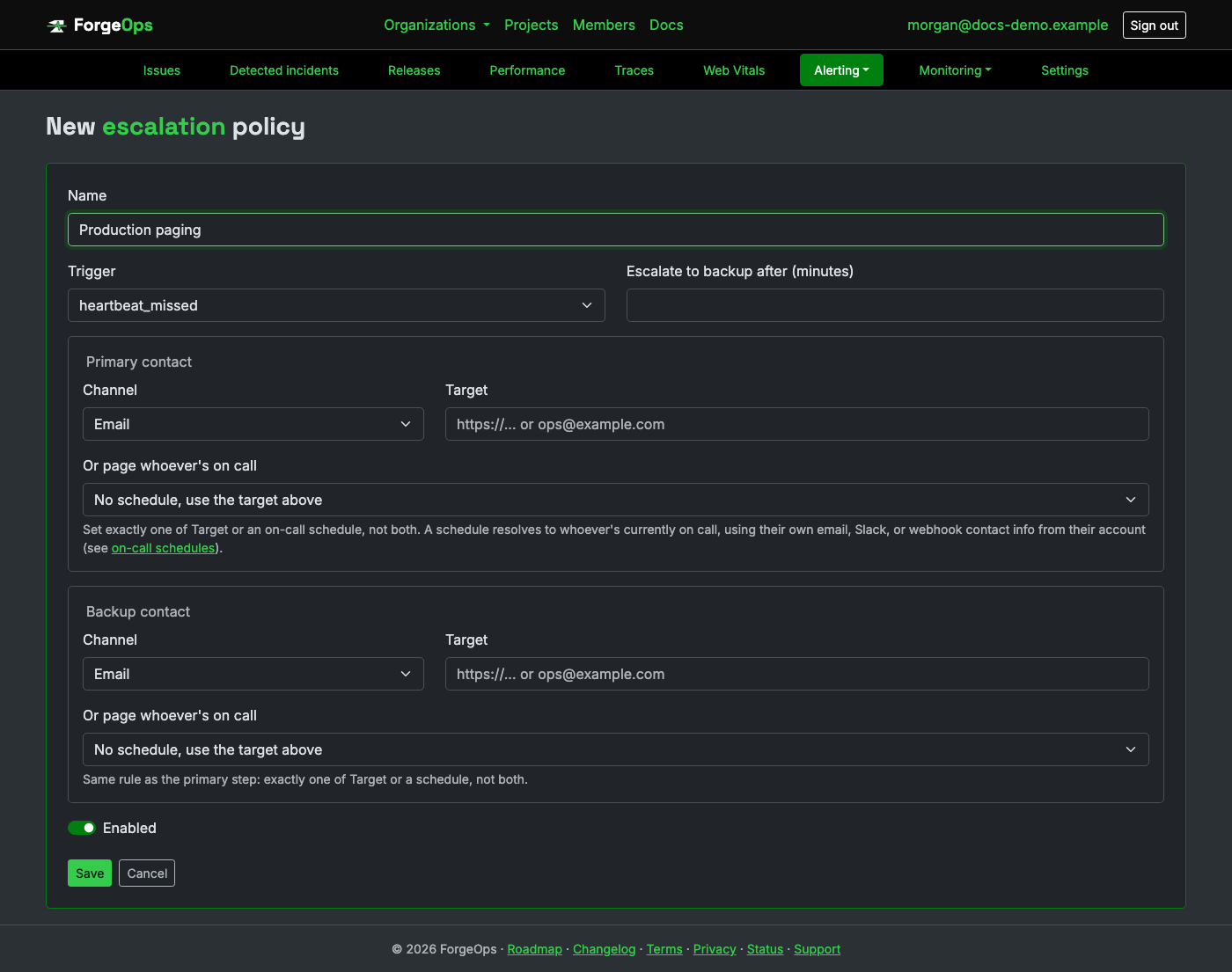
A schedule-driven step can page through email, a Slack DM, or a personal webhook, each read off the on-call person's own account rather than a contact typed onto the policy itself.
Set your own Slack member ID and personal webhook URL on your account page; leave any of them blank to skip that channel. A Slack DM only works once your organization has connected a Slack App (see Slack settings above); a hand-typed target set directly on a policy is unaffected either way.
Audit log
Every sensitive action taken in an organization (inviting or removing a member, changing a role, rotating an API key, resolving or reopening an issue, and more) is recorded here permanently: who did it, when, from what IP, and what it was done to. It's a read-only history, not something you configure.
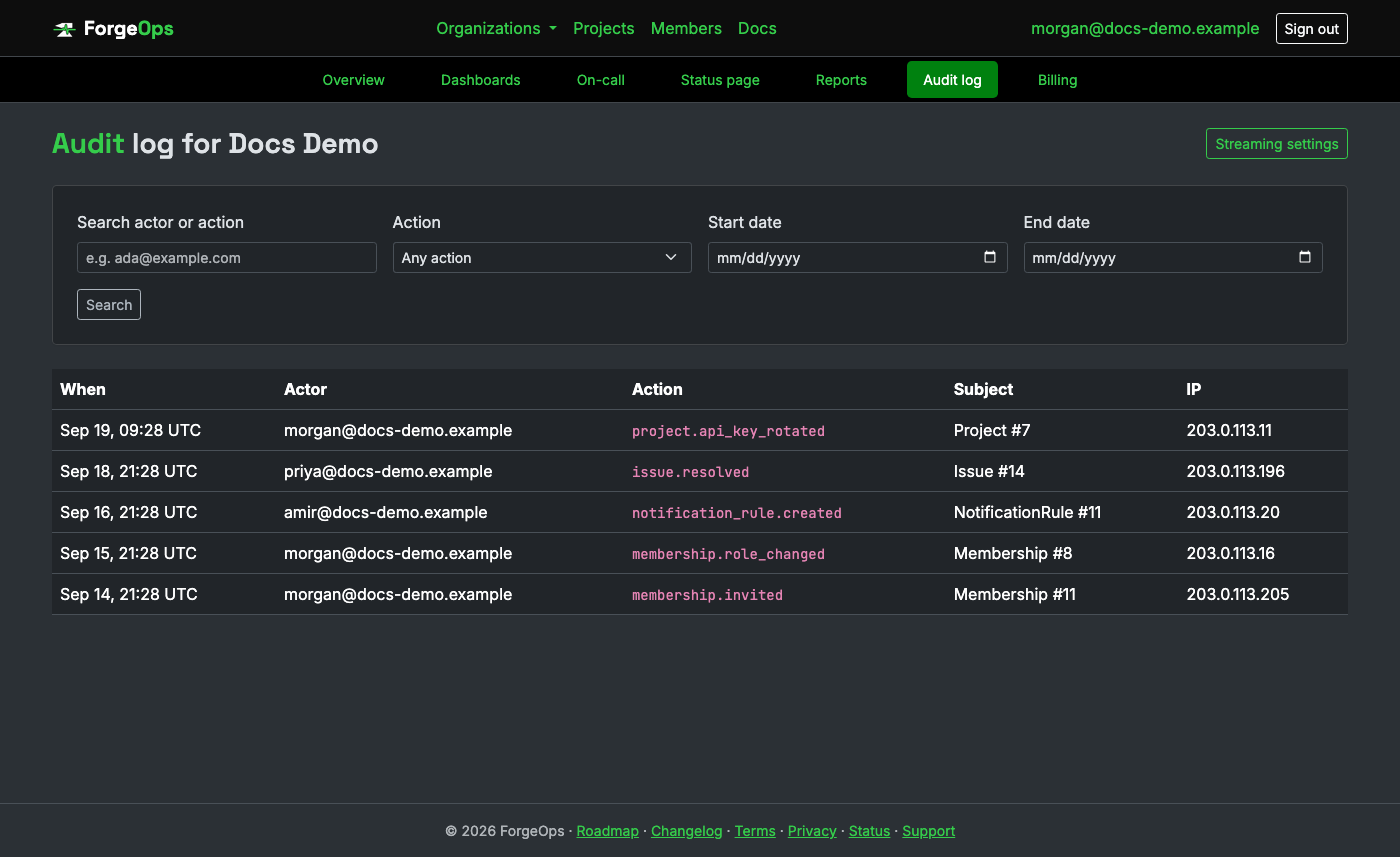
The Action column follows a resource.event naming pattern (e.g. issue.resolved, membership.role_changed). Subject links the entry to the specific record it happened to.
An owner can also stream every new entry to a SIEM or webhook endpoint as it happens, from Settings → Audit log streaming.
SSO
An owner can configure SAML or OpenID Connect for their organization, letting members sign in through your identity provider instead of a password. Once enabled, anyone can sign in at the organization's SSO URL (shown at the bottom of Settings → Single sign-on) and a brand-new account is created automatically on first login.
SAML sign-in always starts from ForgeOps: open the organization's SSO URL (or press "Continue with SAML" there) and ForgeOps sends you to your identity provider and back. Launching ForgeOps from a tile in your identity provider's own app dashboard (IdP-initiated sign-in) isn't accepted, because a response ForgeOps didn't ask for can't be told apart from one someone replayed or planted in your browser. If your identity provider asks, choose SP-initiated sign-in, or point its app tile at the SSO URL instead.
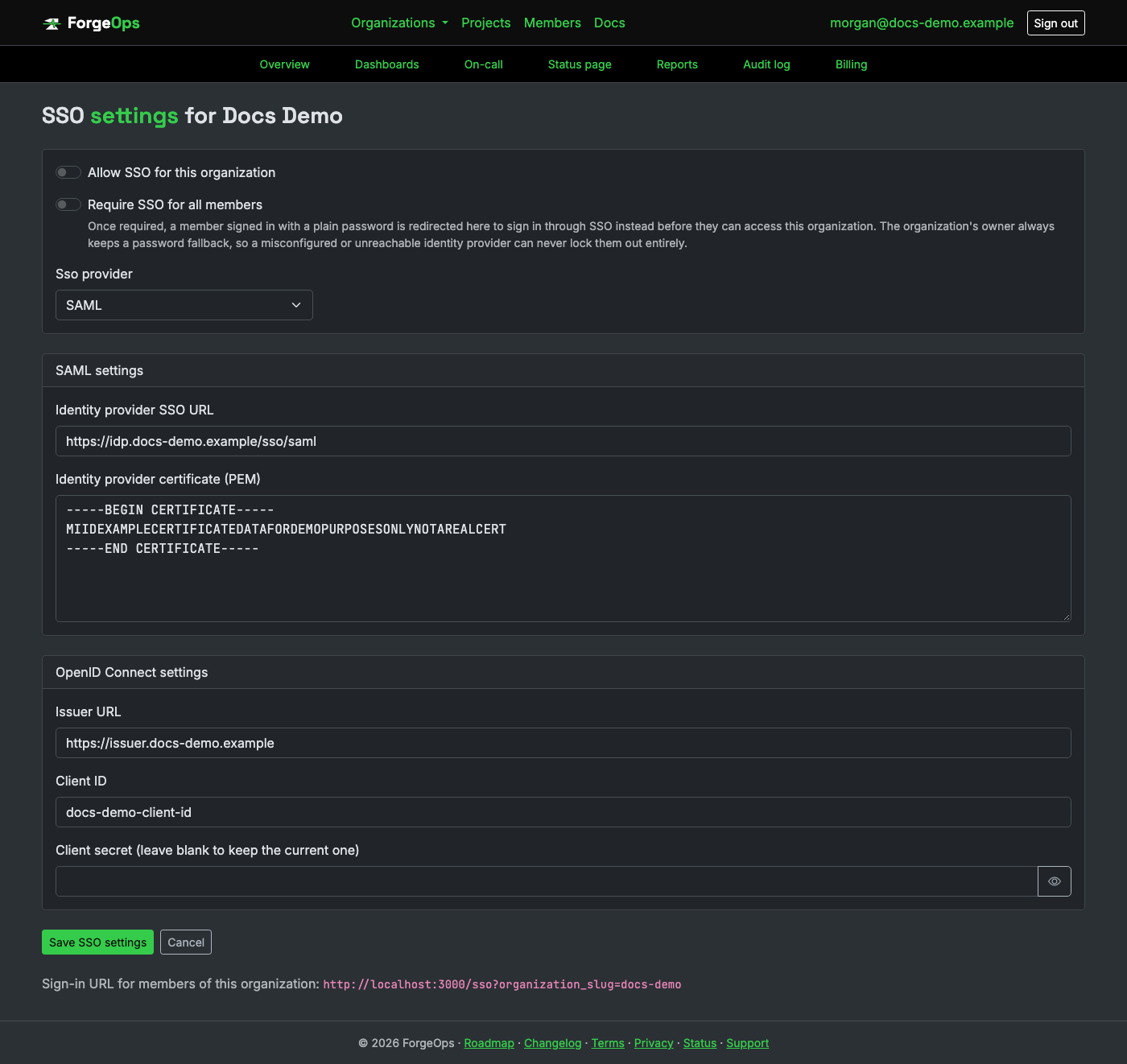
If you already have a ForgeOps account under the same email your IdP will assert, SSO login won't automatically attach itself to that existing account; that's deliberate, not a bug: it stops anyone who can configure an organization's SSO from being able to sign in as someone else's existing account just by asserting their email. Instead, sign in normally with your password first, then use the "Connect via SSO" button on the organization's overview to link SSO to your account while you're already authenticated.
SCIM provisioning
SSO above is about authentication: proving who someone is when they sign in. SCIM is a separate thing, provisioning: automatically creating, and later deactivating, accounts and organization access based on what your identity provider (Okta, Azure AD, ...) says, with no manual invite or removal on this side at all. The two pair naturally but neither requires the other. Business plan and above.
An owner creates a SCIM token from Settings → SCIM, the same "shown once, never stored in the clear" treatment API tokens get, then enters it (along with the SCIM base URL shown on that same page) into the IdP's own SCIM app configuration as the connector's bearer token.
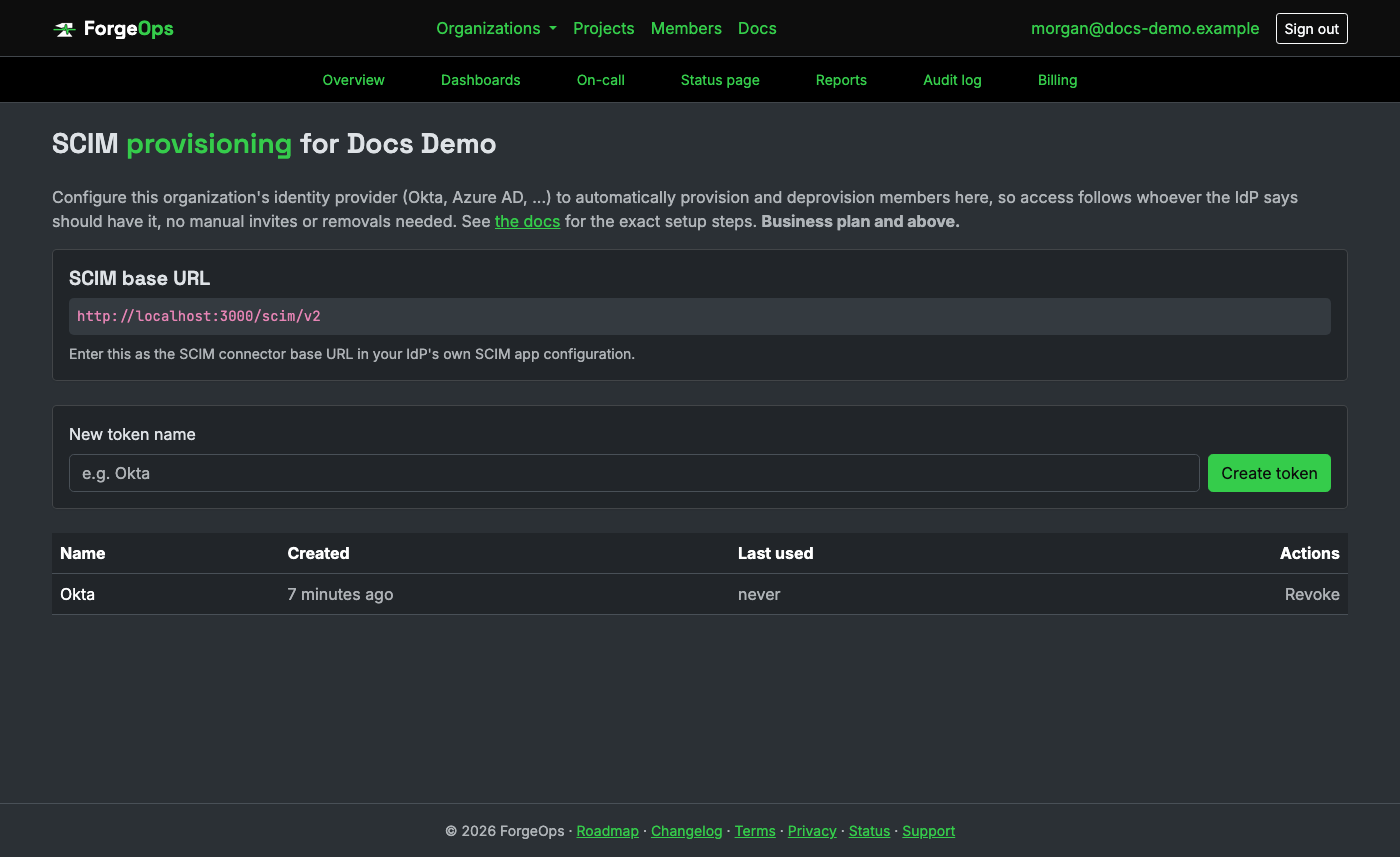
What's actually implemented (RFC 7644):
- Provisioning: a new SCIM user creates a ForgeOps account (if one doesn't already exist for that email) and an immediately-active membership, member role, no invitation email.
- Deprovisioning: the IdP marking someone inactive deactivates their membership, revoking access to this organization right away. The account itself isn't deleted, and deactivating is reversible, either by the IdP re-provisioning them or by an admin clicking "Reactivate" on the organization's own Members page.
- Filtering:
GET /Users?filter=userName eq "...", the one filter shape virtually every IdP actually sends to check whether a user already exists.
Not implemented: Groups. This app's own role model (owner/admin/member/viewer) doesn't map cleanly onto arbitrary IdP-defined groups, so a provisioned member always starts at the member role; change it from the Members page same as any other member. Most real SCIM deployments, including plenty of production Okta/Azure AD setups, provision Users only for exactly this reason.
Slack settings
An owner can set one default Slack webhook URL for the whole organization, from Settings → Slack. It's a convenience, not a live setting a project's rules point at: creating a brand-new Slack notification rule on any project pre-fills its target with this default, already editable at that point, and updating the organization's default afterward never changes a rule that already exists.
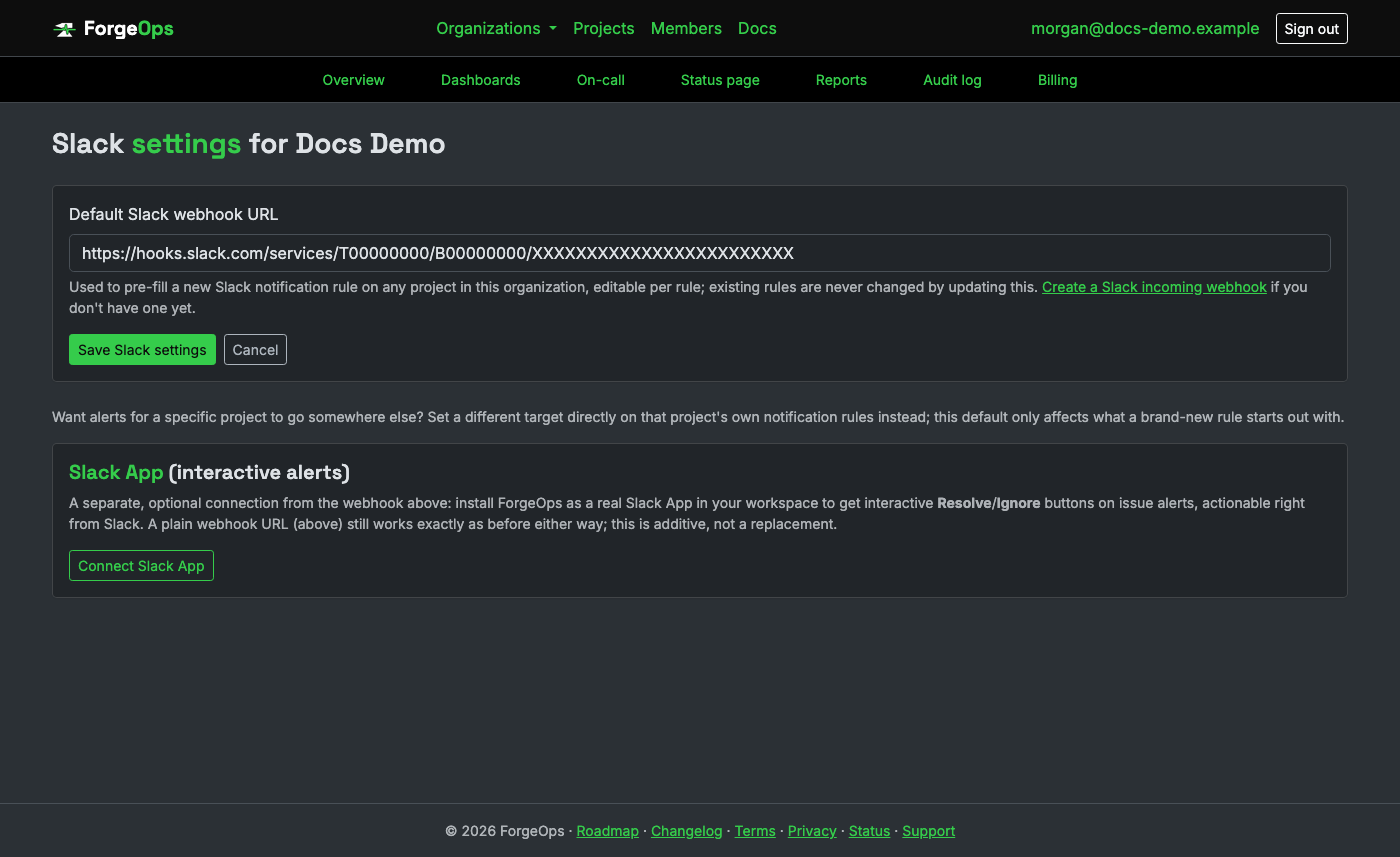
Need a project's alerts in a different channel than the rest of the organization? Set that project's own notification rule target directly (see Notification rules above); it always wins over this default. Only an owner can change this setting, same restriction as SSO settings and billing.
Slack App (interactive alerts)
A separate, optional connection from the webhook default above: an owner can connect ForgeOps
as a real Slack App to the organization's workspace, a one-time OAuth install from this same
page. Once connected, pointing a Slack notification rule's target at a channel name (e.g.
#alerts) instead of a webhook URL delivers through it, with real
Resolve/Ignore buttons on issue-triggered alerts. Disconnecting
stops delivery for any rule still targeting a channel until reconnected; existing webhook-URL
rules are entirely unaffected either way.
Teams settings
Unlike Slack, there's no one-click OAuth install for adding a bot to a specific Teams channel, so connecting a channel is a three-step process an owner does from Settings → Microsoft Teams:
- Download the app package (a manifest plus an icon, provided on that page) and sideload it into the target channel, from that channel's own "Manage app" → "Upload a custom app" menu in Teams.
- Generate a connect code from the same ForgeOps page, naming the connection (e.g. "Engineering").
- Type that code as a message to the bot in the channel it was just added to. ForgeOps learns the channel's conversation details at that moment, since there's no directory or API to look it up any other way; the connection shows as connected on the page from then on.
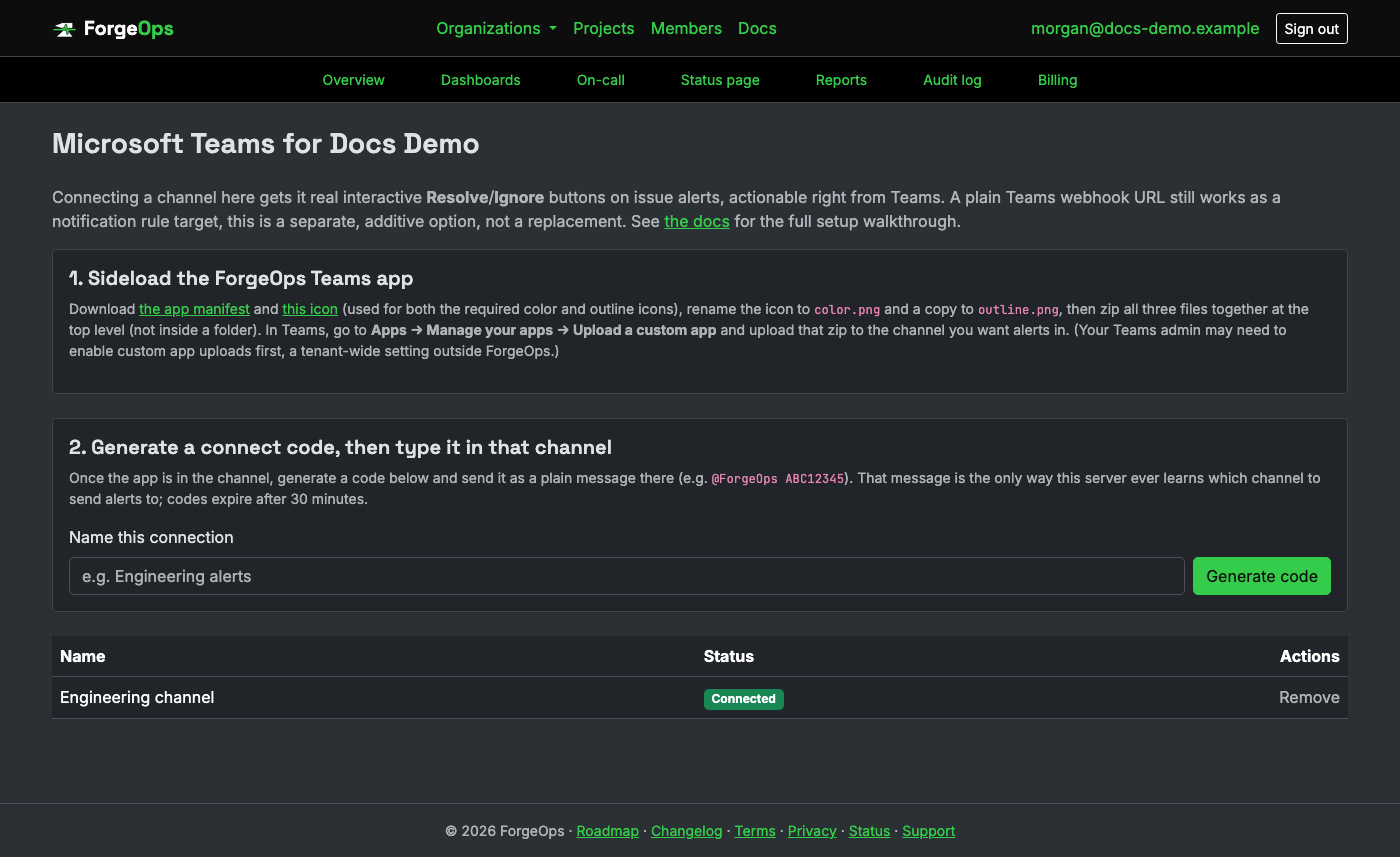
An organization can connect several channels this way. Once connected, a Teams notification rule can target any of them directly, with real Resolve/Ignore buttons on issue-triggered alerts, actionable right from Teams; a heartbeat or uptime alert through that same connection gets the "Investigate in ForgeOps" button alone. A connect code expires 30 minutes after it's generated if never used. Only an owner can manage these connections, same restriction as Slack settings and billing. No separate plan gate of its own: it's available wherever the Teams channel itself is, Pro plan and above.
Reports
A high-level, director-level overview of a chosen date range (the last 7, 30, or 90 days), for one project or every project in the organization combined. It's not another way to read individual issues: it's the numbers someone checking in periodically actually wants, in one place:
- New issues and total events: how much actually happened, not just how many issues exist.
- Tickets filed, overall and by tracker (Jira, ClickUp, GitHub, Bitbucket): how many issues turned into real external work.
- Downtime incidents, and total time down: every heartbeat that went missing in the window, and for how long, once it's back (a still-ongoing incident counts toward the total but isn't timed yet).
- Incidents detected: the error-rate incidents ForgeOps opened in the window, compared with the window before, with the average time to resolve, how many customers they affected, how many are still open, and a count by severity, the average time before an incident was acknowledged (also compared with the window before), and, for a report on all projects, how many of your projects had an incident and which had the most, with each one's worst severity and average time to acknowledge and to resolve. An incident stays open for as long as its errors are still running well above normal, so time to resolve is how long it was really failing. These are separate from downtime incidents, which are missed heartbeats and failed uptime checks.
- Events read from a connected tool: when a project has a read-only connection, how many of the window's events came through it rather than from an SDK.
- Assigned issues by team member and exception type: who's dealing with what kind of problem, for any issue with real activity in the window, not just ones first seen in it.
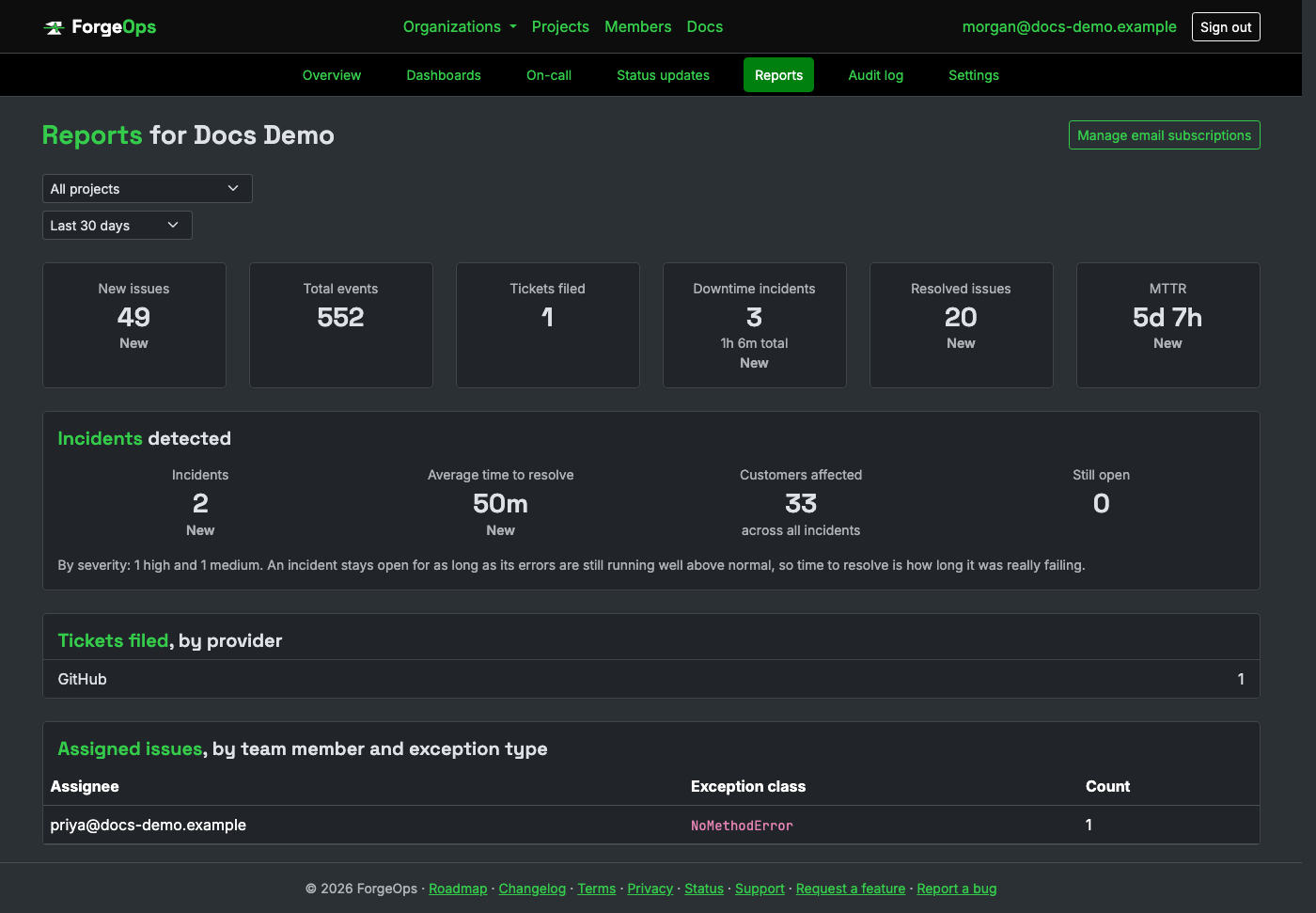
Reached from an organization's own page (the Reports card); admins and owners only, the same "director level or higher" audience this is built for. A plain member or viewer doesn't see it at all.
What's on which plan
Viewing a report on demand, any date range, is a Pro feature and up. Free doesn't get Reports at all. Having one delivered by email on a schedule is Business only; a Pro organization still sees the report page itself, just without the option to subscribe.
Scheduled email subscriptions
A Business organization can create any number of subscriptions from Manage email subscriptions on the report page: one per project, one for all projects combined, or any mix. Each has its own date range and schedule: daily, or a specific day of the week (weekly) or day of the month, 1st through 28th (monthly), at whatever hour of day you choose. The email goes to whichever account created the subscription.
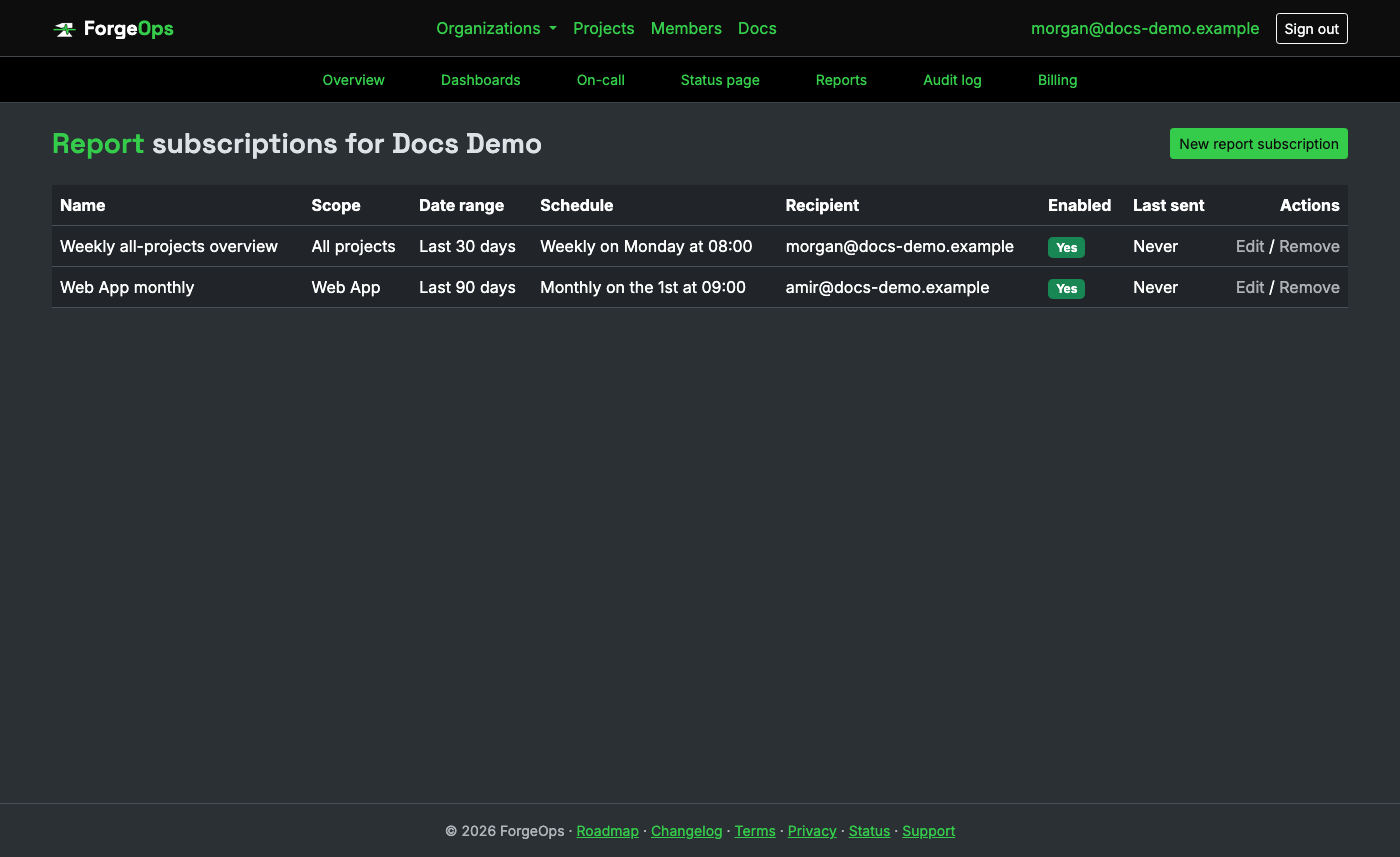
Disabling a subscription (rather than deleting it) keeps its schedule and date range saved, ready to turn back on later. "Last sent" shows the most recent time it actually went out.
What the email itself looks like
Real output for a real subscription, not a mocked-up example: the exact numbers and layout a "Weekly all-projects overview" subscription sends, generated the same way the notification email above is.
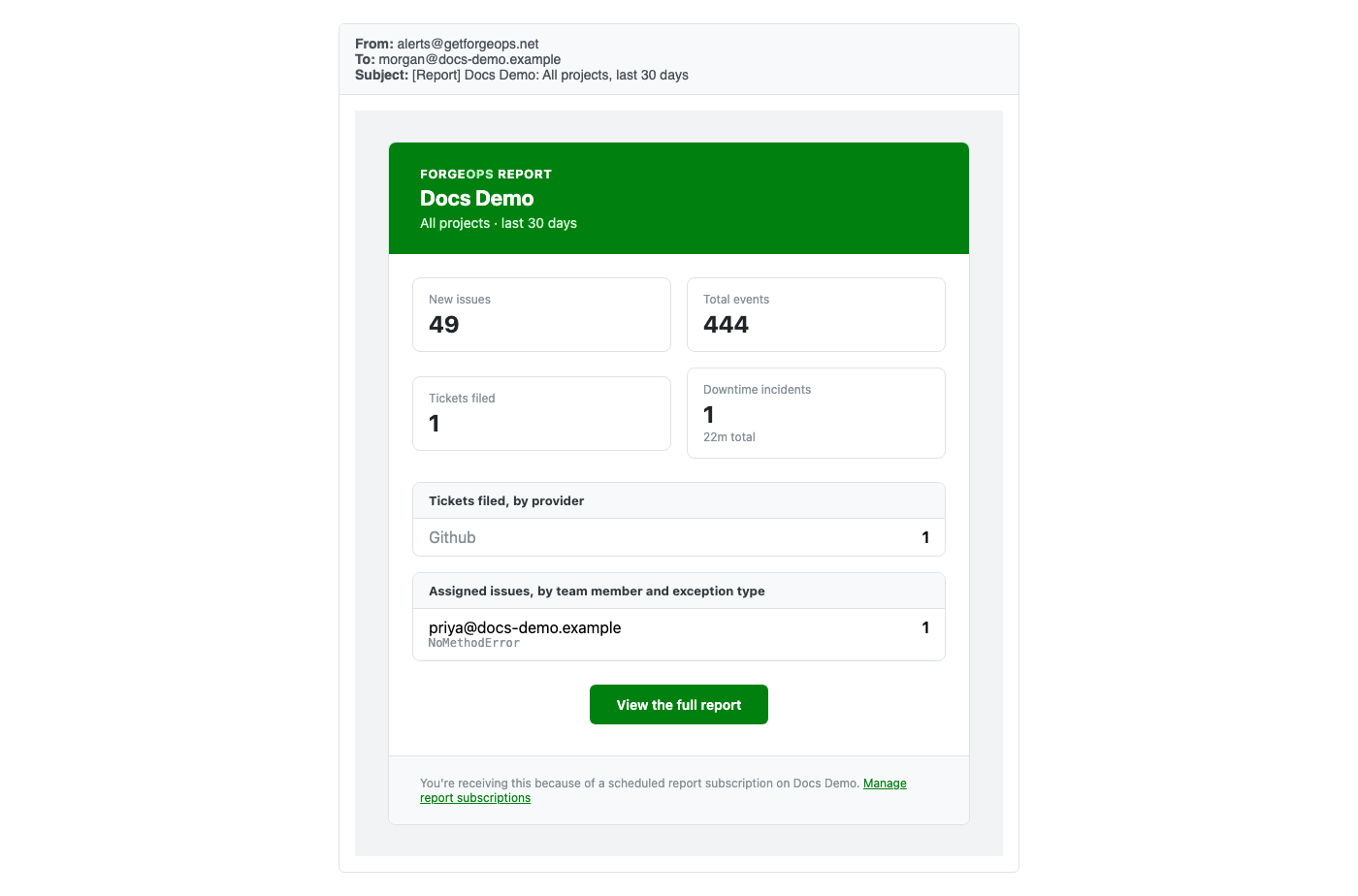
AI report narratives
An organization can turn on "Add an AI-written summary to reports" from the organization's own settings page, and every report from then on, on-demand or scheduled, opens with two to four plain sentences of prose restating what the numbers below it actually show: new issues, total events, tickets filed, downtime, and who's carrying what. It's the same numbers a reader would otherwise have to piece together from the tables themselves, written out once at the top.
It restates and contextualizes only the numbers it's given; it's never asked to claim a trend, a cause, or a comparison to a prior period, since a report doesn't compute one. This is the one AI feature gated at the organization level rather than per project, since a report can span every project at once. Business plan and above, its own separate monthly allowance from the other two AI features above; see Plans & pricing for the exact number on your plan.
API tokens
A read-only API for querying issues and projects programmatically, across every project in an organization at once, distinct from the raw ingestion API above: that one only ever writes new events in, this one only ever reads existing data back out. Nothing this authenticates can create, update, or delete anything. Business plan and above.
An owner creates tokens from Settings → API tokens. The raw token is shown exactly once, at creation, the same "shown once, never stored in the clear" treatment two-factor backup codes get; only its digest is ever persisted. Revoking a token takes effect immediately.
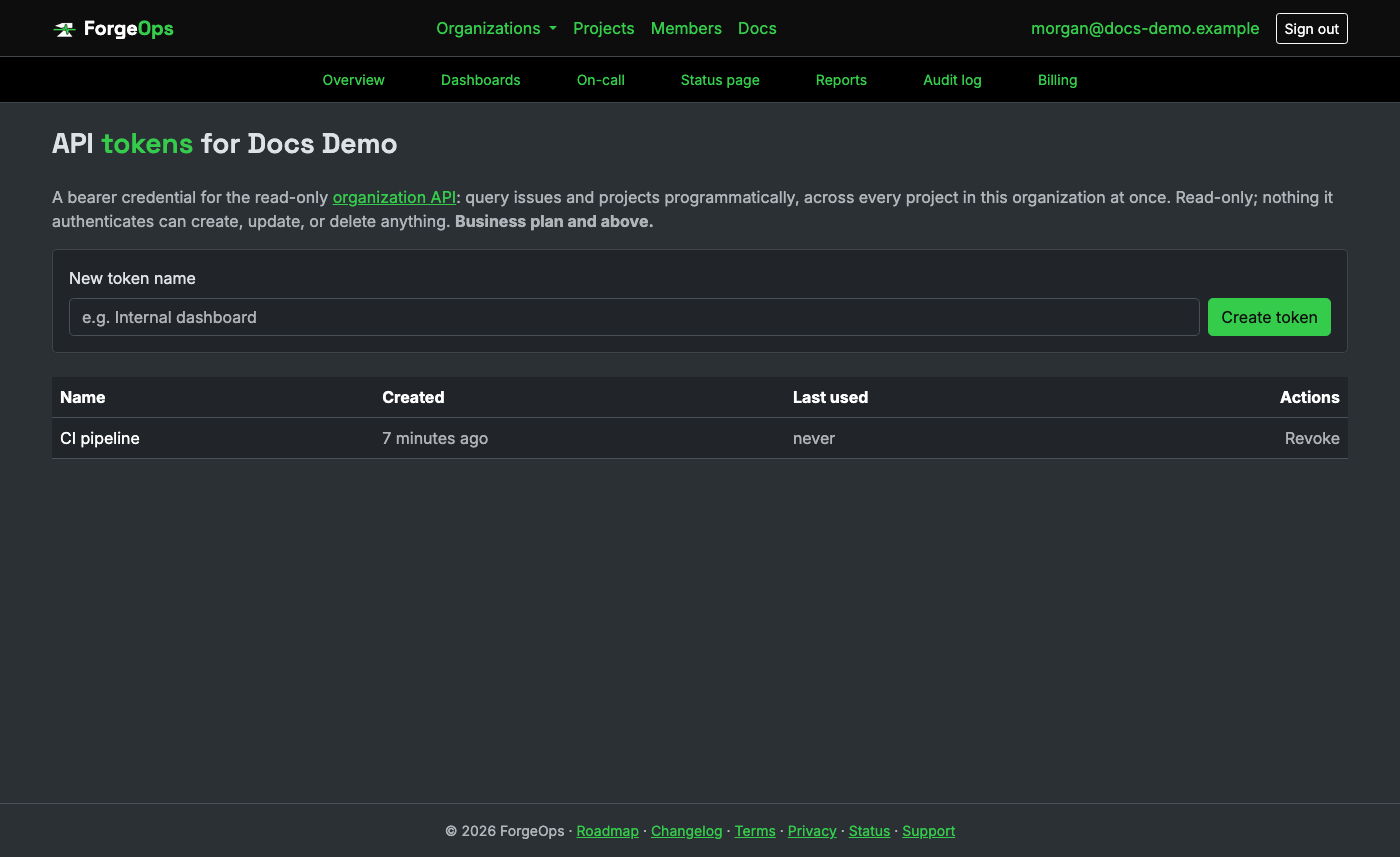
Every request needs the token as a bearer credential:
curl https://getforgeops.net/api/v1/issues \
  -H "Authorization: Bearer <api_token>"
GET /api/v1/issues: every issue in the organization, most recently seen first. Optionalproject_idandstatusquery params narrow it further, the same filters the issues page itself offers.GET /api/v1/issues/:id: one issue, with its 20 most recent events embedded.GET /api/v1/projects: every project in the organization, with its current-period event count and effective quota.
GET /api/v1/issues is paginated: page and has_more in
the response body, 50 issues per page.
Management API
The write-capable counterpart to the read-only API above: create, update, and destroy projects, notification rules, escalation policies, dashboards, and on-call schedules programmatically, the same validations (plan limits included) the web UI itself enforces. Nothing an API token authenticates can reach this; it needs its own separate credential. Business plan and above for the API itself; an individual resource can still carry its own, stricter plan requirement (an escalation policy is Enterprise only, same as it is in the web UI).
An owner creates a management token from Settings → Management tokens, shown exactly once at creation, the same treatment an API token already gets. Every request body is a plain, flat JSON object, not nested under a wrapper key.
curl -X POST https://getforgeops.net/api/v1/management/projects \
  -H "Authorization: Bearer <management_token>" \
  -H "Content-Type: application/json" \
  -d '{"name": "Checkout Service"}'
GET /api/v1/management/projects: every project in the organization.POST /api/v1/management/projects: create one.namerequired;slugoptional, generated from the name otherwise.GET|PATCH|DELETE /api/v1/management/projects/:slug: fetch, update, or permanently destroy one project, addressed by its slug rather than a numeric id.GET /api/v1/management/projects/:project_slug/notification_rules: every notification rule on that project.POST /api/v1/management/projects/:project_slug/notification_rules: create one.trigger,channel, andtargetrequired (the same values the notification rule settings form itself offers);environment_filter,spike_threshold_count, andspike_threshold_window_minutesoptional.GET|PATCH|DELETE /api/v1/management/projects/:project_slug/notification_rules/:id: fetch, update, or destroy one rule on that project.GET /api/v1/management/projects/:project_slug/escalation_policies: every escalation policy on that project.POSTcreates one (name,trigger,escalate_after_minutes, and a primary/backup channel and target required; Enterprise plan only).GET|PATCH|DELETE .../escalation_policies/:idfetches, updates, or destroys one.GET /api/v1/management/dashboards: every dashboard in the organization (dashboards summarize across every project, so these aren't nested under one).POSTcreates one from just aname.GET|PATCH|DELETE .../dashboards/:idfetches, updates, or destroys one.GET /api/v1/management/dashboards/:dashboard_id/dashboard_widgets: every widget on that dashboard.POSTcreates one (title,dataset,display_type,aggregationrequired;group_byand afiltersobject optional, each checked against that dataset's own allowlist), always appended as its own row at the bottom of the grid.GET|PATCH|DELETE .../dashboard_widgets/:idfetches, updates (including repositioning withgrid_x/grid_y/grid_w/grid_h), or destroys one.GET /api/v1/management/on_call_schedules: every on-call schedule in the organization.POSTcreates a plain rotation (name,rotation_length_days,rotation_starts_at, and an orderedon_call_schedule_members_attributesarray of{"user_id": ...}); layers and overrides aren't available here yet, only through the web UI.GET|PATCH|DELETE .../on_call_schedules/:idfetches, updates (resubmit the full member list to reorder it, or include{"id": ..., "_destroy": true}to remove a slot), or destroys one.
A rejected create or update responds with 422 and an errors array of
plain-language messages, the same validation errors the web UI's own forms would show. A
request carrying a nested attribute (on-call schedule members) needs a real
Content-Type: application/json body; form-encoding doesn't round-trip an array of
objects the same way.
Triage API
A third, distinct credential from the two above: it can act on issues (resolve, ignore, reopen, mark in progress, assign, unassign, comment) but can't read or reconfigure anything else, the credential you'd hand to your own automation or AI agent to actually triage issues, without also giving it the read or management API's own reach. Business plan only.
An owner creates one from Settings → Triage tokens, shown exactly once at creation, the same treatment an API or management token already gets.
curl -X PATCH https://getforgeops.net/api/v1/triage/issues/123/resolve \
  -H "Authorization: Bearer <triage_token>"
PATCH /api/v1/triage/issues/:id/resolve,/ignore,/mark_in_progress,/reopen: change an issue's status.ignoretakes optionalsnooze_for(a preset window) orsnooze_after_more_events, the same choices the web UI's own Ignore control offers.PATCH /api/v1/triage/issues/:id/assign: requires auser_idfor an accepted member of the organization.PATCH .../unassignclears it.POST /api/v1/triage/issues/:issue_id/comments: post to the issue's own discussion thread. Requires abody; attributed to the token's own name, not a human, the same way a comment posted by an MCP agent is (see MCP server below).
Every action here is recorded in the organization's own audit log, attributed to the token by name, and rate-limited per token (60 requests/minute) since this is the one API surface in this app meant to be driven by autonomous agents, which can misbehave or loop in ways a typical human-driven integration doesn't.
Connected apps (OAuth)
The alternative to a triage token above for an app you didn't build yourself: a real OAuth 2.1 authorization server, so a client like Claude.ai's own "Connect apps" flow, or any other OAuth-aware MCP client, can register itself and ask an organization owner to approve access, rather than needing a token pasted into it by hand. Business plan and above.
A client that supports MCP's own discovery (starting from
/.well-known/oauth-protected-resource) finds everything it needs to register and
authorize itself with no manual setup at all. Approving a request happens on a real consent
screen: which organization the grant is for (only an owner's own organizations are offered),
and whether it's read-only or read-and-act, shown before anything's actually granted.
Every organization an owner has approved a client for shows up under that organization's Settings → Connected apps: the app's name, whether it can act or only read, who approved it, and when. Revoking one there takes effect immediately; there's nothing to create from this page itself, only to review and revoke, since a connection is always initiated by the client's own OAuth flow, never from inside ForgeOps.
MCP server
ForgeOps runs a remote MCP (Model Context Protocol) server, authenticated by the OAuth grants above, so an AI agent, Claude.ai included, can read and (if the grant allows it) act on an organization's issues directly, using the same underlying actions the triage and read APIs already expose, wrapped as MCP tools instead of raw HTTP endpoints. Business plan only.
Point an MCP client at the endpoint itself:
https://getforgeops.net/api/v1/mcp
Ten tools, gated by the connected app's own scope (see Connected apps above):
- Read-only:
list_projects,list_issues,get_issue,list_organization_members(whose ids are whatassign_issuebelow expects). - Read and act:
resolve_issue,ignore_issue,mark_issue_in_progress,reopen_issue,assign_issue,unassign_issue,comment_on_issue. Each one is the exact same model method a triage-API request or a teammate clicking the button on an issue's own page would call, not separate logic of its own.
A tool call made through a read-only grant against a write tool doesn't error out at the protocol level; it comes back as a normal, successful response with the tool's own result marked as an error, exactly the distinction the MCP spec itself draws between a malformed request and a tool that simply isn't allowed to run. Every write tool call is recorded in the organization's own audit log, attributed to the connected app by name, the same as a triage token's own actions are.
Dashboards
Reports gives every organization the same fixed summary; a dashboard is the customizable counterpart, built from whichever widgets are actually useful to your own team. An organization can have several, each its own arrangement, dragged and resized freely. Every plan includes some, from a handful on Free up through unlimited on Business and Enterprise; see Plans & pricing for the exact number on your plan.
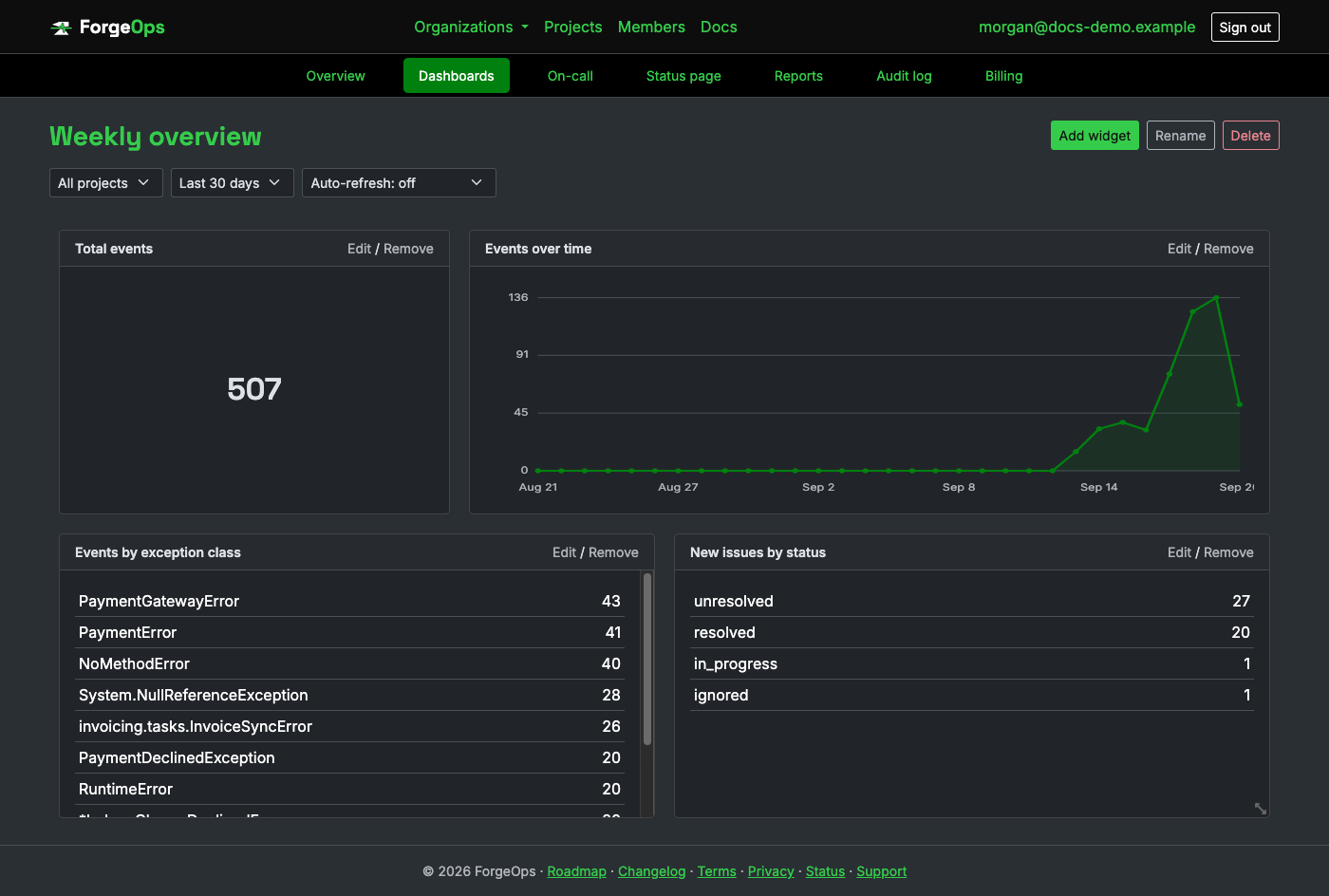
Every widget picks:
- A data source: events, new issues, performance samples, custom metrics, infrastructure metrics, heartbeat/uptime incidents, notification deliveries, tickets filed, or the audit log.
- Incidents is a data source too: count them over time, by severity, or by project; show their average duration or their average time to acknowledge; sum the customers they affected (the Sum aggregation); and filter them by State, typing
openorresolved. And events can be grouped or filtered by Source, which tells an SDK's errors from ones read through a read-only connection (those show asforgeops-import). - How to display it: a big number, a chart over time, or a table grouped by whatever dimension that data source offers (exception class, environment, status, assignee, and more, depending on the source).
- How to aggregate it: count, average duration, average time to acknowledge, sum, or average, whichever ones make sense for the data source picked; see the table below.
- Optional filters, specific to that data source (e.g. events by environment, issues by status).
Every big number is shown beside the period before. Under the figure is how it compares with the equally long window before the one you're looking at ("↓ 18% vs the period before"), so a number reads as a trend. It's colored green or red only for data where lower is plainly better (incidents, errors, issues, durations); for anything else, such as a custom metric that might be revenue or might be refunds, the change is shown without a color. A number filtered to open incidents has no comparison, since what's open now has no "before".
The Production health dashboard. The Dashboards page offers a ready-made view for whoever runs the team: incidents, average time to acknowledge, average time to resolve, and customers affected across the top, each beside the period before; then incidents by project and by severity; then incidents over time next to the ones still open. Add it with one click; if your organization already has one you're taken to it, and "Add another copy" makes a second only when you ask. It's built from ordinary widgets, so rearrange it or change any of them. A report answers "how did we do?" for a period that has ended; this answers "how are we doing right now?".
Any combination is valid: a chart of only staging events, a table of uptime incidents ranked by monitor, a single big number for average heartbeat downtime. A few starting points:
| Data source | What it covers | Widget idea |
|---|---|---|
| Events | Every raw exception occurrence, same data a project's issue list is built from. | A table grouped by exception class to see which error is loudest right now; a chart over time to spot a spike before it becomes a page full of tickets. |
| New issues | Distinct issues, counted the moment they're first seen (not every later occurrence). | A table grouped by status as a rough triage backlog: how many are still unresolved versus already handled. |
| Performance | Per-transaction request duration, reported by an SDK's own performance monitoring integration (see a language page for which ones support it). | A table grouped by transaction with an average-duration aggregation, to see which endpoint is actually slow right now; a chart over time of the same, to catch a regression the day it ships. |
| Custom metrics | Any named business metric an SDK reported explicitly (a signup, a payment, anything you called it). | A big number summing a "revenue" metric for the period; a chart over time of a "signups" metric to watch a launch's actual growth. |
| Infrastructure | CPU/memory/disk (or anything else) reported from your own servers by a small script on a cron/systemd timer. | A table grouped by host with an average aggregation, to spot the one box running hot; a big number averaging disk usage across the fleet. |
| Heartbeat incidents | Missed check-ins from a heartbeat-monitored scheduled job. | A big number averaging incident duration, a rough stand-in for how long a broken job typically goes unnoticed. |
| Uptime incidents | Downtime windows from an uptime monitor. | A table grouped by monitor to see which endpoint is the flakiest one, or a big number for its average incident duration. |
| Notification deliveries | Every alert this app actually attempted to send, whether it succeeded or not. | A table of deliveries filtered to a failed status, to catch a broken Slack webhook or an expired token before it silently stops alerting anyone. |
| Tickets filed | Issues that had an external ticket filed for them (Jira, Linear, and similar). | A table grouped by ticket provider, if more than one integration is in use, to see where volume is actually landing. |
| Audit log | Sensitive organization actions: role changes, SSO settings, billing events, and more. | A table grouped by user for a quick security/compliance pass over who changed what recently. |
The aggregation dropdown only ever offers the options that actually make sense for whichever data source is picked; the other two are hidden rather than left there to produce a meaningless result:
| Aggregation | What it computes | Available for |
|---|---|---|
| Count | How many rows matched, the plain row count. The default, and the only option for a data source with no real duration or numeric value of its own. | Every data source, every display type. |
| Average duration | The average time something actually took: an incident's start-to-resolution time for heartbeat/uptime, or a request's own duration for Performance. | Only heartbeat incidents, uptime incidents, and Performance, since only those three measure a real duration. Never offered for a chart over time: there's no meaningful "average duration per day" trend computed for this today. |
| Sum / Average | Adds up, or averages, the actual numeric value each row reports, not just a count of how many there were: a total or a mean. | Only Custom metrics and Infrastructure, the two data sources where every row carries a real number (a metric's own value) to sum or average in the first place. Available for a chart over time too, unlike average duration: a revenue- or signups-by-day trend is a genuinely useful chart. |
A table widget also needs a dimension to group by (exception class, transaction, host, and so on, depending on the data source); a big number has nothing to group by, since it's a single aggregate over the whole scope; a chart over time always groups by day instead, so grouping isn't a separate choice there either. Performance, Custom metrics, and Infrastructure each require a plan that includes them; see Plans & pricing for which plans do.
The builder form live-previews the widget as you change any of these, so there's no save-and-check-the-result loop:
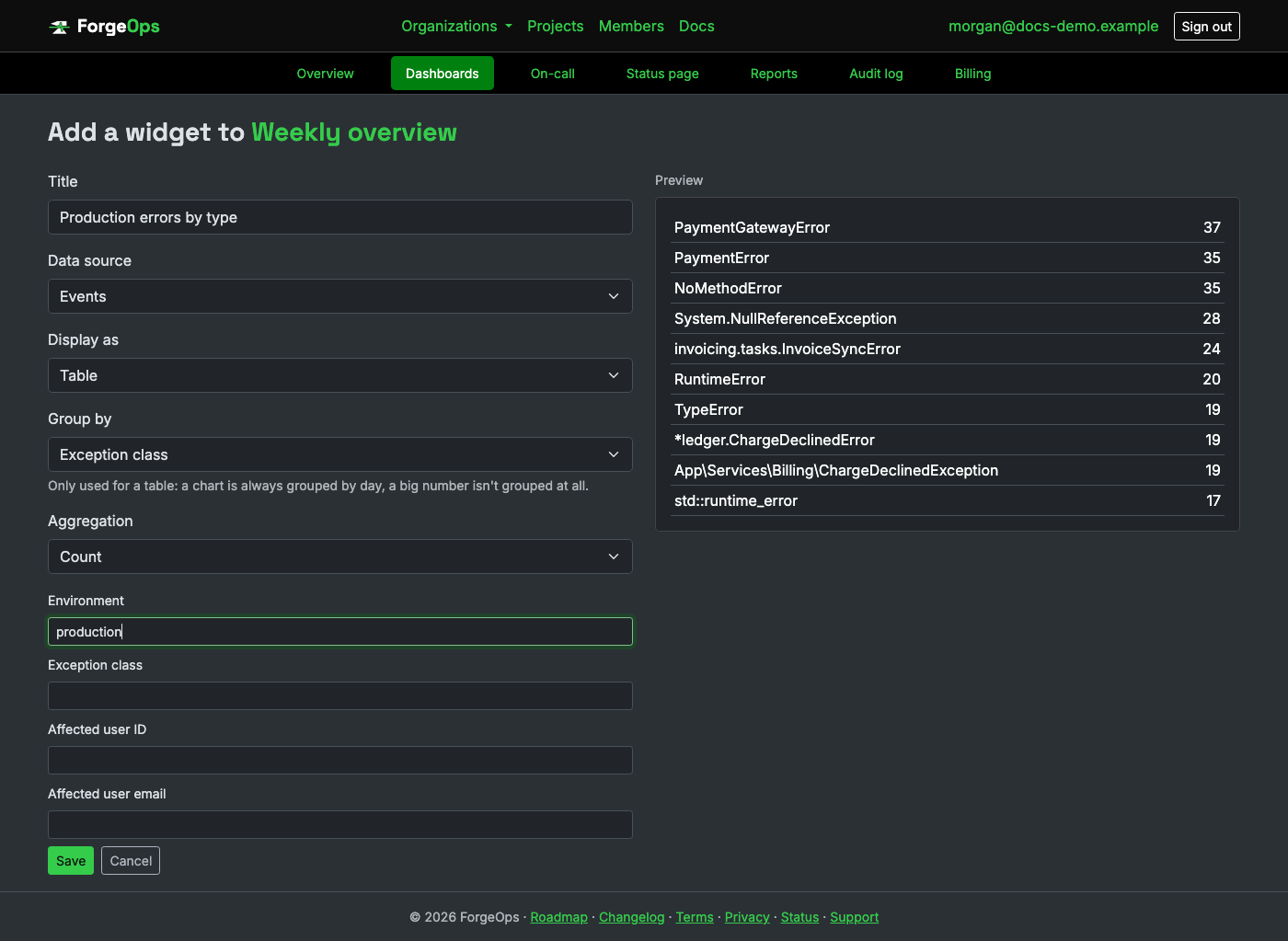
A dashboard also has its own project and date-range filters at the top, applied to every widget on it at once: switching them is just picking a different view, nothing is saved until you actually rearrange or add/remove a widget. A widget's numbers are computed fresh every time the page loads or a filter changes; there's no auto-refresh while it just sits open, so reload (or nudge a filter) for anything that happened since. An admin can build and rearrange; a viewer sees the exact same dashboard, read-only.
Billing
Every organization is on exactly one plan (Free by default), which sets the defaults for event quota, retention, team size, and whether SSO is available at all, managed by an owner from Settings → Billing.
A new organization starts with a 14-day Business trial, no card needed, so deploy tracking, performance monitoring, and tracing work on your own application from the start. A banner shows how many days are left. When the trial ends, the organization moves to the plan it's paying for (Free unless you've upgraded): issues and incidents stay, Business-only features stop recording, and anything Business ran on a schedule, like uptime checks, is paused rather than deleted. Each person gets one trial.
After a trial or a downgrade, an organization can have more projects or members than its plan allows. Nothing is removed. The plan's number of projects stay active (the busiest, until an owner chooses on the Projects page) and the rest are paused: they keep everything they have, their pages still open, and what their SDKs send is accepted but not recorded. Over the member limit, everyone can still look, but only owners can make changes. Upgrading, or getting back under a limit, puts everything back as it was. Data your plan doesn't cover is still accepted when an SDK or pipeline sends it (the response says it wasn't recorded and links to upgrading), so a working setup never looks broken.
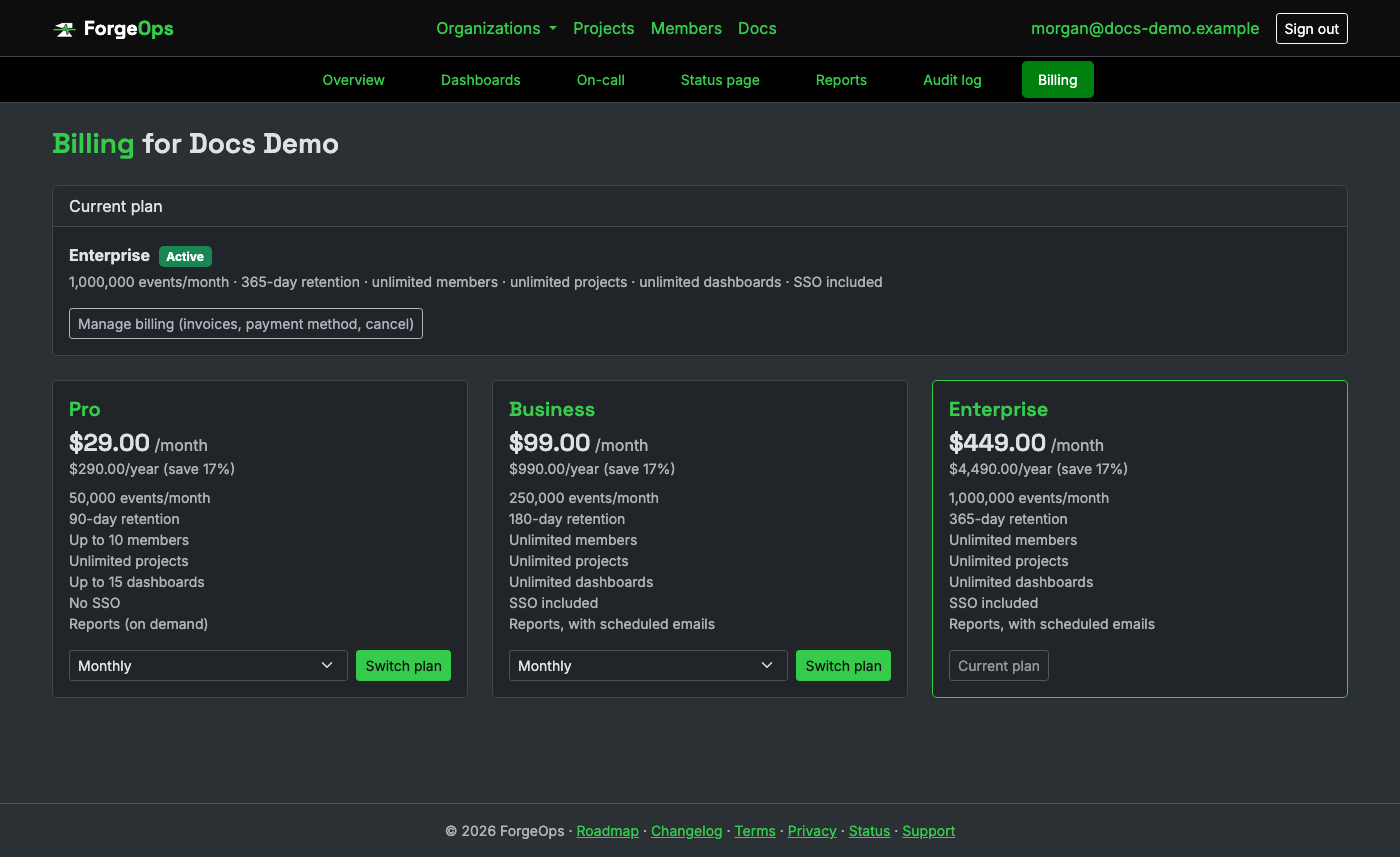
Upgrading or switching plans goes through Stripe Checkout; managing an existing subscription (payment method, invoices, cancelling) goes through Stripe's own hosted billing portal; this app never sees or stores your card details itself. A project or organization's own quota/ retention settings (see Projects above) are overrides on top of the plan's defaults, not a separate limit; leave them unset to just use whatever the current plan provides.
Only an owner can change plans or open the billing portal, same restriction as SSO settings and deleting the organization.
Deleting things
Both organizations and projects can be permanently deleted by an owner, from the "Danger zone" at the bottom of their respective Settings pages. Both require typing the exact name before the delete button enables; there's no undo, no recycle bin, and no grace period. Deleting an organization removes every project, issue, event, and membership inside it; deleting a project removes every issue and event it's recorded, but leaves the rest of the organization untouched.