Unity (C#) error tracking
Know when your Unity (C#) app breaks, before your users do
ForgeOps connects the errors your Unity (C#) app reports to the deploys, traces, and changes around them, so when production breaks, the incident already says who's affected, what changed, and where to look.
Any uncaught managed exception is reported automatically, once ForgeOpsTrackerClient.Init has run. Running on ForgeOps' own dedicated infrastructure, so nothing about a Unity (C#) app's errors or its users' data gets routed through a third-party error-tracking vendor. See an incident investigated →
Install
// Packages/manifest.json (or Window > Package Manager > + > Add package from git URL)
{ "dependencies": { "com.forgeops.tracker": "https://github.com/Luke-Popwell/forge-ops-tracker-unity.git" } }

using ForgeOpsTracker.Unity;
ForgeOpsTrackerClient.Init(c => {
    c.Dsn = "https://<api_key>@getforgeops.net/api/v1/events";
});
A true native crash in IL2CPP-compiled code needs a separate native crash layer this package doesn't cover yet. This package has been compiled and tested against a stand-in for the Unity API, but not yet run inside a real Unity Editor, so try it in a scratch project before shipping it in a game.
Every client reports the same shape
Wherever it comes from, an event arrives with an exception class, a message, and a backtrace, plus whatever environment/release/server context that client can gather on its own. ForgeOps fingerprints and groups on the first three, so a Unity (C#) app's issues list works exactly the same way every other language's does: report the same bug a thousand times and it's still one row, not a thousand.
No agent, no sidecar: it's a plain HTTPS POST to ForgeOps' own ingestion API, so nothing about a Unity (C#) app's traffic gets routed through a third-party pipeline first.
Works with your framework
The Unity (C#) client hooks in at the framework level, not by wrapping individual calls, so nothing about how you already write Unity (C#) code has to change.
Uncaught managed exceptions
Application.logMessageReceivedThreaded catches whatever the player loop's own try/catch already logs as LogType.Exception.
Background-thread exceptions
AppDomain.UnhandledException covers a thread your own game code started, one Unity's player loop doesn't already protect.
Caught exceptions
ForgeOpsTrackerClient.CaptureException reports directly from a catch block, with optional context.
What it looks like
The issue list
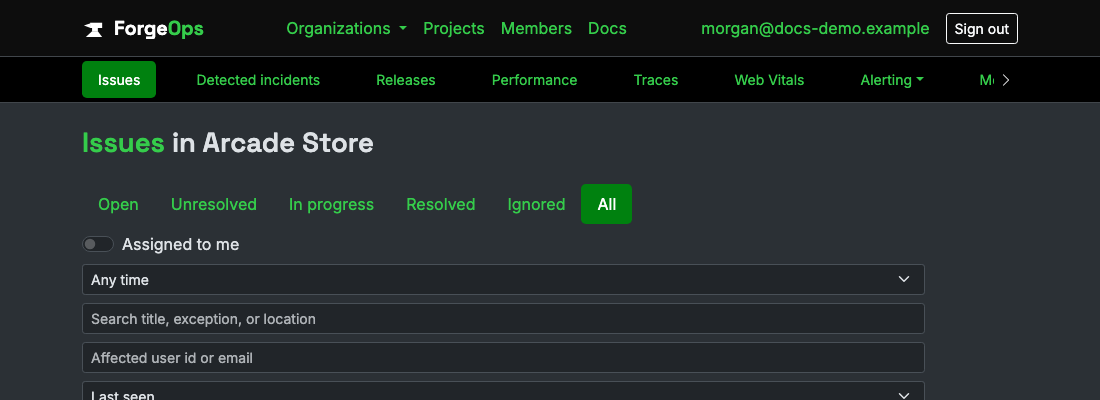
Every Unity (C#) issue reported into a project shows up here: title, status, assignee, event count, and when it was last seen, the same columns as any other language's project.
The issue detail
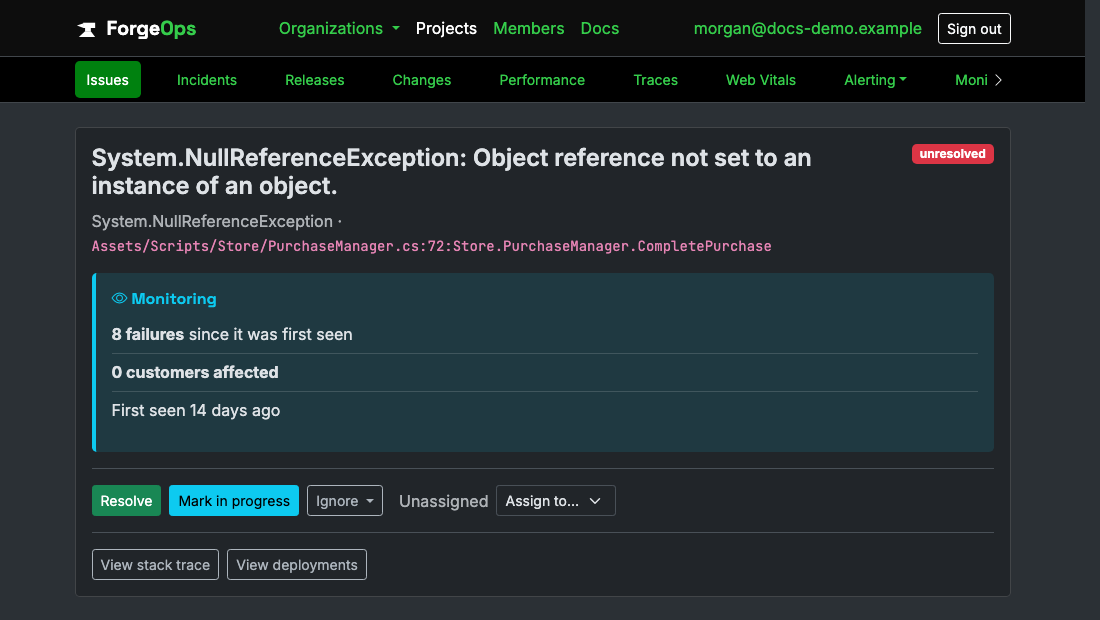
Every occurrence keeps its own timestamp, environment, release, and server, plus the backtrace exactly as Unity (C#) reported it, expandable per occurrence rather than flattened into one generic stack.
Alerting
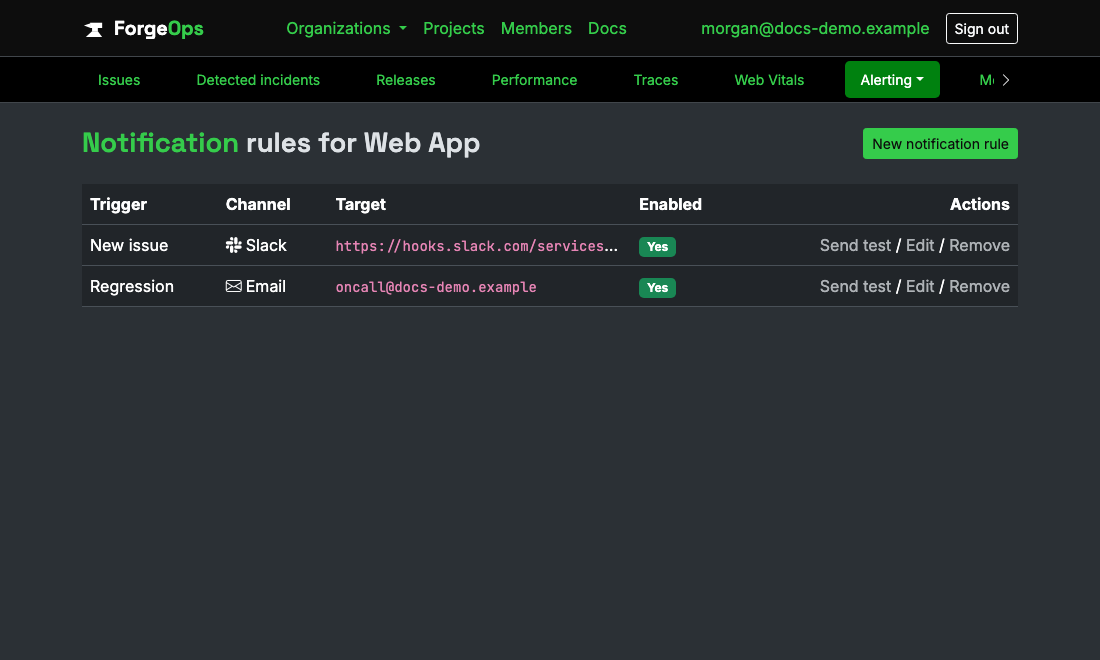
A new Unity (C#) issue, a regression, or a spike past a threshold you set can reach Slack, Microsoft Teams, email, PagerDuty, Opsgenie, or a generic webhook, configured per project, per trigger.
Heartbeats
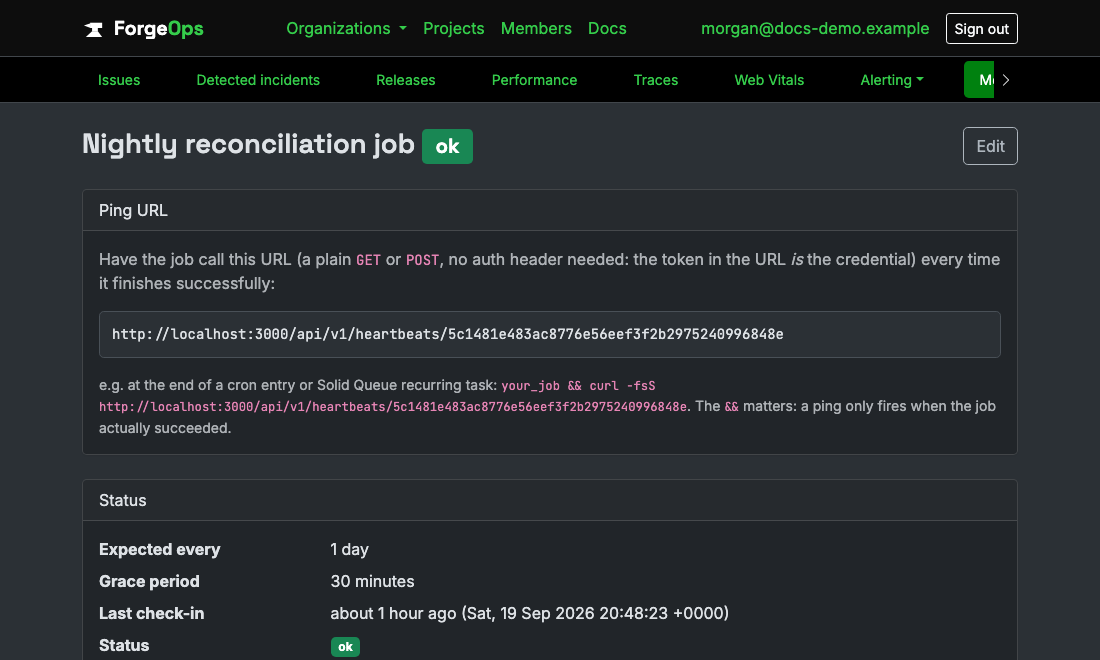
For the failure mode error tracking can't see on its own: a Unity (C#) cron job or recurring task that's supposed to run but silently stopped. Each heartbeat gets its own ping URL and its own grace period before it alerts.
Performance monitoring
Times whatever you wrap and reports one small aggregate per transaction, flushed on Configuration.PerformanceFlushIntervalSeconds, never one network call per timed call. This client has no web framework integration, so nothing is timed automatically: you choose what to wrap. Keep transaction names low-cardinality ("Level1.Load", not one per item id), since every distinct name is its own row. Safe to call from any thread. Turn it off with TrackPerformance = false. There is no thread and no timer: a UnityWebRequest can only be started from Unity's main thread, so the driver's Update decides each frame whether an interval has elapsed, and delivery happens on its next Update. A flush requested as the app is suspended or quit will not be delivered. Each report also carries a small latency histogram, so ForgeOps shows an approximate p50/p95/p99 per transaction, not just an average, accurate to the width of the latency bucket a duration falls into. Requires a plan that includes performance monitoring; on a plan that doesn't, the periodic reports are accepted but not recorded (the response says why), so a working setup never looks broken.
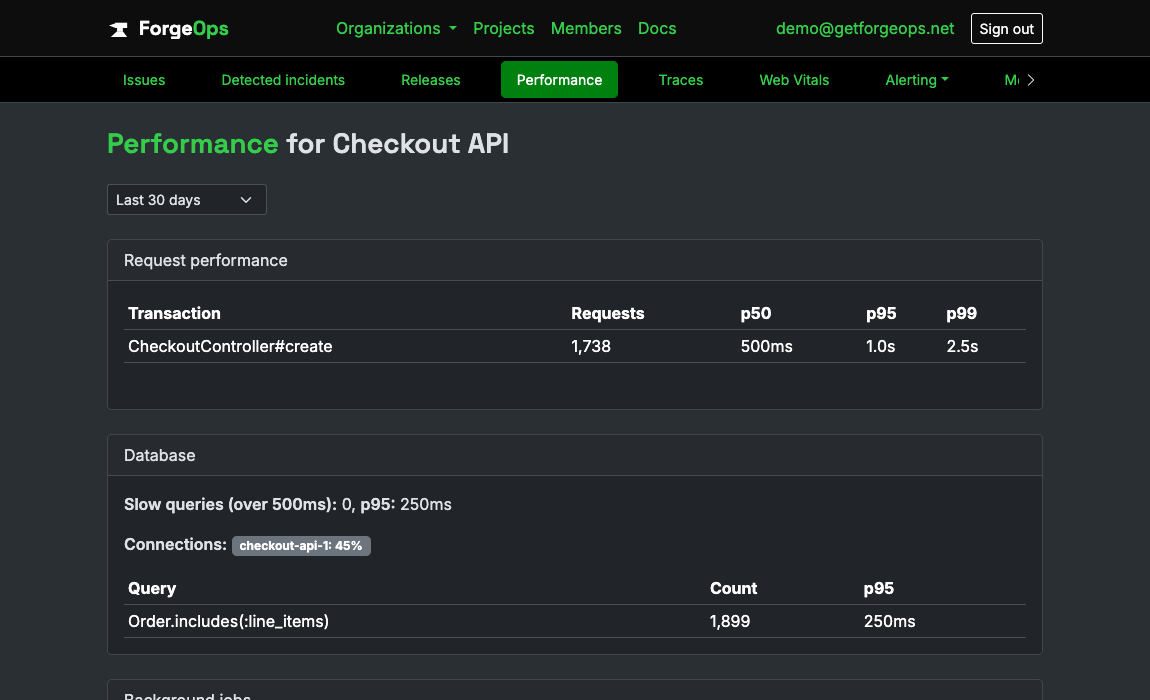
// A scope: recorded when it is disposed, even if the block throws.
using (ForgeOpsTrackerClient.StartTransaction("Level1.Load")) { LoadLevel(); }

// Or wrap a delegate, and keep its return value:
var save = ForgeOpsTrackerClient.TimeTransaction("Save.Read", () => ReadSave(path));

// Or record a duration you measured yourself, in milliseconds:
ForgeOpsTrackerClient.RecordPerformance("Shop.Open", elapsedMs);
Distributed tracing
One flow's own call tree, such as a level load, a save read, or a shop opening and what it triggered. Game code hops between the main thread and workers, so a trace is an explicit object you pass around, and disposing it finishes it, so a using block sends the trace even if the code inside throws. Only a slow flow's trace is ever sent: whether it crossed the threshold (one second by default, configurable) is decided entirely inside your app, so a fast flow costs nothing over the wire. Requires a plan that includes distributed tracing.
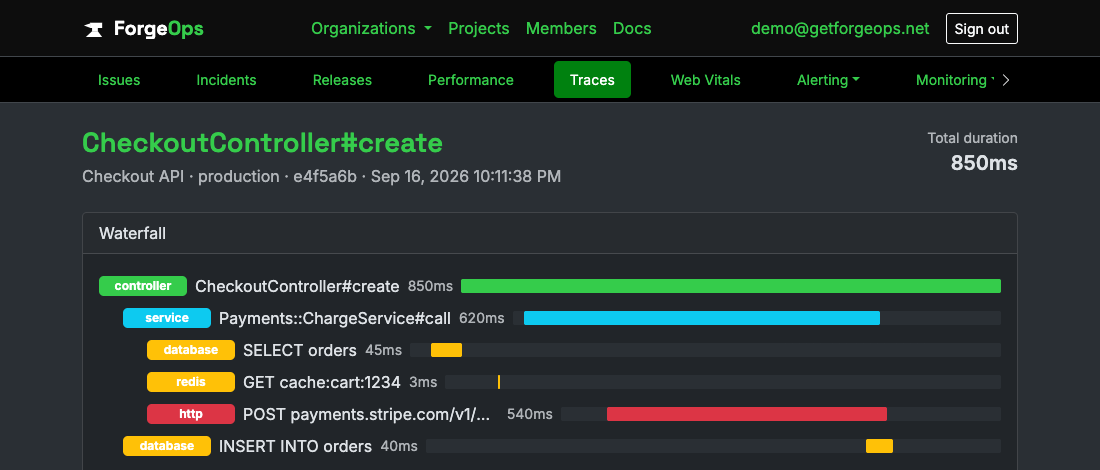
using (var trace = ForgeOpsTrackerClient.StartTrace("Level1.Load"))
{
    var save = trace.MeasureSpan("Save.Read", () => ReadSave(path), "service");
    using (trace.StartSpan("Assets.Load", "job", new Dictionary<string, object> { ["count"] = 12 })) { LoadAssets(); }

    // Something you timed yourself (kind is one of controller/service/database/redis/http/job/other):
    trace.RecordSpan("Shop.Fetch", "http", startedAtUtc, elapsedMs);
}
Start an HTTP span for a request made inside a trace and it's recorded as its own http span and hands you the standard traceparent header to add, so your backend's request nests under it: StartHttpSpan for a UnityWebRequest in a coroutine, MeasureHttpSpan for a blocking call. An error captured while the trace is open carries its trace id: with your backend on the current ForgeOps server SDK and the two projects linked in ForgeOps, the failed purchase shows the API error from the very same request. Limit which hosts get the header with TracePropagationTargets. Needs tag 0.9.0.
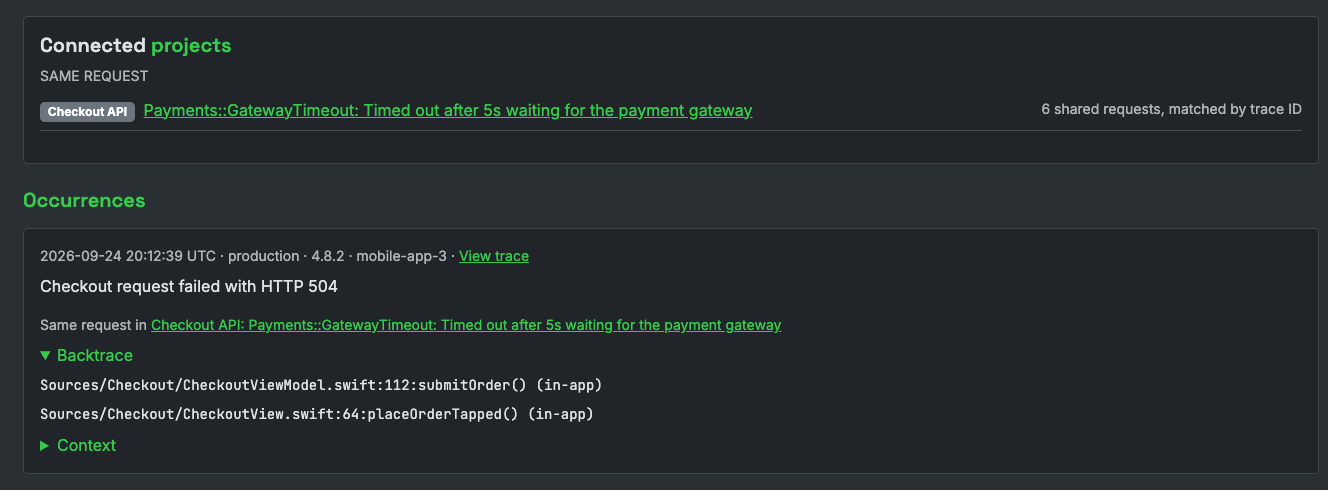
using (var trace = ForgeOpsTrackerClient.StartTrace("Shop.Purchase"))
using (var request = UnityWebRequest.PostWwwForm(url, ""))
{
    var span = trace.StartHttpSpan("POST", url);
    span.AddHeadersTo(request); // leaves a traceparent the request already has alone
    yield return request.SendWebRequest();
    span.Finish(new Dictionary<string, object> { ["status"] = (int)request.responseCode });

    if (request.result != UnityWebRequest.Result.Success)
        ForgeOpsTrackerClient.CaptureException(new Exception($"purchase failed: {request.error}"), trace: trace);
}
SQL in a request
When an error is captured inside a trace that ran database queries, its issue opens with the slowest of them: how long it took, its share of the trace's time, how many queries ran, and a likely N+1 warning when the same statement ran five or more times. Pass a query's SQL as statement on a database span (a local SQLite save database, say). The statement is masked before it leaves your device, every string and number replaced with a question mark, and the same SQL shows under that span's bar in the trace's waterfall. Needs tag 0.11.0, on a plan that includes distributed tracing.
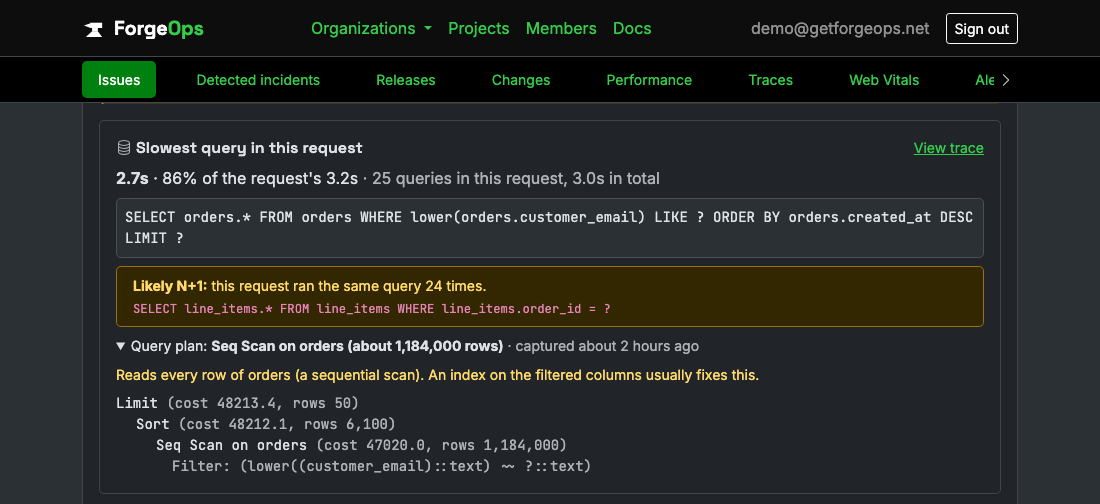
const string sql = "SELECT * FROM saves WHERE slot = 2 AND player = 'ana'";

using (var trace = ForgeOpsTrackerClient.StartTrace("SaveGame.Load"))
{
    var save = trace.MeasureSpan("Load save", () => db.Query(sql), "database", statement: sql, dbSystem: "sqlite");
    Apply(save);
}
// Sent as "SELECT * FROM saves WHERE slot = ? AND player = ?"
What changed
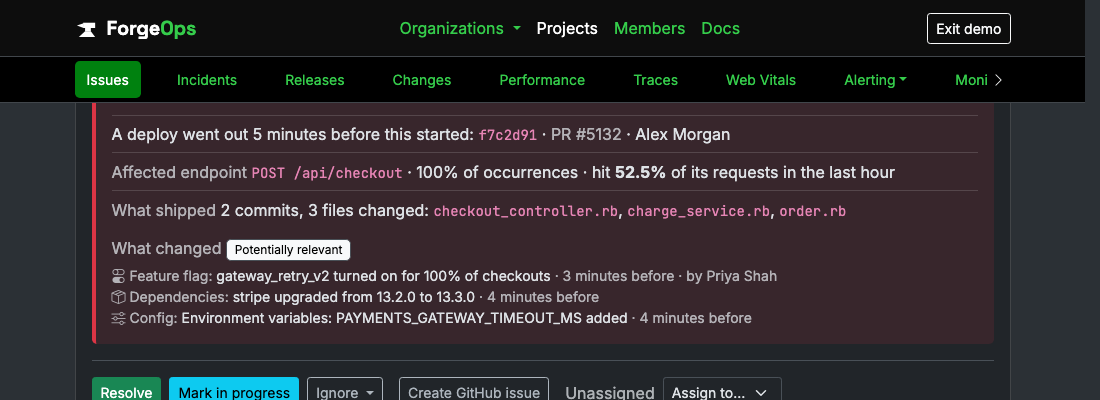
When a feature flag flips, a remote config value changes, or a new content catalog rolls out, record it from your remote config callback, and it shows under What changed on any issue that starts in the next two hours, and on the project's Changes page beside your builds, labeled potentially relevant, never as the cause. It's queued and sent from the driver's next Update, safe to call from any thread, and never throws. A game build has no reliable picture of what changed since its last launch, so every change is one you record. Needs tag 0.10.0, on a plan that includes change tracking.
using System.Collections.Generic;
using ForgeOpsTracker.Unity;
using UnityEngine;

public class RemoteConfigListener : MonoBehaviour
{
    // Wire this to your remote config client's change callback
    public void OnShopFlagChanged(bool enabled)
    {
        ForgeOpsTrackerClient.RecordChange(
            "feature_flag",
            enabled ? "Enabled new shop" : "Disabled new shop",
            new Dictionary<string, object> { ["flag"] = "new_shop", ["to"] = enabled },
            actor: "remote-config");
    }
}
Custom metrics and infrastructure monitoring
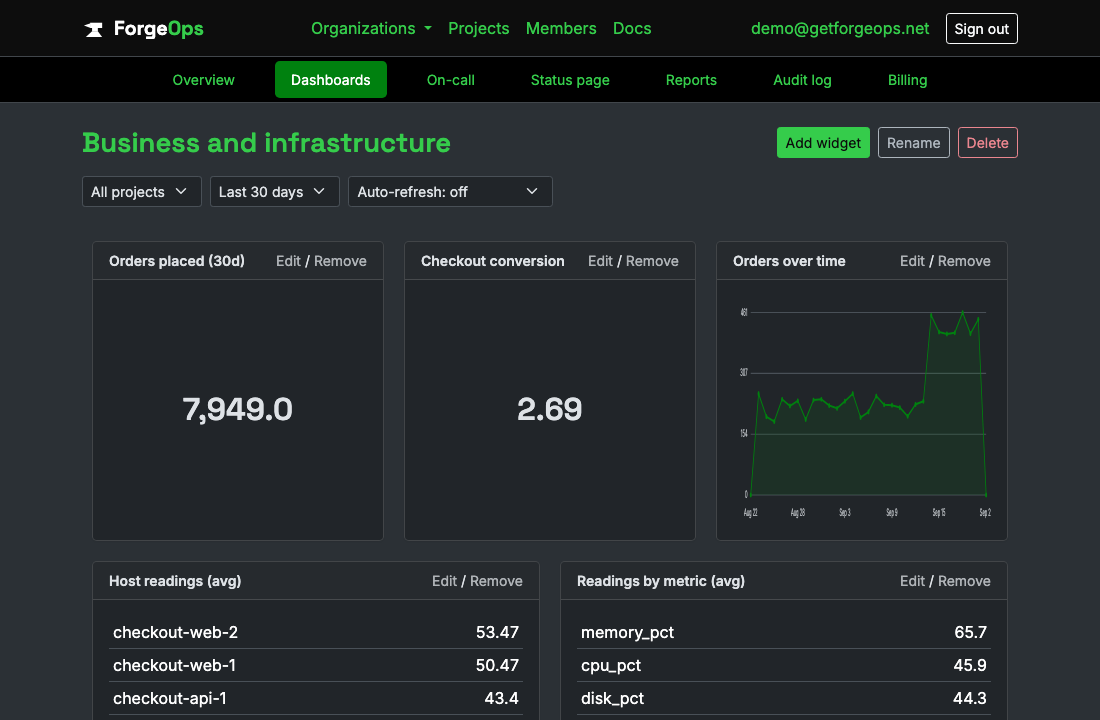
Track a business event you name yourself (a signup, a payment) or a reading from one of your own hosts, with one explicit call each; nothing is automatic. The value defaults to 1, so a bare call is a counter; pass a real amount for anything else (it can be negative, for a refund). A captured value is stored as its own row, so counts and sums you compute later are exact. Calls are buffered and flushed as one batch in the background, so they are safe to make inside a request, and FlushMetrics sends whatever is buffered right now. The hostname of a reading defaults to one derived from the device. Requires a plan that includes custom metrics and infrastructure monitoring.
ForgeOpsTrackerClient.CaptureMetric("purchase");                 // value defaults to 1: a bare counter
ForgeOpsTrackerClient.CaptureMetric("iap_revenue", 4.99);        // a real magnitude; it may be negative (a refund)

ForgeOpsTrackerClient.CaptureInfrastructureMetric("frame_ms", 16.4);              // hostname defaults to ServerName
ForgeOpsTrackerClient.CaptureInfrastructureMetric("memory_mb", 812, "build-box-1");
ForgeOpsTrackerClient.FlushMetrics();                            // queue for delivery right now
Database errors
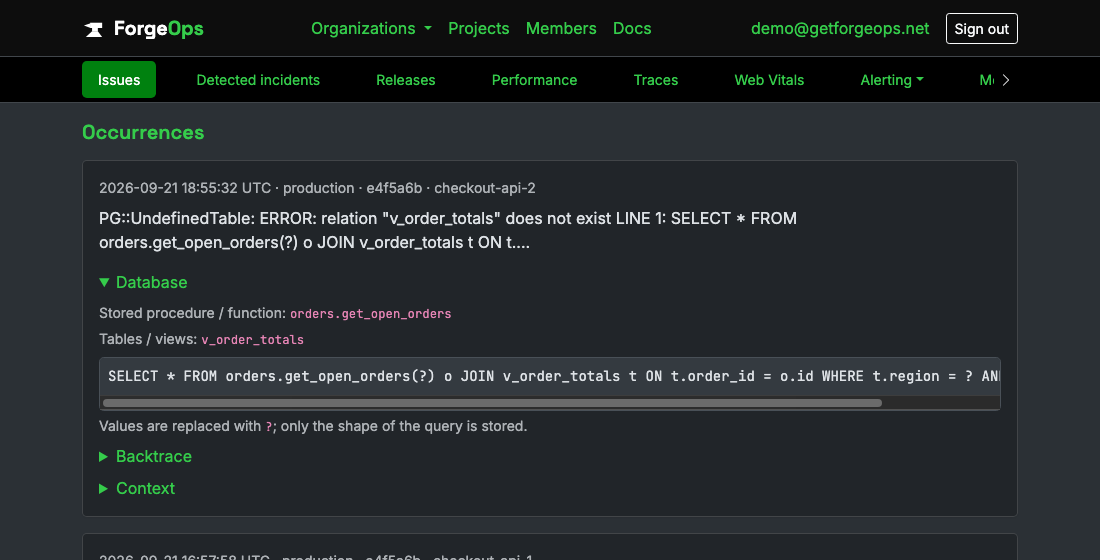
When an error comes from a database call, the issue shows which stored procedure, table or view its SQL touched, so you know where to start looking. A local database plugin's exception can carry the statement as a Statement, Sql or CommandText property, and any exception type can carry it if you attach it where you ran the query. The names are sent by default and are identifiers, never values. The SQL statement itself is opt-in, with every string and number replaced by a question mark before it leaves your app, and a project setting can stop ForgeOps storing the statement at all.
catch (Exception e)
{
    e.Data["forge_ops_sql"] = query;
    ForgeOpsTrackerClient.CaptureException(e);
}

// Opt in to also sending the masked statement (default false).
ForgeOpsTrackerClient.Init(c => c.CaptureSqlStatement = true);
Questions
Do I need to change how I already handle errors?
Almost never. Every client hooks the framework's own exception handling directly, the same way the install snippet above shows, so your own logs, error pages, and rescue blocks keep working exactly as they did before, and ForgeOps just also finds out about it. The one common exception is a background-job runner that doesn't forward through that same mechanism on its own; that needs one small hook added instead, not a change to anything already there.
Where does the data actually go?
Straight to ForgeOps' own ingestion API over plain HTTPS. No agent, no sidecar, and no third-party ingestion service in between, so nothing about your app's traffic or its users' data gets routed through anyone else's pipeline first.
What happens if the same bug fires a thousand times?
It's fingerprinted from its exception class, message, and backtrace, so a thousand reports of the same bug still show up as one issue with an event count of 1,000, not a thousand separate rows to dig through. And a runaway loop can't use up your monthly event quota: once one issue repeats faster than your plan's hourly limit (50 an hour on Free), further repeats are still counted, and still count toward spike alerts, but they aren't stored or charged to your quota.
Is anything scrubbed before it's stored?
Yes. Emails, credit card numbers, and known API key/token formats are redacted out of every event before it's even written, on every plan, with room for per-project custom field names on top of the defaults.
Try it with your own Unity (C#) app
Free plan included, no credit card required. New organizations start with 14 days of Business.
Get started freeGet