Bitbucket
File a real Bitbucket issue without leaving ForgeOps
Connect a repo with an App Password, then turn any issue into a real Bitbucket issue in one click, the same flow GitHub gets, built for Bitbucket's own auth.
- An App Password from your own Bitbucket account, not an OAuth consumer to register
- Same content as the GitHub integration: title, culprit, first/last seen, event count, backtrace, and a link back
- Requires the repository's own Issue Tracker feature to be turned on; Bitbucket rejects the request otherwise
- Optional: the same AI summary/priority/labels the GitHub integration offers, Business plan and up
App Password auth, the way Bitbucket itself expects it
Bitbucket's API authenticates App Passwords over HTTP Basic, username alongside the password, unlike GitHub's bearer-token personal access tokens, so a Bitbucket connection needs both fields filled in: your Bitbucket username, and an App Password generated in your own account settings with the Issues: Write permission.
Once connected (workspace/repo_slug, plus that username and App Password), the same "Create issue" button appears on every issue in that project, filing straight into Bitbucket's own Issue Tracker.
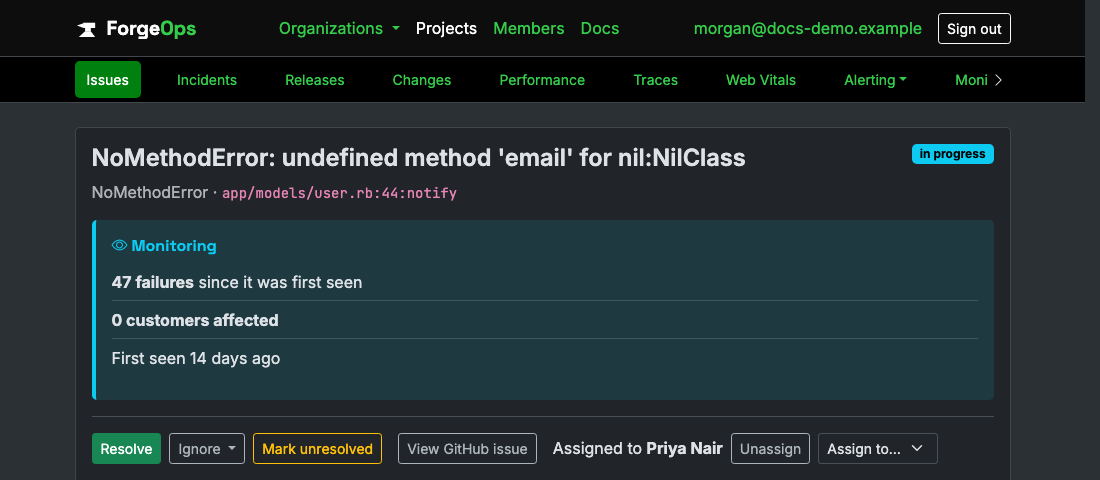
The same action row as Resolve/Ignore/Reopen, once a repo's connected.
See it with your own alerts
Free plan included, no credit card required. New organizations start with 14 days of Business.
Get started freeGet