Agent access
Give your own AI agent real, scoped access, never a shared password
A dedicated write-only triage credential for your own automation, or a real OAuth 2.1 authorization server and MCP endpoint for Claude.ai and any other MCP-speaking client, each one an organization owner has to explicitly approve and can revoke immediately.
A credential scoped to exactly one job
A triage token can resolve, ignore, reopen, mark in progress, assign, unassign, and comment on issues, across the organization, and nothing else: it can't read a project's settings, and it can't reconfigure notification rules or dashboards the way a management token can. That's deliberate, the same reasoning that already keeps this app's read API and management API as two separate credentials rather than one: a token handed to your own automation or AI agent should never accidentally carry more reach than the one job it was actually created for.
Created from an organization's own Triage tokens page, shown exactly once at creation, the same "shown once, digest-only storage" treatment every token tier in this app already gets. Every action it takes is rate-limited per token and recorded in the audit log, attributed to the token by name, not a phantom human.
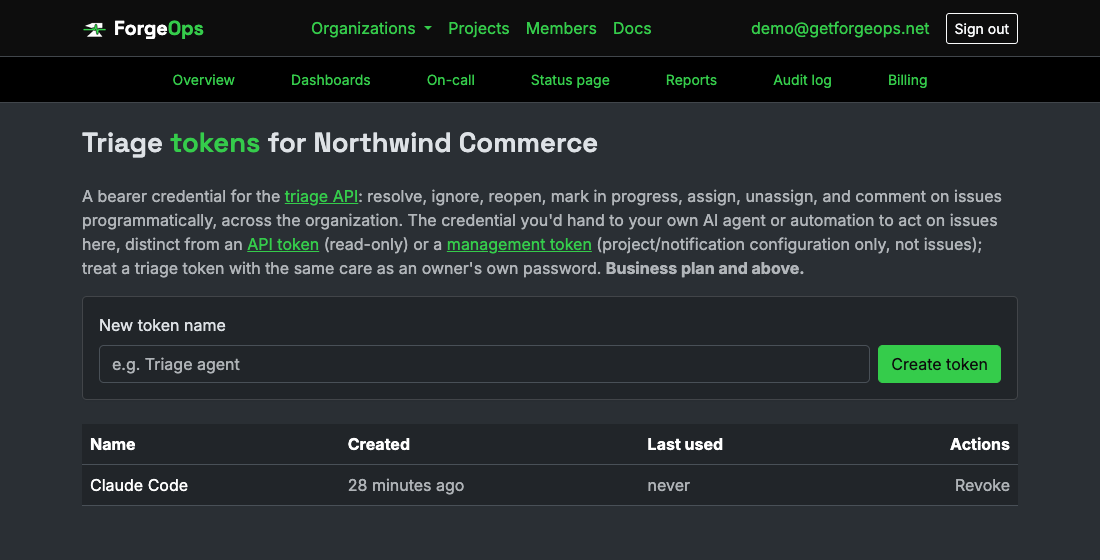
A credential scoped to exactly one job: acting on issues, nothing else.
A real authorization server, not a token pasted into a config file
For a client you didn't build yourself, Claude.ai's own "Connect apps" flow among them, ForgeOps runs a genuine OAuth 2.1 authorization server: dynamic client registration, so a client can self-register with no prior arrangement, a PKCE-required authorization-code exchange, and refresh tokens that rotate on every use rather than being reused indefinitely.
Approving a request happens on a real consent screen, and only an organization owner can complete one, for one of their own organizations: which organization the grant is for, and whether it's read-only or read-and-act, shown plainly before anything is actually granted. Nothing connects silently, and nothing an OAuth client claims about itself is ever trusted enough to skip that screen.
An MCP endpoint speaking the same protocol your AI client already does
Point an MCP client at one endpoint and it finds everything it needs through the protocol's own discovery documents, no manual setup beyond approving the consent screen above. Ten tools are exposed: four read-only (list projects, list issues, get one issue's full detail, list organization members), and six read-and-act (resolve, ignore, reopen, assign, unassign, comment), each one calling the exact same underlying method a teammate clicking the equivalent button on an issue's own page would.
A tool call a read-only grant isn't allowed to make doesn't fail as a broken request; it comes back as a normal, successful response with that specific tool's own result marked as an error, the same distinction the MCP spec itself draws between a malformed request and a tool that simply isn't permitted to run.
Visible, and revocable in one click
Every organization an owner has approved a client for shows up on that organization's own Connected apps page: the app's name, whether it can act or only read, who approved it, and when. Revoking access there takes effect immediately, the same immediate-effect posture every other credential in this app already holds to. There's nothing to create from that page itself, only to review and revoke; a connection always originates from the client's own OAuth flow, never from inside ForgeOps.
Business plan and up
Enforced the same unbypassable, model-layer way every other gated feature here is, re-checked live on every request rather than only at token creation: an organization that downgrades below Business loses triage-API, OAuth, and MCP access immediately, the same posture the read and management APIs already hold to.
See it on your own data
Free plan included, no credit card required. New organizations start with 14 days of Business.
Get started freeGet