On-call scheduling
Whoever's turn it is, resolved fresh every time
A computed rotation, or a fully layered schedule with its own recurrence rules, shown on a calendar you can drag right on the page. One-off overrides for PTO or illness, no rotation to maintain by hand.
A calendar you can see, and drag
Every schedule gets a real calendar, not just a plain upcoming-rotation list: the computed rotation, every override, and every layer, all in one view, converted into whichever time zone the person looking at it has set on their own account. Dragging an override moves it; dragging its edge resizes it. Drag across empty days and the override form below fills itself in, ready to review and submit, rather than silently creating anything on its own.
The rotation itself stays read-only on the calendar, exactly as it should: it's the schedule's own computed output, not something to accidentally drag out of place.
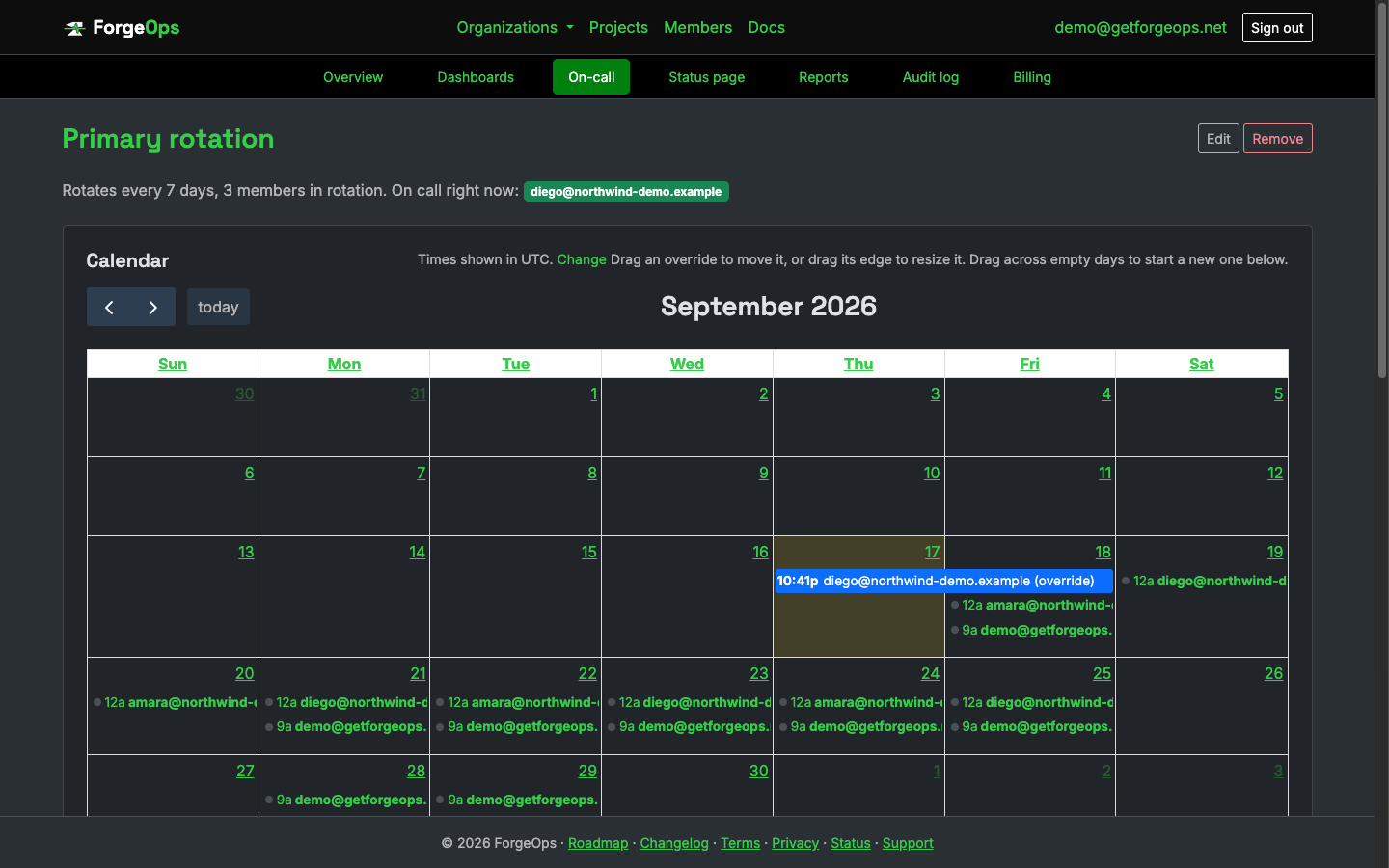
Every rotation and override, in your own time zone, with overrides you can drag right on the page.
A rotation that's computed, not maintained
A schedule is a plain, repeating handoff by default: add the organization members who take a shift, in the order they'll rotate, and set how often the handoff happens. Every rotation_length_days, on-call moves to the next person in the list, wrapping back to the start once it reaches the end, computed fresh from a start date rather than read off a calendar anyone has to keep updating by hand.
That's the simple case, and it's still all most schedules ever need. For anything more, there are layers (see below), not a second, competing way to describe a rotation.
Layered schedules for anything the plain rotation can't express
A schedule can add one or more layers instead: a business-hours-only rotation, a separate weekend team, or any other recurring pattern, each written as a plain RFC 5545 recurrence rule, the same standard calendar apps use. Layers are checked highest priority first, so a narrow one ("weekdays 9 to 5") overrides a broad one underneath it ("everyone else, all the time") for its own window, without either layer needing to know the other exists.
A schedule with any layers at all resolves entirely through them; the plain rotation above stops being used the moment the first layer is added, rather than the two being merged together and needing their own conflict-resolution rules to reason about.
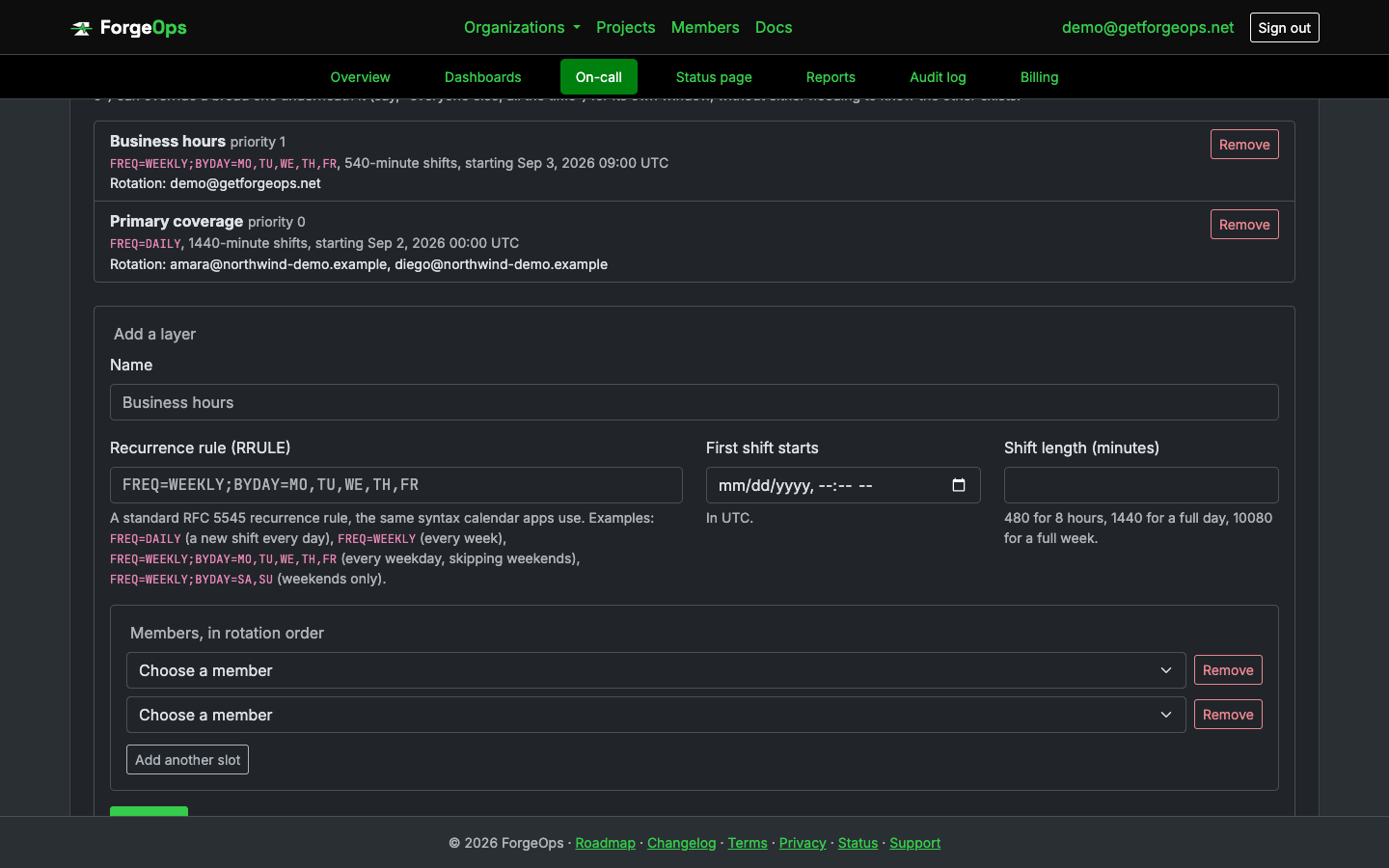
A layer is a plain recurrence rule and its own rotation; add as many as a schedule actually needs.
Overrides for the one-off cases
PTO and illness happen without warning the rotation. An override is a one-off substitution for a specific window, and its own user doesn't have to already be a rotation member: covering for someone can mean bringing in anyone else in the organization, not only another already-scheduled person.
Any override covering a given moment wins outright over whatever the computed rotation (or layer) would otherwise say, for its own window only; once it ends, the schedule picks back up exactly where it would have been anyway, with nothing to manually restore afterward.
Enterprise plan only
Enforced at the model layer, the same unbypassable pattern every other gated feature in this app uses (SSO, uptime monitoring, API access): an escalation policy can't be saved for an organization whose plan doesn't include it, regardless of which path in the app tries to create one. A schedule on its own, including its layers and calendar, can be built on any plan; it's simply of no use until a policy can actually reference it (see Escalation).
See it on your own data
Free plan included, no credit card required. New organizations start with 14 days of Business.
Get started freeGet